
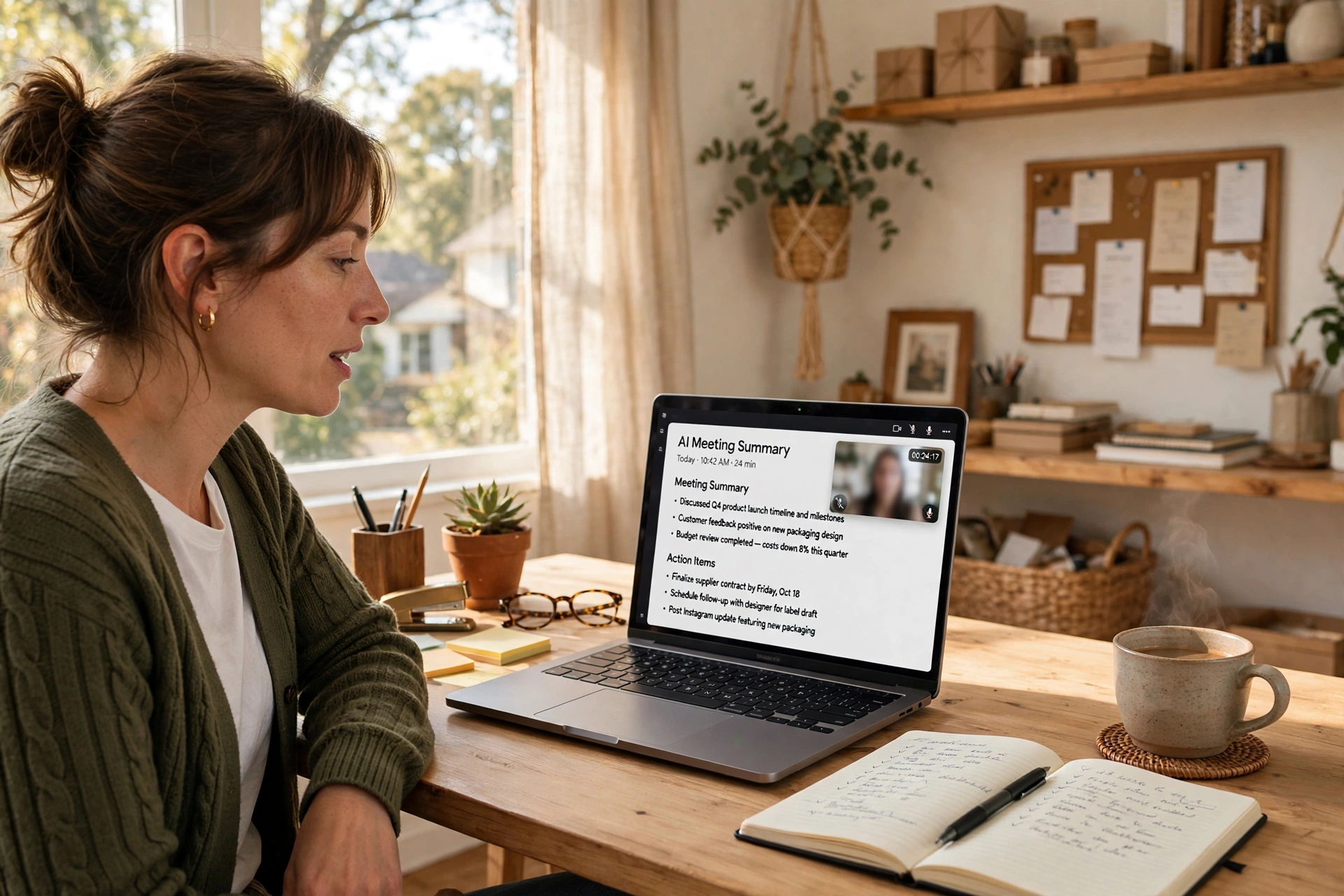
**For most small businesses, the best AI meeting notes tool is Fathom.** Its free plan costs $0 and includes unlimited recordings, unlimited transcriptions and instant AI summaries — the most generous free plan in this guide, and the only one with no minute cap at all. Its Premium plan costs $20 a month ($16 a month billed yearly) and adds advanced summaries and AI action items. If your team meets on Zoom, Google Meet or Microsoft Teams and you just want the notes written for you, Fathom is the cheapest way to do it well — because for most owners, the free plan is enough and the paid plan is optional.If you record meetings in person — a client visit, a supplier meeting, a walk around the shop floor — pick Otter. Its mobile app records and transcribes live from your phone, and Pro costs $16.99 a month ($8.33 a month billed yearly), which is the cheapest entry paid plan here. If your calls feed a sales pipeline and you want every call searchable and synced into your CRM, pick Fireflies: its free plan transcribes without a minute limit, and Pro costs $18 a seat a month ($10 a seat billed yearly) with unlimited AI summaries. If you hate the idea of a bot joining your calls, pick Granola: it captures audio from your own device, no bot ever appears in the meeting, and Business costs $14 a user a month with unlimited meeting history.The short version: start free with Fathom, use it for a month on real calls, and only pay when you can name the limit you hit.
You finish a client call at 11 a.m. It went well. You promised to send the revised quote by Thursday, check whether the bulk discount applies, and loop in your accountant about the payment terms. By 2 p.m. you remember two of the three. By Friday, the client emails asking about the quote, and you are scrolling back through a notebook trying to work out whether the discount was 10% or 15% — and whether you actually promised Thursday or just thought about promising Thursday.
That is the problem AI meeting notes tools solve, and it is a problem every small business owner knows. You do not forget meetings because you are careless. You forget them because you take six calls a day, and no human brain holds six calls’ worth of promises, numbers and next steps without writing them down. The old answer was to take notes during the call, which means you are typing while the client is talking, and half-listening to both. The new answer is a tool that records the call, transcribes it, and hands you a summary with the action items before you have closed the tab.
This guide answers the questions small business owners actually ask about these tools. On Reddit, the same complaints come up again and again: Otter was free when they started, then the free plan shrank to 300 minutes a month and the price kept climbing. On Google, the “People also ask” box keeps returning the same worries in different words: is Fathom really free, which tool is best for a small business, and what happens when the free plan runs out mid-month?
On Quora, the question is simpler: “What is the best AI note taker for meetings that just works?” And in small-business forums, owners ask the question nobody puts on a pricing page: will a robot joining my client call make me look unprofessional — and do I have to tell people it is recording?
This guide to the best AI meeting notes tools for small business answers those questions with real prices, checked on the official pricing pages on 11 November 2026. It compares four tools a 1–10 person business can start with — Fathom, Otter, Fireflies and Granola — and it is honest about where each free plan ends and what the minute and storage caps actually mean.
Quick Answer
For most small businesses, the best AI meeting notes tool is Fathom. Its free plan costs $0 and includes unlimited recordings, unlimited transcriptions and instant AI summaries — the most generous free plan in this guide, and the only one with no minute cap at all. Its Premium plan costs $20 a month ($16 a month billed yearly) and adds advanced summaries and AI action items. If your team meets on Zoom, Google Meet or Microsoft Teams and you just want the notes written for you, Fathom is the cheapest way to do it well — because for most owners, the free plan is enough and the paid plan is optional.
If you record meetings in person — a client visit, a supplier meeting, a walk around the shop floor — pick Otter. Its mobile app records and transcribes live from your phone, and Pro costs $16.99 a month ($8.33 a month billed yearly), which is the cheapest entry paid plan here.
If your calls feed a sales pipeline and you want every call searchable and synced into your CRM, pick Fireflies: its free plan transcribes without a minute limit, and Pro costs $18 a seat a month ($10 a seat billed yearly) with unlimited AI summaries. If you hate the idea of a bot joining your calls, pick Granola: it captures audio from your own device, no bot ever appears in the meeting, and Business costs $14 a user a month with unlimited meeting history.
The short version: start free with Fathom, use it for a month on real calls, and only pay when you can name the limit you hit.
In this article
- The real problem: the meeting ends, the details evaporate
- The four traps: how to read a meeting-notes pricing page
- The 4 best AI meeting notes tools for small business, compared
- 1. Fathom — best free plan
- 2. Otter — best for in-person and live transcription
- 3. Fireflies — best for sales teams and searchable calls
- 4. Granola — best for meetings without a bot
- How to choose in 10 minutes
- Frequently asked questions
- Verdict
The real problem: the meeting ends, the details evaporate
A small business runs on conversations. The quote you agreed on a call, the delivery date you moved, the complaint you promised to fix, the supplier price that changed — none of it lives in a document. It lives in what somebody said at 11 a.m. on a Tuesday. And when five people are in the meeting, five people remember five different versions of what was decided.
That is why the follow-up email after a call is the most valuable email a small business sends, and also the one most often sent late, sent wrong, or never sent at all. You meant to write it straight after the call. Then the next call started. By the time you sit down to write it, the exact number has gone fuzzy, and you write something vague instead — “as discussed, we will proceed” — which helps nobody and commits you to nothing.
An AI notetaker changes the shape of that problem. It joins the call — or, in Granola’s case, listens from your own device — records it, transcribes every word, and produces a short summary: what was decided, who promised what, and by when. The good ones also let you ask the call a question afterwards: “What did we agree about the delivery date?” And the best free plans do all of that without a monthly bill.
What AI does not do is decide which tool fits your business. Every vendor in this guide now puts “AI” on its homepage, and every one of them means something slightly different by it. One tool’s free plan gives you unlimited everything and charges only for team features. Another’s free plan gives you 300 minutes a month and stops transcribing on the 12th of the month. A third gives you unlimited transcription but charges for the summaries themselves, in credits. That is what this guide compares: the price, the cap, and the notes you actually get, on the same meeting schedule, on the same day.
You need one the week a client asks “but didn’t you say Thursday?” and you cannot prove what you said.

The four traps: how to read a meeting-notes pricing page
This is the question that causes the most confusion, and the vendors do not help, because they all use the word “free” to mean different things, and they all cap different things. There are four traps.
Trap one: the minute cap. Otter’s free plan gives you 300 transcription minutes a month, and each conversation is capped at 30 minutes. That sounds generous until you count your calls. Six one-hour client calls a week is about 1,500 minutes a month — five times the free limit. Your free plan runs out around the 8th of the month, and the rest of the month you are back to typing notes yourself. Fathom and Fireflies do not cap transcription minutes on their free plans at all, which is the single biggest difference in this guide.
Trap two: the storage cap. Fireflies gives you unlimited transcription on its free plan, which sounds like the same deal as Fathom — until you read the next line. Free storage is 400 minutes per team. Transcribing is free; keeping the recording is not. Once you pass 400 stored minutes, old calls are deleted to make room, and the searchable archive you were building disappears. Fathom’s free plan has no storage cap. Always check the storage line, not just the transcription line.
Trap three: the bot in the room. Fathom, Otter and Fireflies all send a bot into your meeting by default. The bot appears in the participant list with a name like “Fathom Notetaker”, and everyone on the call can see it. Some clients do not mind. Some do — and in some US states, and in several countries, recording a call without telling everyone on it is not just rude, it is unlawful.
Fathom now offers a bot-free capture option (in beta, on Mac), and Granola never sends a bot at all: it records from your own device, so the call looks exactly like a normal call. Whichever tool you pick, tell people you are recording before the call starts. It takes five seconds, and it is the difference between a professional habit and a problem.
Trap four: the AI is metered, not included. Fireflies gives its free plan 20 AI credits, and Pro keeps the same 20-credit allowance — the credits pay for the extra AI features beyond the basic summary, like asking the assistant questions or generating follow-up emails. Otter gives its free plan 20 AI Chat queries a month, and Pro raises it to 50. The summary itself is included everywhere, but asking the meeting questions is rationed. If that feature is the reason you are buying, count the queries the way you count the minutes.
The rule that saves money: price the meeting schedule you will have in a year, not the one you have today — and read the cap lines, not the headline.
The 4 best AI meeting notes tools for small business, compared
| Tool | Best for | Starting paid price* | Free plan | AI included |
|---|---|---|---|---|
| Fathom | Best free plan | $20/month (Premium, $16/month billed yearly) | Yes, $0, unlimited recordings, transcriptions and summaries | Yes, instant AI summaries and action items |
| Otter | In-person and live transcription | $16.99/month (Pro, $8.33/month billed yearly) | Yes, $0, 300 minutes/month, 30 minutes per conversation | Yes, automated summaries and Otter AI Chat |
| Fireflies | Sales teams and searchable calls | $18/seat/month (Pro, $10/seat/month billed yearly) | Yes, $0, unlimited transcription, 400 minutes storage per team | Yes, AI summaries and AskFred assistant |
| Granola | Meetings without a bot | $14/user/month (Business) | Yes, $0, AI meeting notes, 30-day history | Yes, AI meeting notes and custom templates |
*Prices checked on 11 November 2026 on the official pricing pages. Monthly billing shown; yearly billing is cheaper on most tools. Otter and Granola plan prices are shown in a JavaScript calculator on their official pages — see the editor note at the end of this post.*

1. Fathom — best free plan
Fathom is the tool to pick if you want the notes written for you and you do not want to pay for the privilege. Its free plan is the most generous in this guide by a distance: unlimited recordings, unlimited transcriptions, unlimited storage, and instant AI summaries, at $0, forever, with no credit card. There is no minute cap to hit on the 8th of the month and no storage cap quietly deleting your old calls. For a 1–10 person business that meets on Zoom, Google Meet or Microsoft Teams, the free plan is not a trial. It is the product.
The paid plans exist for teams, not for unlocking the basics. Premium costs $20 a month, or $16 a month billed yearly, for one person, and adds advanced call summaries, AI-generated action items, a conversational meeting assistant you can ask questions, and a custom meeting bot. Team costs $19 a month, or $15 a user a month billed yearly, with a two-user minimum, and adds the shared workspace: folders, comments, mentions, playlists, trackers, and Ask Fathom across the whole team’s calls, plus team security controls and HIPAA compliance with a standard BAA.
Business costs $34 a month, or $25 a user a month billed yearly, also with a two-user minimum, and adds CRM field sync, a Deal View that pulls every call on a deal onto one page, and coaching metrics with AI scorecards. Enterprise costs $35 a user a month, annual billing only, and adds single sign-on, SCIM provisioning, custom data retention and a dedicated success manager.
Fathom is also the tool with the clearest sales focus. The summaries are short and structured around decisions and next steps rather than a wall of transcript, and the CRM sync on Business writes the meeting outcome into the customer record automatically. HubSpot announced plans to acquire Fathom in late 2025, which is why its HubSpot integration runs deeper than the others here — worth knowing if your CRM is HubSpot, as it is for many small businesses. Fathom also offers a choice of bot-free capture (in beta, on Mac) or the usual bot, which is the only bot-free option in this guide besides Granola.
The weakness is the team minimum. The moment you want the shared workspace, you are paying for at least two seats — $30 a month billed yearly for Team — even if only one person actually runs the meetings. And Fathom is built around the video call: it rides along in Zoom, Meet and Teams rather than transcribing an audio file you upload or a conversation in a room. If your important meetings happen off-camera, Fathom is not the tool for them.
Pros: the most generous free plan here — unlimited everything at $0; the cleanest, fastest summaries; bot-free capture option; deep HubSpot CRM integration; no storage cap. Cons: team plans need a two-user minimum; built for video calls, not in-person meetings or uploaded audio; advanced summaries and action items need the paid plan.
Best for: any small business that meets on video calls and wants the notes written for free — and sales-led teams that live in their CRM.
2. Otter — best for in-person and live transcription
Otter is the oldest name in this guide, and the one most people have heard of — it has been transcribing meetings since 2016, and it shows in the editor. The transcript is searchable, the speakers are labelled by name, and you can export it to TXT, DOCX, PDF and SRT. But Otter’s real advantage is not the editor. It is that Otter works live, during the call, and away from the call: live captions in Zoom, Google Meet and Teams, and a mobile app that records and transcribes an in-person meeting from your phone. No other tool here does in-person meetings as well.
The free plan is where Otter gets tight. Basic costs $0 and gives you 300 transcription minutes a month, a 30-minute cap on each conversation, only your 25 most recent conversations kept in history, 3 file imports in total across the life of the account, and 20 Otter AI Chat queries a month. That is enough to test Otter, and enough for a business that takes a few short calls a week. It is not enough for a business that lives on calls: 300 minutes is five hours, and one long client workshop eats it in an afternoon.
The 30-minute per-conversation cap is the quieter problem — a meeting that runs long simply stops being transcribed at the half-hour mark.
Paid plans start with Pro at $16.99 a month, or $8.33 a month billed yearly, which is the cheapest entry paid plan in this guide. Pro raises the limit to 1,200 transcription minutes a month, meetings up to 90 minutes, 10 file imports a month, unlimited conversation history, and 50 AI Chat queries a month, plus automated slide capture and advanced search.
Business costs $30 a month, or $19.99 a month billed yearly, and removes the caps: unlimited transcription minutes, meetings up to 4 hours, 6,000 import minutes a month, 200 AI Chat queries, and synced notes to Salesforce or HubSpot. Students and teachers with a .edu email address get 20% off Pro.
Two honest warnings belong in any 2026 guide to Otter. First, Otter has repriced more than once this year, and the free plan has shrunk while prices climbed — that is why so many small-business owners are searching for an alternative right now, and why the prices in this post must be re-checked on the official page before you buy.
Second, in August 2026 a federal judge in California let wiretap and biometric-privacy claims against Otter proceed to discovery, over allegations that its notetaker recorded people who had not consented. The court has not found that Otter did anything unlawful, and the case is still going — but it is a reminder that applies to every tool in this guide: always tell the people on your call that you are recording, before you start.
Pros: the best live transcription and captions; the only strong mobile app for in-person meetings; the cheapest entry paid plan at $8.33 a month billed yearly; polished, searchable editor with real export formats; student and teacher discount. Cons: the smallest free plan here — 300 minutes a month and a 30-minute cap per call; the bill climbs fast once you need Business; prices have moved more than once in 2026; the consent lawsuit is still unresolved.
Best for: owners who meet clients in person, take calls on the phone, or need live captions during the meeting — and anyone whose calls are short enough that 300 free minutes lasts the month.
3. Fireflies — best for sales teams and searchable calls
Fireflies is the tool to pick if your calls feed a pipeline rather than a notebook. It records on Zoom, Google Meet, Microsoft Teams and more than ten other platforms, transcribes in over 100 languages, and turns every call into a searchable record: you can search across your whole meeting history for a word, a person or a topic, and find the exact moment a customer mentioned a competitor or asked for a discount. No other tool here treats the call archive as a database the way Fireflies does.
The free plan costs $0 and gives you unlimited transcription with limited AI summaries, 400 minutes of storage per team, and 20 AI credits. Read that combination carefully, because it is the trap described above: the transcription is unlimited, but the storage is not. A team that records ten hours of calls a week fills 400 minutes in a single week, and the oldest recordings are deleted to make room. The free plan is a genuine way to test Fireflies, not a home for a growing archive.
Pro costs $18 a seat a month, or $10 a seat billed yearly, and is the cheapest uncapped paid option in this guide for a team. It adds unlimited AI summaries, 8,000 minutes of storage per seat, video recording, downloadable transcripts, summaries and recordings, the AskFred AI assistant, AI Skills, action items and a task manager, and unlimited integrations.
Business costs $29 a seat a month, or $19 a seat billed yearly, and adds unlimited storage, conversation intelligence with sentiment analysis and speaker talk-time analytics, team analytics for admins, and multi-language mode. Enterprise costs $39 a seat a month, annual billing only — the only published enterprise price in this guide — and adds single sign-on, SCIM, audit logs, private storage, custom data retention, and HIPAA readiness with a BAA.
Its weakness is the credit system: the 20 AI credits on Free and Pro pay for the extra AI features beyond the basic summary, so the “ask the meeting anything” habit has a meter running even after you pay. And reviewers report that accuracy drops on calls with heavy accents or several non-native English speakers, which matters if your suppliers or customers are overseas.
Pros: unlimited transcription even on the free plan; the best searchable call archive; conversation intelligence and CRM sync on Business; the cheapest uncapped paid plan for a team at $10 a seat billed yearly; clear no-training-on-your-data policy; 100+ languages. Cons: free storage caps at 400 minutes per team, so old calls disappear; AI credits ration the extra features even on paid plans; accuracy suffers with heavy accents; Business is where the sales features actually live.
Best for: sales and customer-facing teams who need every call searchable, and any business that wants its meeting history to work like a CRM instead of a notebook.
4. Granola — best for meetings without a bot
Granola is the odd one out in this guide, and for some owners it is the only one that fits. It never sends a bot into your meeting. There is no “Granola Notetaker” appearing in the participant list, no robot voice announcing itself, nothing for a client to notice. It captures audio from your own device — your laptop, your phone, even your Apple Watch — and turns it into clean, structured notes. That makes it the only tool here that works properly for the meetings that happen off-camera: a client visit, a supplier lunch, a walk around the shop floor, a phone call.
Its notes also read differently from the others. Fathom, Otter and Fireflies all start from a full transcript and summarise it. Granola starts from the notes you type during the meeting and enhances them with the transcript, so what you get reads like notes a good assistant took — short, in your words, with the decisions pulled out — rather than a court record you have to wade through. You can build custom note templates for the meetings you run every week, and Granola fills in the same structure each time.
The free plan, called Basic, costs $0 and includes AI meeting notes, bot-free device-audio capture, apps for desktop, iOS, Android and Apple Watch, speaker tagging, customised note templates and multi-language support. The limit that matters is history: the free plan keeps 30 days of meeting history, so a note from six weeks ago is gone unless you saved it elsewhere.
Business costs $14 a user a month and adds unlimited meeting history and notes, shared folders, integrations with Slack, Notion, Zapier and HubSpot, AI chat across meetings with model selection, and workspace usage analytics. Enterprise is priced on application and adds single sign-on, SCIM provisioning, HIPAA-compliant workspaces and admin control over model training — Granola trains on anonymised data by default, and each user can opt out with one click, while Enterprise has training off by default. Audio is deleted after transcription on every plan.
The trade is that Granola is not a transcript tool. If you need a word-for-word record of a call — for a dispute, a compliance file, or a client who wants the exact wording — Granola’s notes will not give you that, and you should pick Fathom or Fireflies instead. It is also the youngest tool here, so its integration list is shorter than Otter’s or Fireflies’, and the advanced Salesforce integration sits on Enterprise rather than Business.
Pros: no bot ever joins your call; the only strong option for in-person and phone meetings; notes read like notes, not a transcript; audio deleted after transcription; custom templates for repeat meetings. Cons: free history is only 30 days; no full verbatim transcript for disputes or compliance; a shorter integration list than the others; advanced integrations need Enterprise.
Best for: owners who meet clients face to face, hate the idea of a bot in the room, or want short clean notes instead of a long transcript.

How to choose in 10 minutes
Answer three questions and the list picks itself.
Where do your important meetings happen? On Zoom, Meet or Teams: Fathom, free. In person, on the phone, or walking around: Otter for live phone transcription, or Granola if you do not want a bot. A mix of both: run Fathom for video calls and Granola for everything else — both have free plans, so the combination costs $0.
How many minutes of calls do you actually take? Under five hours a month, Otter’s free plan lasts the month. Over five hours, it does not — and Fathom’s unlimited free plan is the only one that never runs out. Count your calendar before you count the price.
What happens to the notes after the call? If they need to land in your CRM next to the customer record, Fireflies Business or Fathom Business. If they just need to be searchable so you can find what a client said three weeks ago, Fireflies Pro. If they need to be short enough that you actually read them, Granola.
Then do the two-week test: one tool, ten real meetings, one follow-up email sent from the summary each time. Check whether the action items matched what you remembered promising. If it passes, keep it. If it fails, you found out for free — and with Fathom, “free” means the test never has to end.
Frequently asked questions
What is the best AI meeting notes tool for small business?
For most small businesses, Fathom is the best AI meeting notes tool, because its free plan costs $0 and includes unlimited recordings, unlimited transcriptions and instant AI summaries, with no minute cap. If you record meetings in person, pick Otter. If your calls feed a sales pipeline, pick Fireflies. If you do not want a bot joining your calls, pick Granola.
Is Fathom really free?
Yes. Fathom’s free plan costs $0 forever and includes unlimited recordings, unlimited transcriptions, unlimited storage and instant AI summaries, with no credit card required. The paid plans — Premium at $20 a month ($16 a month billed yearly), Team at $15 a user a month billed yearly, and Business at $25 a user a month billed yearly — add advanced summaries, action items, a shared team workspace and CRM sync. Most small businesses never need to pay.
Is Otter still free for small business?
Otter has a free plan, but it is small: $0 for 300 transcription minutes a month, with a 30-minute cap on each conversation and only your 25 most recent conversations kept. It is enough to test Otter, not enough to grow on. If your calls pass 300 minutes a month, you pay from $16.99 a month for Pro, or $8.33 a month billed yearly, and the price rises again to $30 a month for Business.
Which AI meeting notes tool is cheapest for a small business?
Fathom is cheapest, because its free plan costs $0 with no minute or storage cap — for many owners the bill stays at $0. If you need a paid plan, Otter Pro is the cheapest entry at $8.33 a month billed yearly, though it caps you at 1,200 minutes a month. Fireflies Pro at $10 a seat a month billed yearly is the cheapest uncapped paid plan for a team, and Granola Business at $14 a user a month is the cheapest way to get unlimited history without a bot.
Do I have to tell people the meeting is being recorded?
Yes — tell everyone on the call before you start recording. The bot joining the meeting is a visible signal, but it is not consent, and in some US states and several countries recording without telling everyone is unlawful. Fathom’s bot-free option and Granola’s device capture do not change this: the recording is still happening, so say so at the start of the call. It takes five seconds and it is the professional thing to do.
Is there a free AI meeting notes tool without a bot joining the call?
Yes. Granola’s free plan costs $0, never sends a bot into your meetings, and captures audio from your own device — laptop, phone or Apple Watch — with 30 days of meeting history. Fathom also offers a bot-free capture option, in beta on Mac, on its free plan. Both are genuinely free; Granola is the better pick if most of your meetings happen off-camera.
Verdict
Meeting notes are the cheapest hire a small business can make, and the tool you pick decides whether they stay cheap. The free plans in this guide are genuinely useful — Fathom’s has no cap at all, Fireflies’ transcribes without limit, Granola’s works without a bot — but every one of them has a wall, and the wall is always the thing you need next: more minutes, more storage, more history, a second seat.
Start free. Fathom if your meetings happen on video calls, Granola if they happen in person, Otter if you need live captions and a phone app, Fireflies if your calls are the raw material of your sales pipeline. That is how you find the best AI meeting notes tool for small business for your business — not from a feature list, but from two weeks of real meetings and the follow-up emails they produced.
Pay only when you can name the limit you hit: a minute cap, a storage cap, a 30-day history, a CRM that needs the notes in it. For most owners reading this, that will be never — Fathom’s free plan covers the whole job.
If you do that, the client call stops evaporating the moment it ends, and you will know — from the summary, not from a guess — what you promised and by when. That is the whole return on a meeting tool, and it starts at $0.
Prices in this guide were checked on 11 November 2026 on the official pricing pages of Fathom, Otter, Fireflies and Granola. Prices, free-tier limits and AI feature availability change often — check the official pricing page before you buy. This post contains no affiliate links.
Price note — updated 11 November 2026: Prices in this post were checked on 11 November 2026. When you are reading this, the price may be lower — vendors change prices and run discounts often, so please check the official pricing page before you buy.
Related: Best AI Invoicing Tools for Small Business (2026): 4 Compared by Real Price
Related: Best AI Scheduling Tools for Small Business (2026): 4 Compared by Real Price
Related: Best Note-Taking Apps (2026): Compared by Real Price
Related: Superhuman Docs vs Notion (2026): Which One Should You Pick?
Related: ClickUp vs monday.com (2026): Which One Should You Pick?
Related: Best AI Phone Systems for Small Business (2026): 5 Compared by Real Price
Related: Slack Alternatives (2026): 5 Compared by Real Price
Related: Slack vs Microsoft Teams (2026): Which Is Cheaper for Small Business?
Related: Zoom vs Google Meet (2026): Which Video Tool Is Cheaper for Small Business?
Pros
- the most generous free plan here — unlimited everything at $0
- the cleanest, fastest summaries
- bot-free capture option
- deep HubSpot CRM integration
- no storage cap
Cons
- team plans need a two-user minimum
- built for video calls, not in-person meetings or uploaded audio
- advanced summaries and action items need the paid plan
Meeting notes are the cheapest hire a small business can make, and the tool you pick decides whether they stay cheap. The free plans in this guide are genuinely useful — Fathom's has no cap at all, Fireflies' transcribes without limit, Granola's works without a bot — but every one of them has a wall, and the wall is always the thing you need next: more minutes, more storage, more history, a second seat.Start free. Fathom if your meetings happen on video calls, Granola if they happen in person, Otter if you need live captions and a phone app, Fireflies if your calls are the raw material of your sales pipeline. That is how you find the best AI meeting notes tool for small business for your business — not from a feature list, but from two weeks of real meetings and the follow-up emails they produced. Pay only when you can name the limit you hit: a minute cap, a storage cap, a 30-day history, a CRM that needs the notes in it. For most owners reading this, that will be never — Fathom's free plan covers the whole job.If you do that, the client call stops evaporating the moment it ends, and you will know — from the summary, not from a guess — what you promised and by when. That is the whole return on a meeting tool, and it starts at $0.
15 thoughts on “Best AI Meeting Notes Tools for Small Business (2026): 4 Compared by Real Price”