
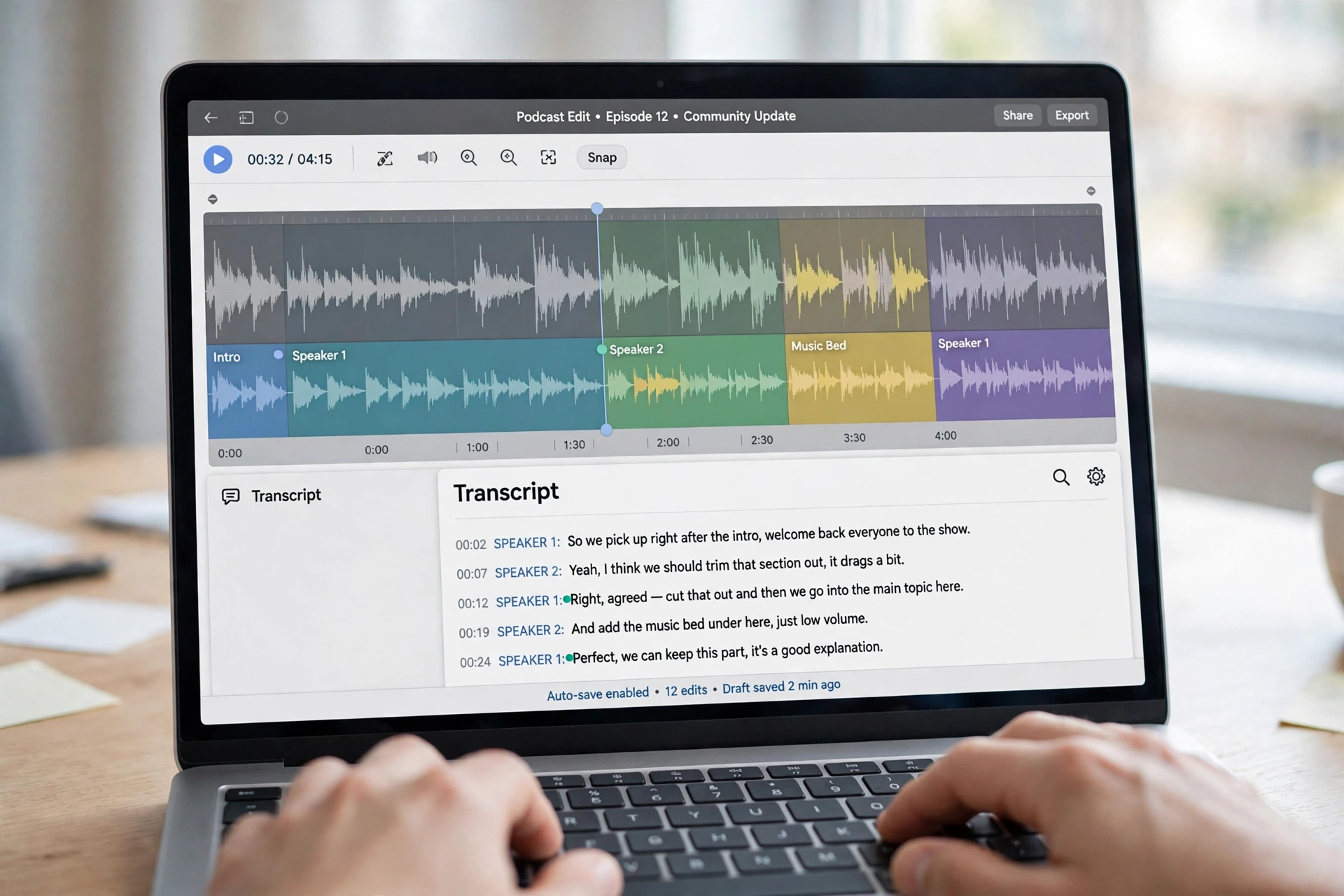
For most podcasters, the best AI tools for podcasters start with Descript. The free plan costs $0 and gives you one media hour a month. Hobbyist costs $16 a month billed annually ($24 a month billed monthly) for ten media hours, and it edits audio by editing a transcript — delete a sentence of text and the audio goes with it.Pick Riverside if your guests are remote: Pro costs $24 a month billed annually ($35 a month billed monthly) for fifteen recording hours, and it records each guest on their own device, so a bad connection never ruins the interview.Pick Castmagic if the show notes are the part you never finish: Hobby costs $19 a month billed annually ($239 a year), or $29 a month billed monthly, for thirty transcribed hours, and it turns one finished episode into show notes, a newsletter, social posts and clips. There is no free plan.Pick Auphonic if every episode should sound like the same show: the free plan processes two hours of audio a month, and paid plans start from $11 a month billed annually. It levels voices and loudness to broadcast standard with almost no human pass.Pick Adobe Podcast if your audio is already recorded and sounds bad: Enhance Speech is free for one hour a day and removes room echo and background noise in the browser. Premium now comes through Firefly Pro at $19.99 a month.The short version: if editing is the pain, start with Descript Hobbyist at $16 a month billed annually. If remote guests are the pain, Riverside Pro at $24 a month billed annually protects the recording, and Auphonic from $11 a month billed annually makes it sound consistent.
5 AI Tools for Podcasters (2026): Compared by Real Price
You recorded for an hour on Saturday. You spent the rest of the weekend cutting ums, fixing the guest’s echoey kitchen, and writing show notes you never finished. Monday comes and the episode still is not out.
That is what podcasters search for when they look for AI tools for podcasters: not a gimmick, but a way to stop the edit eating the weekend. In r/podcasting the same complaints come up again and again — editing burnout, show notes that sound like a robot wrote them, and a guest recording ruined by bad internet. One often-quoted figure in podcast circles says 70 percent of independent shows quit before episode ten, and editing burnout is the reason most often named.
This guide answers that search with real prices, checked on the official pricing pages on 14 November 2026. It compares five tools a one-person show can run this week: Descript, Riverside, Castmagic, Auphonic and Adobe Podcast. The cheapest plan covering four episodes a month costs about $11 a month, and the cheapest start is free.
Quick Answer
For most podcasters, the best AI tools for podcasters start with Descript. The free plan costs $0 and gives you one media hour a month. Hobbyist costs $16 a month billed annually ($24 a month billed monthly) for ten media hours, and it edits audio by editing a transcript — delete a sentence of text and the audio goes with it.
Pick Riverside if your guests are remote: Pro costs $24 a month billed annually ($35 a month billed monthly) for fifteen recording hours, and it records each guest on their own device, so a bad connection never ruins the interview.
Pick Castmagic if the show notes are the part you never finish: Hobby costs $19 a month billed annually ($239 a year), or $29 a month billed monthly, for thirty transcribed hours, and it turns one finished episode into show notes, a newsletter, social posts and clips. There is no free plan.
Pick Auphonic if every episode should sound like the same show: the free plan processes two hours of audio a month, and paid plans start from $11 a month billed annually. It levels voices and loudness to broadcast standard with almost no human pass.
Pick Adobe Podcast if your audio is already recorded and sounds bad: Enhance Speech is free for one hour a day and removes room echo and background noise in the browser. Premium now comes through Firefly Pro at $19.99 a month.
The short version: if editing is the pain, start with Descript Hobbyist at $16 a month billed annually. If remote guests are the pain, Riverside Pro at $24 a month billed annually protects the recording, and Auphonic from $11 a month billed annually makes it sound consistent.
In this article
- Why editing eats the weekend
- The 5 AI tools for podcasters, compared at a glance
- 1. Descript — best for editing by text
- 2. Riverside — best for remote recording
- 3. Castmagic — best for show notes and repurposing
- 4. Auphonic — best for making every episode sound the same
- 5. Adobe Podcast — best free audio rescue
- A tool or a workflow — what actually changes
- What 4 episodes a month really costs
- The four traps: how to read a podcast-tool price
- How to choose in 10 minutes
- Frequently asked questions
- Verdict
Why editing eats the weekend
A one-hour episode used to take four to five hours of post-production: record for an hour, then spend the rest of the weekend scrubbing a waveform, cutting filler words one by one, levelling two voices recorded at different volumes, and writing show notes from memory.
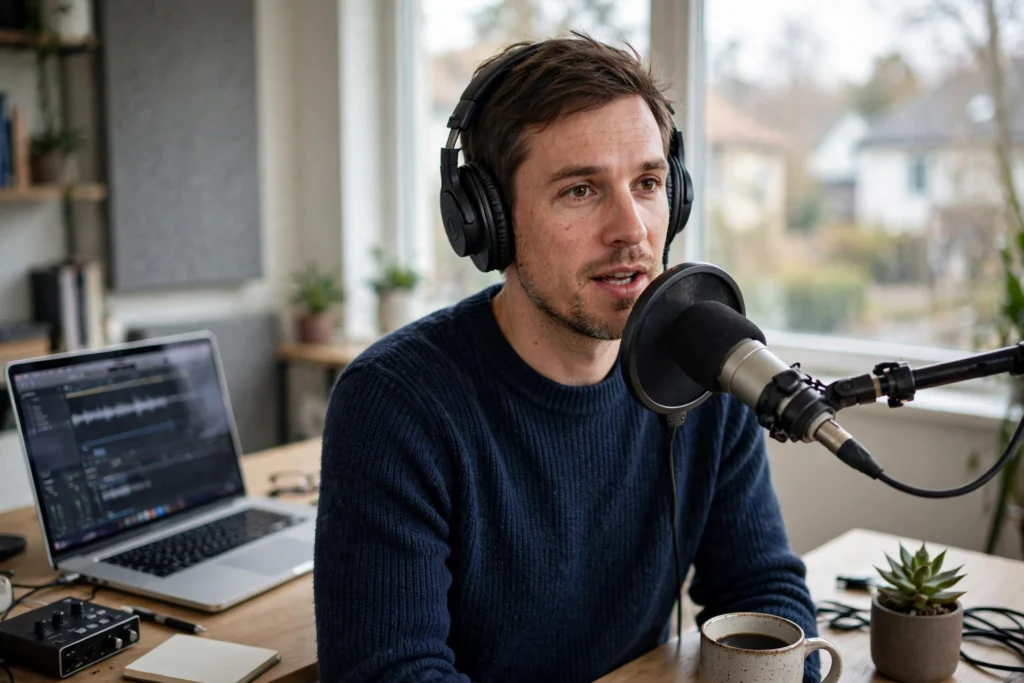
The work breaks into four jobs, and each one fails in a different way. Recording fails when a guest’s internet drops and the call audio compresses into mush. Editing fails because a waveform hides the words. Sound fails because your room echoes and your guest’s kitchen echoes differently. And the notes fail because by the time the edit is done, nobody has the energy to write them.
Podcasters keep asking the same questions in different words — “How do I edit a podcast faster?”, “What is the best AI tool for removing filler words?”, “Can AI write my show notes?” — and the answers keep coming back to the same three worries.
The first worry is time. Editing is the single biggest time cost in podcasting, and it is the one that kills shows. The fix is not a faster timeline; it is not using a timeline at all. A transcript editor lets you read the episode like a document and delete a tangent by selecting a paragraph.
The second worry is the recording itself. You can rescue a mediocre edit, rewrite bad show notes, and re-level bad audio. You cannot un-compress a guest’s voice, and you will not get the interview again. That is why the recording tool matters more than the editing tool for interview shows: local recording is the one feature that protects you from a problem no edit can fix.
The third worry is the show notes. Reddit’s verdict is blunt: “Automated show notes are always super generic and lame.” The workaround is to use AI for the transcript and timestamps, then write the notes yourself in twenty minutes — good notes need judgement about what was surprising, and a summary tool can only list what was talked about.
The 5 AI tools for podcasters, compared at a glance
| Tool | Best for | Free way to try | Entry paid price* | How it counts usage |
|---|---|---|---|---|
| Descript | Best for editing by text | Free plan — 1 media hour a month | Hobbyist $16/month ($24/month billed monthly) | Media hours — 10 a month on Hobbyist |
| Riverside | Best for remote recording | No free plan — 14-day free trial | Pro $24/month ($35/month billed monthly) | Recording hours — 15 a month on Pro |
| Castmagic | Best for show notes and repurposing | No free plan | Hobby $19/month billed annually ($239/year), $29/month billed monthly | Transcribed hours in the library — 30 on Hobby |
| Auphonic | Best for making every episode sound the same | Free plan — 2 hours of audio a month | From $11/month billed annually ($13/month billed monthly) — S pack, 9 hours a month | Processing hours bought as credits |
| Adobe Podcast | Best free audio rescue | Enhance Speech free — 1 hour a day | Premium via Firefly Pro $19.99/month | Hours of enhancement a day on the free plan |
Prices checked 14 November 2026 on the official pricing pages. Descript Creator $24, Business $50. Riverside Grow $34. Castmagic Starter $579/year, Team $1,669/year. Auphonic paid plans are credit-based — the hour allowance depends on the credit pack. Adobe Podcast standalone Premium was discontinued on 30 August 2026; Premium now comes only through Firefly Pro. Prices can vary by country.
Read the last column before the price column: these five AI tools for podcasters do not count the same thing. Descript sells you media hours, Riverside sells you recording hours, Castmagic sells you transcribed hours sitting in a library, Auphonic sells you processing credits, and Adobe Podcast gives you an hour a day free and charges for the rest through a different product.
At four episodes a month, each about 45 minutes, you need about three hours covered. The cheapest plan that covers the work costs $11 on Auphonic, $16 on Descript Hobbyist and $19 on Castmagic Hobby on annual billing. Riverside Pro costs $24 and Adobe Podcast Premium $19.99, and they charge for different jobs — recording and rescue — rather than the edit itself.
1. Descript — best for editing by text
Descript is the pick when editing is the part that eats your weekend. It turns your recording into a transcript, and then you edit the transcript like a document: delete a sentence of text and the matching audio disappears. Cut a tangent by selecting a paragraph. Find the good ninety seconds with a text search instead of scrubbing a waveform for an hour.
The free plan costs $0 and gives you one media hour a month, which is enough to test a short episode and see whether the idea clicks for you. Hobbyist costs $16 a month billed annually, or $24 a month billed monthly, for ten media hours a month and 400 AI credits. Creator costs $24 a month billed annually, or $35 a month billed monthly, for thirty media hours and 4K export. Business costs $50 a month billed annually, or $65 a month billed monthly, and is priced per seat.
The filler-word sweep is the feature that earns the money. One click finds every “um”, “uh” and “you know” in the transcript and removes them from the audio. Studio Sound cleans up room noise in the same pass. Overdub clones your voice from about ten minutes of speech, so a misspoken word can be fixed by typing the correction. Underlord, the built-in AI assistant, removes silences, drafts the show notes, and cuts vertical clips for social media.
Descript suits a solo host or a co-hosted interview show where the conversation is the content. A rough cut that took four hours in a traditional editor can take under an hour: the transcript is the shortcut, not the AI.
The limit to watch is the metering. Media minutes are counted on what you upload, not what you publish — and a weekly show recorded as separate tracks for host and guest consumes the allowance at twice the episode length before you have cut anything. Ten media hours sounds generous until a two-track, 45-minute episode eats ninety minutes of it. The second limit is the human pass: bulk filler removal can clip a word that carried meaning, so listen through once after the sweep — too clean sounds robotic.
Pros: the fastest rough cut here by a wide margin, because text editing beats waveform scrubbing; filler removal, Studio Sound and Overdub in one subscription; the free hour is enough to test a real episode. Cons: media minutes are counted on uploads, and separate tracks burn the allowance twice as fast; AI credits run out on long episodes and push you to upgrade mid-project; heavy 4K timelines can stutter on slower machines.
Best for: a host who edits every week and wants the edit done in an hour instead of a weekend.
2. Riverside — best for remote recording
Riverside is the pick when your guests are remote and the recording is the part you cannot redo. It records each participant locally, on their own device, in up to 4K video and separate audio tracks, then uploads the files afterwards. A guest’s weak connection never touches the recording, because the recording never travels over the call.
The pricing page no longer lists a free plan — it offers a 14-day free trial instead, which matches Riverside’s blog saying the permanent free plan was replaced in September 2026 by a 14-day trial. Check before you plan around it.
Pro costs $24 a month billed annually ($288 a year), or $35 a month billed monthly, for fifteen recording hours a month with separate-track downloads. Grow costs $34 a month billed annually, or $45 a month billed monthly, for twenty hours. The Pro monthly figure is $35 on the live pricing page — some older roundups still quote $29, and the live pricing page is the only number that counts.
What the money buys is insurance, not editing. Magic Clips turns a long recording into short vertical clips, Magic Audio cleans up the recording, and AI show notes generate a summary and titles. The editor itself is timeline-based and basic — most podcasters export from Riverside and edit in Descript.
Riverside suits an interview show where the guest is the episode. If your guest is a busy person you will not get twice, fifteen hours of local recording for $24 a month is the cheapest insurance in podcasting.
The limit to watch is the tier ladder: fifteen hours sounds like a lot until a two-hour interview uses more than you planned. The second limit is one every Riverside user learns: the recording is only half the job, and the editing still happens somewhere else.
Pros: local recording is the single best protection for an interview you cannot repeat; separate audio and video tracks for every guest; Magic Clips shortens the recording-to-first-clip loop. Cons: there is no free plan, only a 14-day trial; the editor is basic next to Descript; monthly billing carries a real premium over annual.
Best for: an interview show with remote guests, where the recording matters more than the edit.
3. Castmagic — best for show notes and repurposing
Castmagic is the pick when the episode is finished and everything around it is not. It takes one finished recording and turns it into the transcript, the show notes, timestamps and chapters, a newsletter, social posts, quotes and clips — the whole pile of content that surrounds an episode and that most podcasters never write.
There is no free plan. Hobby costs $19 a month billed annually — $239 a year — or $29 a month billed monthly, for thirty transcribed hours sitting in the library. Starter costs $579 a year for one hundred hours with API access, and Team costs $1,669 a year.
What the money buys is output, not editing. Upload the episode and Castmagic writes the first draft of everything: show notes with timestamps, a newsletter, social posts, pull quotes, and suggested titles. The transcript is searchable, so finding the quotable moment takes seconds.
Castmagic suits a podcaster who publishes consistently and needs the episode to work harder — one recording becoming a week of posts. The AI draft is a starting point, and the Reddit consensus is right that it needs your edit before it goes out. Use the AI output as raw material, not as the publishable draft.
The limit to watch is the library model: thirty transcribed hours is a library, not a monthly allowance, and a back catalogue will eat it faster than new episodes do. The second limit is one every repurposing tool shares: clip selection is done by keyword and energy, not by whether the joke lands, so check every clip before it goes out.
Pros: the deepest repurposing here — one episode becomes notes, newsletter, posts and clips; the library model suits a show with a back catalogue to mine; no free plan means no free-tier traps. Cons: no free plan at all, so you pay before you know whether the output style fits your show; the AI show notes still need a real human edit; monthly billing costs $29 a month against $19 billed annually.
Best for: a podcaster who publishes every week and wants one episode to become a week of content.
4. Auphonic — best for making every episode sound the same
Auphonic is the pick when your episodes sound different from each other and you want that to stop. It is an audio post-production service: upload the recording and it levels the voices, removes noise and hum, and masters the episode to broadcast loudness standards, so episode twelve sounds like episode one.
The free plan costs $0 and processes two hours of audio a month, which covers about two 45-minute episodes — enough to hear the difference on your own show before you pay. Paid plans start from $11 a month billed annually, or $13 a month billed monthly, for the S pack with 9 hours a month, and are sold as credits that buy processing hours. Larger packs go up to 250 hours a month, so check the pricing page for the pack that matches your episode count.
What the money buys is consistency with almost no human pass. Auphonic’s levelling is the closest thing here to set-and-forget: it balances a quiet guest against a loud host, applies the loudness target podcast apps expect, and hands back a finished file. It also handles batch work well — queue a month of episodes and process them the same way, which is how a show builds a recognisable sound.
Auphonic suits a podcaster whose recordings come from different rooms, microphones, or guests every week. It is also the best second tool here: pair it with any recorder and any editor, and the sound stays the same whatever else changes.
The limit to watch is that Auphonic is not an editor. It will not cut your ums, write your notes, or rescue a recording that was ruined at the source — it masters what you give it. The second limit is the credit model: a long episode with separate tracks costs more credits than a short solo one, so work out your monthly hours before you pick a pack.
Pros: the most consistent sound here, with the smallest human pass of any tool in this guide; the free two hours a month covers a real episode; batch processing suits a show that records ahead. Cons: it masters audio, it does not edit it; the credit model makes the real monthly cost harder to see than a flat subscription; separate tracks cost more credits.
Best for: a podcaster whose episodes sound different every week and who wants one consistent sound without learning audio engineering.
5. Adobe Podcast — best free audio rescue
Adobe Podcast is the pick when the audio is already recorded and it sounds bad. Enhance Speech is a free browser tool: upload the file, and it removes room echo, hum and background noise, leaving a voice that sounds like it was recorded in a treated room instead of a kitchen.
Enhance Speech is free for one hour of audio a day, with an Adobe account. That covers a 45-minute episode every day without paying anything, which makes it the best free tool in this guide by a clear margin. Premium, which adds more hours and the full studio tools, was sold as a standalone plan until 30 August 2026. It is now available only through Firefly Pro, at $19.99 a month.
What the free tool buys is a rescue, not a workflow. It does one job — clean up a finished recording — and reviewers keep recommending it as the first thing to try before buying anything. The newer version can sound slightly robotic on a voice with heavy echo, so listen to the result before you publish it.
Adobe Podcast suits a podcaster with episodes already recorded in a bad room, or who records on the move and cannot control the space. It also suits a show on a zero budget: one hour a day free is a real allowance, not a trial.
The limit to watch is the hour-a-day cap: a two-hour interview needs two days, or the paid plan. The second limit is the Premium change: the standalone plan is gone, so the paid route now means a Firefly Pro subscription at $19.99 a month, which is a lot to pay for cleanup alone if you do not use the rest of Firefly.
Pros: the best free audio cleanup here — one hour a day, no trial, no card; the improvement on echoey audio is immediate and obvious; nothing to install, it runs in the browser. Cons: the free hour a day caps long episodes; Premium now requires a $19.99 Firefly Pro subscription; heavy echo can sound slightly robotic in the newest version.
Best for: a podcaster with recordings that already exist and sound bad, and any show that wants a free cleanup before spending money.
A tool or a workflow — what actually changes
No single one of these AI tools for podcasters does the whole job, and that is the honest answer to the most common question in r/podcasting: “Which one should I buy?” The answer depends on which job is hurting, and most working podcasters end up with two tools, not one.
The most common pairing is Riverside plus Descript. Riverside records the interview, because local recording is the one thing you cannot fix later. Descript edits it, because cutting a conversation as text is five to ten times faster than cutting a waveform. Together they cost $40 a month on annual billing — $24 for Riverside Pro and $16 for Descript Hobbyist — less than a single hour of a freelance editor’s time, and the pair covers the two jobs that actually eat the weekend.
The second pairing is Descript plus Auphonic. Descript does the edit, Auphonic does the master. The edit is where the time goes; the master is where the consistency comes from. Together they cost $27 a month on annual billing, and the result is an episode that was cut fast and sounds the same every week.
The third pairing is free: Adobe Podcast for cleanup, Auphonic’s free two hours for levelling, and Descript’s free hour to learn transcript editing. Three free tiers, one episode, zero dollars — and by the end of it you know which job actually hurts.
What does not change is the human pass. Every AI editing job here still needs a person at the end of it: levelling needs the least, clip selection needs the most. AI does roughly 70 to 80 percent of the mechanical work; the last 20 percent is judgement — which tangent to cut, which clip lands, what was surprising about this episode. Buy the tool that does the mechanical part, and keep the judgement for yourself.
What 4 episodes a month really costs
Four episodes a month, each about 45 minutes, is three hours of audio. Here is what each tool costs for that volume, on annual billing and on monthly billing, for the first year.
| Tool | Plan that covers 4 episodes a month | Annual billing, first year | Monthly billing, first year |
|---|---|---|---|
| Descript | Hobbyist — 10 media hours | $16 × 12 = $192 | $24 × 12 = $288 |
| Riverside | Pro — 15 recording hours | $24 × 12 = $288 | $35 × 12 = $420 |
| Castmagic | Hobby — 30 transcribed hours in the library | $239 a year | $29 × 12 = $348 |
| Auphonic | Paid plan from $11 a month | $11 × 12 = $132 | $13 × 12 = $156 |
| Adobe Podcast | Enhance Speech free — 1 hour a day | $0 | $0 |
| Adobe Podcast Premium | Firefly Pro | $19.99 × 12 = $239.88 | $19.99 × 12 = $239.88 |
Two things stand out. First, the free tier is real: a four-episode month costs $0 with Adobe Podcast’s free hour a day and Auphonic’s free two hours. Second, the annual-monthly gap is the story of this table: Descript costs $96 more a year on monthly billing, Riverside $132 more, Auphonic $24 more. Paying monthly for a year is the most expensive way to run a podcast.
The cheapest honest stack for four episodes a month is Descript Hobbyist plus Auphonic’s paid plan: $27 a month on annual billing, or $324 for the first year, for the edit and the master. Add Riverside Pro and the stack becomes $51 a month on annual billing, or $612 for the first year, for recording, editing and mastering — still less than one hour of freelance editing a month.
The four traps: how to read a podcast-tool price
Trap 1: the hour is not the hour. Descript counts media hours, Riverside counts recording hours, Castmagic counts transcribed hours in a library, and Auphonic counts processing hours bought as credits. Three hours of audio is not the same purchase on each of them. A 45-minute episode is 45 minutes on Descript, Riverside and Castmagic — but only if you upload one mixed file. Record host and guest as separate tracks and Descript counts ninety minutes, because it meters what you upload, not what you publish. Always check which clock a tool runs before you compare two prices.
Trap 2: the free plan changed while nobody was looking. Riverside’s pricing page no longer lists a free plan at all — it offers a 14-day free trial instead, which is what the company’s blog said would happen when the permanent free plan was replaced in September 2026. A pricing page and a signup flow can disagree, and the signup flow is the one that charges you. Treat any free plan as a claim to verify at signup, not as a fact from a pricing page.
Trap 3: the annual price is the real price, and the monthly price is the penalty. Descript Hobbyist is $16 a month billed annually and $24 monthly — a 50 percent markup. Riverside Pro is $24 against $35, Auphonic $11 against $13. If you are testing a tool, pay monthly for one month. If you are keeping it, switch to annual before the second month.
Trap 4: the show notes are not finished when the AI finishes. AI show notes are the most-discussed disappointment in r/podcasting, and the reason is simple: a good show note captures what was surprising about this episode, and a summary tool can only list what was talked about. Castmagic’s output is the best raw material in this guide, but it is still raw material. Budget twenty minutes to rewrite the notes from the transcript, and judge a repurposing tool on its transcript and timestamps, not on its first-draft prose.
How to choose in 10 minutes
Answer three questions and the choice among these AI tools for podcasters makes itself.
First, where does your time actually go? Open your last episode and count the hours: recording, editing, cleanup, notes. If editing is more than half the total, buy Descript Hobbyist. If the recording keeps failing, buy Riverside Pro. If the notes are the part that never gets done, buy Castmagic Hobby. If the sound is inconsistent, start with Auphonic’s free plan.
Second, how many episodes a month, and how long? Four episodes of 45 minutes is three hours, and every entry plan here covers that. Two episodes a week is six hours; Descript Hobbyist’s ten media hours still covers it — unless you record separate tracks, when six hours of episodes becomes twelve media hours and you need Creator. Do the multiplication before you pay.
Third, what is your budget for the first month? Zero dollars buys Adobe Podcast’s free hour a day, Auphonic’s free two hours and Descript’s free hour — a complete episode, cleaned, levelled and edited as text. Eleven dollars buys Auphonic’s paid plan, sixteen buys Descript Hobbyist, and forty buys Riverside Pro plus Descript Hobbyist together. Start free, pay for the job that hurts, and add the second tool only when the first one earns its keep.
Frequently asked questions
What is the best AI tool for podcasters?
Descript is the best starting point for most podcasters, because transcript-based editing is the biggest time saving here. If your guests are remote, Riverside is the better first buy, because a ruined recording cannot be fixed by any editor. The honest answer for a serious show is both: Riverside to record, Descript to edit.
Can AI edit a podcast automatically?
Partly. AI removes filler words, silences and background noise, levels voices and writes a first draft of the show notes — roughly 70 to 80 percent of the mechanical work. The rest — which tangent to cut, which clip lands, what the episode was really about — still needs a human pass, and clip selection needs the most judgement of all.
Is there a free AI tool for podcast editing?
Yes. Descript’s free plan gives you one media hour a month, Auphonic processes two hours of audio a month free, and Adobe Podcast’s Enhance Speech cleans up one hour of audio a day free. Together they cover a full episode without paying — the right way to learn which job hurts before you buy.
How much does Descript cost for podcasters?
Descript’s free plan costs $0 for one media hour a month. Hobbyist costs $16 a month billed annually, or $24 monthly, for ten media hours. Creator costs $24 a month billed annually, or $35 monthly, for thirty media hours. A weekly show of 45-minute episodes fits Hobbyist on one mixed file, but needs Creator on separate tracks.
Is Riverside worth it for podcasters?
Yes, for interview shows with remote guests. Local recording means each guest is recorded on their own device, so a bad connection never ruins the interview, and fifteen recording hours on Pro costs $24 a month billed annually. For a solo show in one room, Riverside buys little a free recorder does not.
Can AI write my podcast show notes?
It can write a first draft, and Castmagic writes the most complete one here — notes, timestamps, a newsletter, social posts and quotes from one episode. But podcasters on Reddit consistently report that AI show notes sound generic and need about an hour of editing, or twenty minutes of rewriting from the transcript. Use the AI output as raw material, not as the finished notes.
Verdict
Start free, and spend money on the job that hurts. Adobe Podcast’s free hour a day rescues bad audio, Auphonic’s free two hours levels it, and Descript’s free hour teaches you transcript editing — $0 for your next episode.
When you pay, pay for the bottleneck. If editing eats your weekend, Descript Hobbyist at $16 a month billed annually is the best money here. If remote guests are the risk, Riverside Pro at $24 a month billed annually protects the one thing you cannot redo. If the show notes never get written, Castmagic Hobby at $19 a month billed annually turns one episode into a week of content. And whatever you buy, run it through Auphonic from $11 a month billed annually — a show that sounds the same every week is a show listeners come back to.
The stack that covers recording, editing and mastering for four episodes a month costs $51 a month on annual billing — less than one hour of freelance editing, and the difference between a show that ships every week and a show that quits before episode ten.
Price note — updated 14 November 2026: Prices in this post were checked on 14 November 2026 on the official pricing pages of Descript, Riverside, Castmagic, Auphonic and Adobe. When you are reading this, the price may be lower or higher, and a free plan may have changed — Riverside’s own blog says its permanent free plan was replaced by a 14-day trial in September 2026, so check the pricing page and the signup flow before you buy.
Pros
- Descript: the fastest rough cut here by a wide margin, because text editing beats waveform scrubbing; filler removal, Studio Sound and Overdub in one subscription; the free hour is enough to test a real episode.
- Riverside: local recording is the single best protection for an interview you cannot repeat; separate audio and video tracks for every guest; Magic Clips shortens the recording-to-first-clip loop.
- Castmagic: the deepest repurposing here — one episode becomes notes, newsletter, posts and clips; the library model suits a show with a back catalogue to mine; no free plan means no free-tier traps.
- Auphonic: the most consistent sound here, with the smallest human pass of any tool in this guide; the free two hours a month covers a real episode; batch processing suits a show that records ahead.
- Adobe Podcast: the best free audio cleanup here — one hour a day, no trial, no card; the improvement on echoey audio is immediate and obvious; nothing to install, it runs in the browser.
Cons
- Descript: media minutes are counted on uploads, and separate tracks burn the allowance twice as fast; AI credits run out on long episodes and push you to upgrade mid-project; heavy 4K timelines can stutter on slower machines.
- Riverside: there is no free plan, only a 14-day trial; the editor is basic next to Descript; monthly billing carries a real premium over annual.
- Castmagic: no free plan at all, so you pay before you know whether the output style fits your show; the AI show notes still need a real human edit; monthly billing costs $29 a month against $19 billed annually.
- Auphonic: it masters audio, it does not edit it; the credit model makes the real monthly cost harder to see than a flat subscription; separate tracks cost more credits.
- Adobe Podcast: the free hour a day caps long episodes; Premium now requires a $19.99 Firefly Pro subscription; heavy echo can sound slightly robotic in the newest version.
Start free: Adobe Podcast's free hour a day rescues bad audio, Auphonic's free two hours levels it, and Descript's free hour teaches you transcript editing. When you pay, pay for the bottleneck — Descript Hobbyist at $16 a month billed annually for editing, Riverside Pro at $24 a month billed annually for remote guests, Castmagic Hobby at $19 a month billed annually for show notes, and Auphonic from $11 a month billed annually for consistent sound. The full stack for four episodes a month costs $51 a month on annual billing.