

If you want automation running today with the least thinking, pick Zapier. It connects to more apps than anything else, it builds the workflow for you from a plain-English description, and a simple two-step automation takes about ten minutes to set up. You will pay more as you grow, but you will not get stuck.If you want the lowest bill and you are willing to spend a weekend learning, pick Make. Its free plan gives you ten times more monthly allowance than Zapier's free plan, and its cheapest paid plan costs less than half of Zapier's cheapest paid plan for far more work. The trade is a steeper learning curve and a builder that expects you to understand how data flows.The one-line rule: one or two simple automations, and you hate fiddling with software — Zapier. Five or more automations, or any workflow with branches, filters, or data cleanup — Make, and the savings will pay for the learning time within a month or two.If you only have five minutes, skip to the comparison table and the worked cost example below. If you have longer, read the section on how each tool counts your usage first, because that is where almost everyone loses money.
You already know the feeling. A new lead fills in the form on your website. You copy the name into your CRM. Then you copy it again into your email tool. Then you send yourself a reminder to follow up. Three apps, one lead, five minutes of copying and pasting — and you do it twenty times a week. That copying is the problem this Zapier vs Make for small business automation guide solves.
That is the job automation tools exist to kill. Zapier and Make are the two names every small business owner hears first, and they both promise the same thing: connect your apps, stop doing the copy-paste, get your evenings back. But they charge you in completely different ways, and that difference decides whether you pay $9 a month or $89 a month for the exact same work. That is the promise this Zapier vs Make for small business automation guide tests.
I read both pricing pages, both help centres, and what real users say after six months of actually living with these tools. The short version is this: Zapier is easier, Make is cheaper, and the wrong pick costs you either money or weekends. This Zapier vs Make for small business automation guide shows you the real numbers, so you can pick once and get on with running your business.
Quick Answer
If you want automation running today with the least thinking, pick Zapier. It connects to more apps than anything else, it builds the workflow for you from a plain-English description, and a simple two-step automation takes about ten minutes to set up. You will pay more as you grow, but you will not get stuck.
If you want the lowest bill and you are willing to spend a weekend learning, pick Make. Its free plan gives you ten times more monthly allowance than Zapier’s free plan, and its cheapest paid plan costs less than half of Zapier’s cheapest paid plan for far more work. The trade is a steeper learning curve and a builder that expects you to understand how data flows.
The one-line rule: one or two simple automations, and you hate fiddling with software — Zapier. Five or more automations, or any workflow with branches, filters, or data cleanup — Make, and the savings will pay for the learning time within a month or two.
If you only have five minutes, skip to the comparison table and the worked cost example below. If you have longer, read the section on how each tool counts your usage first, because that is where almost everyone loses money.
Why this choice matters more than it looks
Automation is not a side project. Once a workflow runs your business — new leads into the CRM, orders into the accounting tool, appointment reminders to customers — it becomes part of your business. Switching later means rebuilding every workflow, reconnecting every app, and re-testing everything. Owners who switch usually say the same thing: they wish they had picked right the first time.
The second reason is the bill. Both tools look cheap on their pricing pages. Zapier starts at $19.99 a month. Make starts at $9 a month. Neither number is a lie. But neither number is what most growing businesses end up paying, because the price is set by how much work your automations do, not by the plan name. A business with one simple automation pays the starting price. A business with ten automations, each doing four or five things per run, can pay five times the starting price on Zapier — while the same work costs a fraction of that on Make.
So this is not really a feature comparison. It is a money comparison with a learning-curve question attached. Let us do the money first.
How each tool counts your usage (read this before anything else)
Zapier and Make both meter you. They just meter different things, and the difference is the whole story.
Zapier counts tasks
A Zapier task is one successful action step. A Zap has a trigger — the event that starts it, like “new form submission” — and then one or more actions, like “add a row to Google Sheets” and “send a Slack message.”
Here is what counts and what does not, straight from Zapier’s own pricing page and help centre:
- Triggers are free. Zapier watches for new data at no cost. It only charges when an action completes successfully.
- Failed actions are free. If an action fails, it does not count against your limit.
- Built-in tools are free. Filter, Paths (Zapier’s branching), Formatter, Tables, Forms, Delay, and Looping steps cost zero tasks.
- Every successful action costs one task — except AI steps, which cost more. Since June 2026, AI steps are priced by model tier: Standard costs 1 task, Advanced costs 3, and Premium costs 5. Premium is the default for new AI steps on paid plans, which catches people out.
- One AI assistant call through Zapier MCP costs 2 tasks.
So a Zap with one trigger and four actions costs 4 tasks every time it runs. Run it 500 times a month and you have used 2,000 tasks. That is the maths that decides your bill.
Make counts credits
Make used to call its billing unit an operation. On August 27, 2025, it renamed it a credit. The mechanics stayed the same. Every time a module in a scenario performs an action — reading a record, searching, creating a row, sending a message — it costs credits. Most modules cost 1 credit. Some AI features cost more.
Two things make Make’s counting different from Zapier’s:
- Make charges you to check. If your scenario watches an app on a schedule, every check costs credits, even when nothing new arrived. Zapier never charges for checking. This is the single most misunderstood Make cost, and it is where free plans go to die. A scenario that checks every 15 minutes burns 96 credits a day on checks alone — 2,880 a month — before it does a single useful thing. Check every 5 minutes and it is 288 credits a day.
- Some modules are free. Router modules and error-handler modules (Rollback, Break, Resume, Commit, Ignore) cost zero credits. Branching, in other words, is free on Make. On Zapier, branching through Paths is also free — but Paths only exists on paid plans.
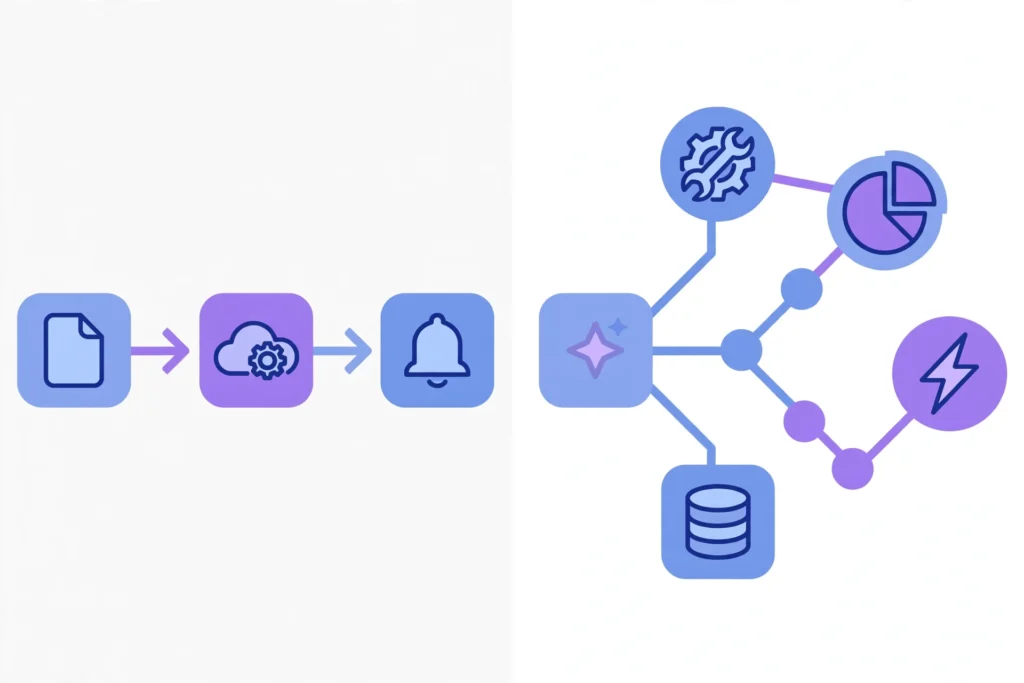
Zapier vs Make for small business automation: the comparison table
| Zapier | Make | |
|---|---|---|
| Best for | Fast setup, simple automations, non-technical owners | Multi-step and branching workflows, lowest cost at volume |
| Free plan | $0 — 100 tasks/month | $0 — 1,000 credits/month |
| Cheapest paid plan | Professional, from $19.99/month billed annually ($29.99 billed monthly) | Core, $9/month billed annually ($10.59 billed monthly) |
| What the cheapest paid plan includes | 750 tasks/month | 10,000 credits/month |
| Next step up | Professional 2,000 tasks: $49/month billed annually | Pro, $16/month billed annually ($18.82 monthly), 10,000 credits |
| Team plan | Team, from $69/month billed annually ($103.50 monthly), 2,000 tasks, 25 users | Teams, $29/month billed annually ($34.12 monthly), 10,000 credits |
| Enterprise | Custom pricing | Custom pricing |
| Billing unit | Task = one successful action step | Credit = one module action (most modules = 1 credit) |
| Checking for new data | Free — polling never costs tasks | Costs credits on scheduled checks |
| App integrations | 9,000+ apps | 1,000+ apps (Make’s pricing FAQ; newer announcements cite 2,000+) |
| Branching / conditional logic | Paths, on paid plans only | Routers and filters, free on every plan including Free |
| AI features | Copilot builds Zaps from plain English; AI steps (1/3/5 tasks by model tier); AI Agents folded into the platform in 2026 | Make AI Agents (beta, launched October 2026); native OpenAI, Claude, Gemini modules |
| Users on paid plans | Professional: 1 user. Team: up to 25 users | Unlimited users on every plan, including Free |
| Polling speed | Free: every 15 min. Professional: every 2 min. Team: every 1 min | Free: every 15 min. Paid: every 1 min |
| Support | Email on Professional; live chat from the Professional 2,000-task tier; priority support on Team | Community on Free; direct support on paid plans |
| Free trial | 14 days of Professional, no credit card required | No trial needed — the Free plan never expires |
Prices checked on 9 November 2026. Zapier’s starting prices and free-plan limits were read directly on zapier.com/pricing. Make’s dollar prices are the ones displayed on make.com/en/pricing — that page loads its price cards with JavaScript, so I cross-checked them against several independent reads of the same page from October 2026, which all agreed. Prices change often, and vendors run discounts, so check the official pricing page before you buy. Monthly billing costs more than the annual prices shown here — on Zapier, about 50% more.
The worked example: the same automation, priced on both
Numbers in a table are abstract. Let us price one real automation, the kind a small business actually builds first: a new website lead goes into the CRM, gets added to the email list, and pings the owner on Slack.
That is one trigger (new form submission) and three actions. Say you get 500 leads a month.
On Zapier: 3 actions × 500 runs = 1,500 tasks a month. The free plan’s 100 tasks would last about a week. Professional at 750 tasks is too small. You need the 2,000-task tier: $49 a month billed annually, or $73.50 billed monthly.
On Make: the scenario has a trigger module, three action modules, and a schedule check. Say it checks every 15 minutes and each run uses 4 modules: roughly 2,000 credits for the runs plus about 2,880 credits for the checks — call it 5,000 credits a month. Core includes 10,000 credits: $9 a month billed annually, or $10.59 billed monthly.
Same automation. Same 500 leads. $49 versus $9 a month. That is not a rounding error. That is $480 a year. That gap is the headline finding of this Zapier vs Make for small business automation comparison.
Now run the same maths at 100 leads a month instead of 500. Zapier: 300 tasks — fits the 750-task Professional plan at $19.99 a month. Make: about 3,000 credits, still inside Core at $9. Zapier is still twice the price, but the gap is $11 a month, not $40. At very low volume, the price gap shrinks to the point where Zapier’s ease of use is worth it. At real volume, it is not close.
One more wrinkle, and it matters: add a fourth action to that Zap — say, create an invoice draft in your accounting tool — and Zapier jumps from 1,500 to 2,000 tasks. You are now right at the edge of the 2,000-task tier. Add a fifth action and you are on the 5,000-task tier at $89 a month. Every step you add to a Zap costs money forever. On Make, adding a module costs one more credit per run, and you have 10,000 of them for $9. This is why people say Zapier punishes you for building better automations. It is not quite fair — the free built-in tools soften it — but the direction is real.
The free plans, honestly compared
Both tools have a genuinely free plan, and they are not equally useful.
Zapier Free: $0, 100 tasks a month
You get unlimited Zaps, Tables, and Forms. But every Zap is limited to two steps: one trigger, one action. No multi-step Zaps. No premium apps. No webhooks, no filters, no Paths, no Formatter. Polling checks for new data only every 15 minutes. One user only. Support is the community forum and help docs — no email support.
One hundred tasks sounds like a lot until you do the maths. A two-step Zap costs 1 task per run. So 100 tasks means 100 runs a month. A lead form that gets five submissions a day uses that up in 20 days. And that is if you only have one Zap running. Two Zaps share the same 100-task pool.
There is a catch that helps, though: new accounts get a 14-day free trial of Professional with no credit card required. The trial includes 1,000 tasks, multi-step Zaps, premium apps, and webhooks. When it ends, your account drops back to Free automatically, and any Zap that breaks Free’s limits simply stops working. That is a fair way to test the real product — just do not build your business on a workflow that only works during the trial.
Zapier Free is good for exactly one thing: proving to yourself that automation works, with one simple Zap. It is not a plan you run a business on.
Make Free: $0, 1,000 credits a month
You get the full visual builder, routers, and filters — the powerful parts — on the free plan. The limits are different: 2 active scenarios at a time, runs no more often than every 15 minutes, each run must finish within 5 minutes, 5 MB maximum file size, and execution logs kept for 7 days.
One thousand credits is ten times Zapier’s allowance, but remember the checking cost. A scenario that polls every 15 minutes spends 96 credits a day just checking. Run two scenarios that way and your free plan is gone in about five days, even if nothing ever happens. The fix is simple and free: use instant webhooks instead of scheduled polling wherever the app supports them. A webhook fires the moment something happens, costs no checking credits, and runs immediately. The 15-minute limit only applies to time-based schedules, not webhooks. Owners who learn this one trick get months of real use out of Make’s free plan. Owners who do not wonder where their credits went.
Make Free is a genuinely usable plan for a business running one or two real automations. It is the best free tier in automation, and it is not close.
Zapier in depth: the easy one
Zapier has been around since 2011, and it shows in the best way: it is the most polished, most forgiving automation tool a non-technical person can buy. You describe what you want in plain English, and its AI Copilot builds the Zap, the table, and the form for you. You connect your apps by logging in — no API keys, no jargon. Most owners get their first Zap live in under half an hour, and many do it in ten minutes.
The app catalogue is the real moat: 9,000+ apps, according to Zapier’s own pricing page. If your business uses a niche tool — a local booking system, an industry-specific CRM, a regional payment provider — Zapier almost certainly connects to it. Make covers the big names well, but the long tail is where Zapier earns its price. Before you commit to either tool, search both app directories for the three apps you actually use. If one of them is missing from Make, the decision is made for you.
Zapier also bundles more than Zaps now. Tables (a simple database), Forms, Canvas (a visual planning board), Chatbots, and AI Agents are all included in your plan. For a one-person business, that is a lot of software for one subscription. The Agents product, which used to be sold separately, was folded into the main platform in July 2026.
But Zapier has real weaknesses, and you should know them before you pay:
The bill grows faster than your business. The task ladder runs from 750 tasks at $19.99 a month up to 2 million tasks at $3,389 a month, billed annually. Each step up is a jump: 750 tasks is $19.99, 1,500 is $39, 2,000 is $49, 5,000 is $89, 10,000 is $129. And the monthly-billing prices are roughly 50% higher at every step — $29.99, $58.50, $73.50, $133.50, $193.50. A Zapier price quoted without naming the billing cycle can be half the real number. Always check which one you are looking at.
AI steps cost more than they look. Since June 2026, AI steps are priced by model tier: Standard is 1 task, Advanced is 3, Premium is 5 — and Premium is the default for new AI steps on paid plans. One support-ticket triage Zap running 2,000 times a month with a Premium AI step needs 16,000 tasks, which lands on the $189-a-month tier. The same Zap with a Standard AI step needs 8,000 tasks and fits the $129 tier. That is $60 a month decided by one dropdown. Check the model tier on every AI step you build.
Overage billing is on by default. When you hit your task limit, Zapier switches you to pay-per-task billing at a higher per-task rate (about 1.25 times your plan’s rate) unless you turn it off. Your Zaps keep running, and your bill keeps growing, until you hit three times your plan’s limit — then they pause. Turn off pay-per-task billing if you would rather have a paused Zap than a surprise bill. Check this setting on day one.
Complex workflows get messy. Zapier is linear: trigger, then steps in a list. When a workflow needs five branches and a loop, the list gets long and hard to debug. Users who switch to Make usually name this as the reason, along with price. One owner put it plainly: Zapier was solid “until it wasn’t — as my workflows got more complex, I started hitting limits, both in terms of pricing and how messy things got with too many Zaps stacked on top of each other.”
The AI Copilot is helpful, not reliable. In one hands-on test, a reviewer building the same intake workflow in both tools counted at least six times Zapier’s Copilot declared the Zap “ready” when it clearly was not. Treat Copilot as a fast first draft, then test the Zap yourself with real data before you trust it.
Pros: easiest setup in the category; 9,000+ apps; Copilot builds workflows from plain English; Tables, Forms, Chatbots, and Agents included; best support and community; Formatter and other built-in tools are free.
Cons: expensive at volume; every extra action step costs money forever; AI steps can cost 5 tasks each; overage billing is on by default; one user on Free and Professional; linear builder gets messy for complex logic.
Best for: owners who want automation live today, businesses with one to three simple automations, and anyone whose apps include a niche tool only Zapier connects to.
Worst for: high-volume businesses, workflows with many steps or branches, and anyone automating heavy data processing.
Make in depth: the powerful, cheaper one
Make — formerly Integromat, renamed in 2022 — is the tool people switch to when Zapier gets expensive or limiting. It is owned by Celonis, and it takes a different approach to almost everything. Instead of a list of steps, you get a visual canvas. You drag modules onto it, connect them with lines, and you can see the whole workflow at a glance: branches split with routers, data gets transformed between steps, errors get caught by dedicated handler modules. For a complex workflow, this is not a nice extra. It is the difference between understanding your automation and guessing.
The price is the headline. Core is $9 a month billed annually ($10.59 monthly) for 10,000 credits. Pro is $16 ($18.82) for the same 10,000 credits plus priority execution, custom variables, and full-text search of execution logs. Teams is $29 ($34.12) and adds team roles and shared templates. All three paid plans include unlimited active scenarios, unlimited users, and scheduling down to every minute. Enterprise is custom pricing.
Read that again: the cheapest paid plan on Make costs less than half of Zapier’s cheapest paid plan and includes more than thirteen times the monthly allowance (10,000 credits versus 750 tasks). Even accounting for the fact that a Make run uses more credits than a Zapier run uses tasks, the gap is enormous. That is why Make wins almost every cost comparison at real business volume.
Make’s other strengths are practical ones:
Branching is free and visual. Routers and filters work on every plan, including Free. A lead over $5,000 goes to you, a lead under $500 gets an automated reply, and a lead in between goes to your sales inbox — three paths, one scenario, no upgrade required. On Zapier, that same logic needs Paths, which only exists on paid plans.
Error handling is built in. When a step fails, Make can retry it, ignore it, roll back, or route the data somewhere else — and the error-handler modules cost zero credits. On Zapier, failed actions are free too, but the error handling is less visual and less granular.
Unlimited users, even on Free. Your whole team can log in and build. On Zapier, Free and Professional are single-user plans, and sharing Zaps needs the Team plan at $69 a month. For a three-person business, that one difference can be worth $60 a month on its own.
Real AI, not a bolt-on. Make has native modules for OpenAI, Anthropic Claude, Google Gemini, Perplexity, and others, so you can chain AI calls inside a scenario — summarise a lead, draft a reply, score it, and route it — without leaving the builder. In October 2026, Make launched Make AI Agents in beta: agents that take a goal, connect to 2,000+ apps, and decide which tools to use. AI actions can cost extra credits on top of the usual 1 credit per module, so watch the meter, but the capability is real.
Small-business pricing exists. If your company has under 20 employees, Make offers a Start-up Plan at 50% off its Business pricing. Zapier offers a 15% non-profit discount. Neither is advertised loudly. Ask before you pay full price.
And the weaknesses, because Make has real ones:
The learning curve is days, not minutes. Reviewers consistently say the same thing: Zapier takes an hour to learn, Make takes a few days of experimenting before it clicks. The canvas is powerful, but it expects you to understand concepts like bundles, iterators, and aggregators — words Zapier never shows you. If you have never thought about how data flows between apps, Make’s first afternoon will feel confusing. It does click. But budget a weekend, not a lunch break.
Polling eats credits. This is the trap, and it is worth repeating: scheduled checks cost credits whether or not anything new arrived. A scenario checking every 5 minutes spends 288 credits a day on checks alone. Use webhooks wherever possible, and set polling intervals as slow as your business can tolerate. A lead form that can wait 15 minutes costs a third of one that checks every 5.
Credits expire. Unused credits do not roll over to next month. A quiet month does not bank credit for a busy one. And extra credits bought on top of your plan cost about 25% more than the credits inside the plan, so buying your way out of a bad month is expensive.
Fewer apps, thinner long tail. Make’s own pricing FAQ says it offers “more than 1,000” third-party apps, and its AI Agents announcement talks about 2,000+ apps and 30,000+ actions. Either way, it is a fraction of Zapier’s 9,000+. The big names are all there — Gmail, Slack, HubSpot, Shopify, Stripe, Notion, Airtable. The niche ones sometimes are not, and then you are writing HTTP requests or using a custom API module. Check your apps before you commit.
Support is thinner on the free plan. Free users get the community forum. Direct support needs a paid plan. Zapier’s support and community are bigger, and its documentation is more beginner-friendly. When you are stuck at 10pm with a broken automation, that difference matters.
Pros: cheapest paid plans by a wide margin; 10,000 credits for $9; free plan is genuinely usable; visual builder makes complex logic understandable; branching and error handling free on every plan; unlimited users; strong AI modules and AI Agents.
Cons: steeper learning curve; polling checks burn credits; credits expire monthly; fewer apps than Zapier; thinner support on the free plan.
Best for: businesses with five or more automations, workflows with branches or data transformation, teams that share the account, and anyone whose monthly volume is growing.
Worst for: owners who want something live in an hour with zero learning, and businesses built on a niche app Make does not connect to.
Which apps do they actually connect to?
The integration count is the most quoted number in this comparison, and the least useful on its own. Zapier lists 9,000+ apps. Make lists 1,000+ on its pricing FAQ, with newer announcements citing 2,000+. What matters is not the total. It is whether your apps are on the list, and how deep the connection goes.
Both tools cover the apps most small businesses actually use: Gmail, Google Sheets, Slack, HubSpot, Salesforce, Pipedrive, Shopify, Stripe, Mailchimp, Notion, Airtable, Calendly, QuickBooks, Xero, Zoom, and Meta’s tools. If your stack is made of household names, both tools will connect to all of it, and the integration count is irrelevant.
The difference shows up at the edges. Zapier’s catalogue includes thousands of smaller tools — regional CRMs, industry-specific booking systems, local payment providers. Make’s catalogue is smaller, and its help centre is honest about the gap: it offers custom API apps for anything with a public API, which is a real solution, but it means building the connection yourself instead of clicking “connect.”
Do this before you choose: write down the five apps your business cannot run without. Search both directories for all five. If any app is missing from one tool, your decision is made, and no price comparison can override it. An automation tool that cannot reach your CRM is not cheap. It is useless.
Ease of use: an hour versus a weekend
Ask a room of small business owners which tool was faster to set up, and Zapier wins every time. The editor is a simple list. The Copilot writes the first draft. The templates library has thousands of ready-made Zaps — “when a new Shopify order arrives, add the customer to Mailchimp” — and most of them work with two clicks and a login. One reviewer who built the same intake workflow in both tools found Zapier got the branching version published while Make stalled on a field-mapping quirk on the first attempt. That is a first-time-user story, not a final verdict, but it tells you where the friction lives.
Make’s builder is a canvas, and a canvas rewards people who think in flows. You see the data move. You see where it splits. When something breaks, you can watch the run step by step and find the exact module that failed. Power users love this. They say complex logic is easier to debug visually than in any list-based tool. But the first day is slower. You will google what a bundle is. You will build an iterator wrong once. You will wonder why your scenario used 400 credits in an afternoon.
Here is the honest way to think about it: Zapier costs you money every month to save you time once. Make costs you time once to save you money every month. If your time is worth $100 an hour and you only ever build two automations, Zapier is the better deal. If you build ten automations and run them for two years, Make’s learning weekend pays for itself many times over. That trade-off is the heart of this Zapier vs Make for small business automation choice.
On review site G2, as reported in late 2026, Zapier scores 4.5 out of 5 from about 1,520 reviews, and Make scores 4.6 out of 5 from about 264 reviews. Both are well liked. The difference is who is doing the reviewing: Zapier’s reviewers praise ease of use and support, Make’s praise power and value.
Mistakes to avoid (the expensive ones)
Mistake 1: Picking by the starting price. The starting price is the price of the smallest tier. Your bill is set by your usage. Price the automations you actually plan to run — count the actions per run, multiply by runs per month — before you compare prices. The worked example above shows how to do it in two minutes.
Mistake 2: Building on the free plan and forgetting the limits. Zapier’s free plan stops at 100 tasks and two-step Zaps. Make’s free plan stops at 2 active scenarios. Both will quietly stop your automations when you hit the limit. Set a calendar reminder to check your usage in the first month.
Mistake 3: Leaving Zapier’s pay-per-task billing on. It is on by default. If you would rather have a paused Zap than a surprise bill, turn it off in your billing settings on day one.
Mistake 4: Polling every minute on Make. Every check costs credits. Use webhooks where the app supports them, and set the slowest polling interval your business can live with. A 15-minute delay on a lead notification is fine for most businesses. A 1-minute interval costs fifteen times as much in checks.
Mistake 5: Putting a Premium AI step in a high-volume Zap. On Zapier, a Premium AI step costs 5 tasks per run. At 2,000 runs a month, that one step alone needs 10,000 tasks. Drop the model tier to Standard for routine work, or move the AI step to Make, where AI actions cost extra credits but the base allowance is far larger.
Mistake 6: Automating before you write down the process. The best automation in the world cannot fix a process nobody has written down. Before you build anything, write the steps on paper: what triggers it, what happens next, what happens when something fails, who gets told. Owners who skip this step build Zaps that work perfectly and do the wrong thing.
Mistake 7: Never testing with real data. Both tools let you test a run before you switch it on. Do it with a real lead, a real order, a real customer name — not the sample data. Sample data hides the formatting problems that break real runs: a phone number with a space in it, a name with an apostrophe, a blank field where you expected a value.
How to choose in 10 minutes
Answer three questions.
First, how many automations do you actually need? One or two simple ones — Zapier. Five or more, or any with branches — Make. Count the automations, not the apps.
Second, how many runs a month? Under 200 runs, the price gap is small enough that Zapier’s ease wins. Over 500 runs, Make’s price wins by enough to matter. Do the two-minute maths from the worked example with your own numbers.
Third, who builds and maintains this? Just you, and you hate software — Zapier. You, plus a teammate who likes fiddling — Make. A team that shares one account — Make, because unlimited users are included and Zapier charges $69 a month for the Team plan.
Then do the one thing most owners skip: run both free plans for two weeks. Build the same automation in both. Time yourself. Check the usage meter at the end of week one. The tool that felt easier and used less of its allowance is your answer, and it will be your answer based on your business, not on a review — including this one.
How to set up your first automation without breaking anything
Start with one automation, not five. Pick the one that saves the most time: for most businesses, it is new leads into the CRM, or new orders into the accounting tool.
Build it on the free plan first. Test it with real data. Let it run for a week and watch the usage meter every day. If the numbers look sane, upgrade to the cheapest paid plan and add the second automation. If the numbers look scary, you have learned something cheap: either the automation needs fewer steps, or you picked the wrong tool, and you found out before you paid anything.
Set up error notifications on day one. Both tools can email you when a run fails. A failed automation that nobody notices is worse than no automation at all, because you think the work is done when it is not. Check the failure log once a week for the first month. Fix the three most common failures. That habit is what turns a demo into a system.
And keep a human in the loop for anything involving money, refunds, or promises to a customer. Automation should move data and send routine messages. It should not approve a refund, quote a custom price, or promise a delivery date. Those stay human.

Frequently asked questions
Is Zapier or Make better for a small business?
It depends on volume and complexity. Zapier is better if you want the fastest setup, the widest app catalogue (9,000+ apps), and simple one-to-three-step automations. Make is better if you run five or more automations, need branching or data transformation, or want the lowest bill — its Core plan is $9 a month for 10,000 credits, against Zapier Professional at $19.99 a month for 750 tasks. Most small businesses that outgrow Zapier switch to Make for price and flexibility.
Is Zapier or Make cheaper?
Make is cheaper at almost every volume. Its free plan gives you 1,000 credits a month against Zapier’s 100 tasks, and its cheapest paid plan is $9 a month for 10,000 credits against Zapier’s $19.99 a month for 750 tasks. The same 500-lead automation costs about $49 a month on Zapier and $9 a month on Make, billed annually. Zapier only wins on price at very low volume, where the gap is a few dollars a month.
Is there a free automation tool for a small business?
Yes, both tools have free plans. Make’s free plan is the more useful one: 1,000 credits a month, the full visual builder, routers and filters, and 2 active scenarios. Zapier’s free plan gives you 100 tasks a month and two-step Zaps only. Use webhooks instead of scheduled polling on Make’s free plan, or the checking cost will eat your credits.
Is Zapier or Make easier to use?
Zapier is easier. Most owners build their first Zap in under 30 minutes, and its AI Copilot builds the workflow from a plain-English description. Make takes a few days to learn — the visual canvas is powerful, but you need to understand how data flows between modules. If you want automation live today with no learning, pick Zapier. If you can spare a weekend, Make’s learning curve pays for itself in lower bills.
Can I switch from Zapier to Make later?
Yes, but it is a rebuild, not a transfer. There is no import button. You rebuild each workflow by hand in the new tool, reconnect every app, and re-test everything. That is why it is worth choosing carefully now. Owners who switch usually do it because Zapier’s bill grew faster than expected, or because a workflow needed branching that Zapier’s linear builder handled badly. Budget a day per five workflows for the move.
Verdict
There is no wrong answer here, but there is a wrong way to choose: by the starting price on the pricing page. Price your actual automations. Count the steps, multiply by the runs, and compare the real monthly cost. At low volume, Zapier’s ease is worth the extra dollars. At real volume, Make’s price is worth the learning weekend.
For most small businesses reading this, the honest recommendation is: start with Zapier’s free plan and 14-day trial to prove automation works for you, then move to Make when you have more than three automations or your Zapier bill passes $50 a month. You get Zapier’s gentle start and Make’s honest price, and you switch at the point where the maths flips — which, for the worked example in this guide, is almost immediately.
Whichever you pick, start with one automation this week. The lead form that feeds your CRM. The order that updates your books. The appointment that reminds itself. Pick one, build it, test it with real data, and let it run. That first automation will save you more time than reading ten more comparisons.

How I checked the prices: Zapier’s starting prices, free-plan limits, task rules, and app count were read directly on zapier.com/pricing on 9 November 2026. Zapier’s task-tier prices (750 tasks at $19.99, 2,000 at $49, 5,000 at $89, billed annually) are the figures shown on that same page, confirmed by several independent reads of it in October 2026.
Make’s pricing page loads its price cards with JavaScript, so its dollar figures ($9 Core, $16 Pro, $29 Teams, billed annually, each for 10,000 credits) are the ones displayed on make.com/en/pricing as recorded by multiple independent reads in October 2026 — note that Make’s prices changed during 2026, and older guides still show the previous $12/$21/$38 figures. Make’s credit mechanics, free-plan 1,000 credits, and Start-up Plan discount were confirmed on Make’s own pricing page FAQ. This post contains no affiliate links.
Price note — updated 9 November 2026: Prices in this post were checked on 9 November 2026. When you are reading this, the price may be lower — vendors change prices and run discounts often, so please check the official pricing page before you buy.
Related:
- Best AI Tools for Small Business Under $50 a Month
- 10 Free AI Tools for Small Business That Are Actually Free
Related: Tidio Review 2026: Is It Worth $24 a Month for a Small Business?
Related: Tidio vs Chatling: Best Cheap AI Chatbot for Small Business in 2026?
Related: Make.com Pricing Teardown (2026): Is It Actually Cheaper Than Zapier?
Related: Best Make Alternatives (2026): Escape the Credit Limits
Related: Calendly vs Cal.com (2026): Which Scheduling Tool Is Cheaper for Small Business?
Related: HoneyBook vs Dubsado (2026): Which Client Tool Is Cheaper for Small Business?
Related: Best AI SMS Marketing Tools (2026): 5 Compared by Real Price
Related: Best AI Tools for Electricians (2026): 5 Compared by Real Price
Related: Best AI Tools for Moving Companies (2026): 5 Compared by Real Price
Related: Best AI Tools for Nonprofits (2026): 5 Compared by Real Price
Related: Best AI Tools for Marketing Agencies (2026): 5 Compared by Real Price
Pros
- Zapier: easiest setup in the category
- Zapier: 9,000+ apps
- Zapier: Copilot builds workflows from plain English
- Zapier: Tables, Forms, Chatbots, and Agents included
- Zapier: best support and community
- Zapier: Formatter and other built-in tools are free
- Make: cheapest paid plans by a wide margin
- Make: 10,000 credits for $9
- Make: free plan is genuinely usable
- Make: visual builder makes complex logic understandable
- Make: branching and error handling free on every plan
- Make: unlimited users
- Make: strong AI modules and AI Agents
Cons
- Zapier: expensive at volume
- Zapier: every extra action step costs money forever
- Zapier: AI steps can cost 5 tasks each
- Zapier: overage billing is on by default
- Zapier: one user on Free and Professional
- Zapier: linear builder gets messy for complex logic
- Make: steeper learning curve
- Make: polling checks burn credits
- Make: credits expire monthly
- Make: fewer apps than Zapier
- Make: thinner support on the free plan
There is no wrong answer here, but there is a wrong way to choose: by the starting price on the pricing page. Price your actual automations. Count the steps, multiply by the runs, and compare the real monthly cost. At low volume, Zapier's ease is worth the extra dollars. At real volume, Make's price is worth the learning weekend.For most small businesses reading this, the honest recommendation is: start with Zapier's free plan and 14-day trial to prove automation works for you, then move to Make when you have more than three automations or your Zapier bill passes $50 a month. You get Zapier's gentle start and Make's honest price, and you switch at the point where the maths flips — which, for the worked example in this guide, is almost immediately.Whichever you pick, start with one automation this week. The lead form that feeds your CRM. The order that updates your books. The appointment that reminds itself. Pick one, build it, test it with real data, and let it run. That first automation will save you more time than reading ten more comparisons.
19 thoughts on “Zapier vs Make for Small Business Automation (2026)”