

Tray.io pricing starts at $50 a month — but that buys Tray Helix Builder Edition, a runtime for AI-built apps, priced per workspace plus usage. It is not the price of a Tray iPaaS plan. The iPaaS plans — Pro, Team, and Enterprise — publish no prices. Each card says "Sized to your needs." You get a number only from a sales quote built on measured usage. Tray charges by the Task: one operation on a piece of your data. The trigger, each connector step, and each loop or boolean pass all count as one Task. Retries are free. The free trial is genuinely useful: 30 days, 1 million Tasks, every capability, no card, no sales call. Measure your real usage before anyone quotes you. Agents cost extra twice. The Agent Development add-on is priced separately through sales, and agent activity counts toward your Tasks. For most small businesses, start with Zapier Pro at $19.99 a month billed annually, or Workato Pro at $75 a month. Tray fits teams that need its governance and scale, with someone technical to run it.
Tray.io Pricing (2026): The $50 Starting Price, the Quote-Only Plans, and What You’ll Actually Pay
You open Tray’s pricing page expecting a neat row of plans with dollar signs, and the first number you see is $50 a month. Scroll down and the numbers vanish: three plan cards, three lots of “Sized to your needs,” and a button that says “Get a clear quote.”
The $50 is real. It is also not the price of the thing you came to buy. This guide untangles what a Tray Task is, what the three iPaaS plans include, what the $50 Helix product is, what the agent add-on costs, and how Tray stacks up against Workato and Zapier — every price checked on the vendor’s own page on 17 November 2026.
Quick Answer Box
- Tray.io pricing starts at $50 a month — but that buys Tray Helix Builder Edition, a runtime for AI-built apps, priced per workspace plus usage. It is not the price of a Tray iPaaS plan.
- The iPaaS plans — Pro, Team, and Enterprise — publish no prices. Each card says “Sized to your needs.” You get a number only from a sales quote built on measured usage.
- Tray charges by the Task: one operation on a piece of your data. The trigger, each connector step, and each loop or boolean pass all count as one Task. Retries are free.
- The free trial is genuinely useful: 30 days, 1 million Tasks, every capability, no card, no sales call. Measure your real usage before anyone quotes you.
- Agents cost extra twice. The Agent Development add-on is priced separately through sales, and agent activity counts toward your Tasks.
- For most small businesses, start with Zapier Pro at $19.99 a month billed annually, or Workato Pro at $75 a month. Tray fits teams that need its governance and scale, with someone technical to run it.
In This Article
- Quick Answer Box
- The Short Version: What Tray Actually Charges For
- What Is a Tray Task? Count It Before You Sign
- The Three iPaaS Plans: Pro, Team, and Enterprise
- Tray Helix: The $50 Product on the Pricing Page
- Agent Development: The Add-On That Changes the Bill
- The Hidden Costs and Gotchas
- The Competition: Workato Pricing and Reality Check
- The Competition: Zapier, the Small-Business Baseline
- Head-to-Head Comparison Table
- Cost-Maths: What a Realistic Stack Costs
- Who Is Each Tool Actually Best For?
- Work Out Your Own Number First
- Pros and Cons
- Our Verdict
- Frequently Asked Questions
- Price Note
The Short Version: What Tray Actually Charges For
Tray.ai — the company dropped the Tray.io name in 2024, when it pivoted toward AI — is an enterprise integration platform, an iPaaS. Teams use it to automate complex, multi-system processes: syncing CRM records, routing leads, managing IT requests, and moving data between apps.
Three things decide your bill: the package, your usage volume, and the add-ons. Tray quotes a fixed annual cost based on an annual volume commitment, with overage settled at a true-up. Larger volumes get preferential pricing. There are no per-user, per-connection, or per-runtime fees — cost follows what you run, not how many people or systems you connect.
The confusing part is that two products share one pricing page. Tray iPaaS is the workflow platform, with three quote-only plans. Tray Helix is a separate runtime for AI-built apps, and the $50 figure belongs to it. Most wrong numbers in roundups come from mixing the two up.
What Is a Tray Task? Count It Before You Sign
A Task is one operation Tray performs on a piece of your data, and the definition is the whole ballgame for Tray.io pricing. The trigger firing is one Task. Each connector or service step is one Task. Each pass through a loop or boolean is one Task.
Two details save you money. A Task is not an API call: a step making several API calls still counts as one Task. And retries are not charged — if a step fails and Tray retries it, the retry is free.
Now count a real workflow. A new order arrives. The trigger fires (1 Task). Tray looks up the customer (1 Task), checks whether the customer is new (1 Task), and creates the invoice and sends the confirmation (2 Tasks). That is 5 Tasks for one order.
At 200 orders a day, that workflow uses about 30,000 Tasks a month. At 1,000 orders a day, it uses 150,000. Same workflow — the bill scales with volume, not ambition. That is why Tray insists on measuring before quoting.
Helix uses a different unit: the HCU, or Helix Compute Unit. One HCU covers everything an app uses when it runs — deploy, compute, database, storage, data delivery, and requests — and shows as one number on the bill. One HCU costs $1.00 at list, with no separate charge for hosting, a database, or storage.
How do you count your own usage? Run the trial: 30 days and 1 million Tasks with every capability and the full connector library, and it can include Helix too. Run your real workflows, watch the usage dashboards, and set monthly limits. Your quote is then built on measured usage — the best advice in this guide, straight from Tray’s own page.
The Three iPaaS Plans: Pro, Team, and Enterprise
All three iPaaS plans say the same thing where the price should be: “Sized to your needs.” The button under each one says “Get a clear quote.” There is no slider, no starting figure, and no way to estimate a plan price from the website. What the page does publish is what each plan includes.
| Plan | Workspaces | Insights | Log retention | Standout extras | Price |
|---|---|---|---|---|---|
| Pro | 3 | 7 days | 7 days | Core platform, full connector library | Quote only |
| Team | 20 | 30 days | 7 days, expandable | Log retention management, Guardian Log Masking, all add-ons available | Quote only |
| Enterprise | Unlimited | 180 days | Log streaming | SSO, HIPAA, regional hosting, data engineering, advanced on-premise | Quote only |
Pro is built for specific use cases: one focused project. You get 3 workspaces, plus 7-day insights and 7-day log retention.
Team is the “Popular” card, built for multiple use cases within one department. Workspaces jump to 20, insights stretch to 30 days, and log retention starts at 7 days but is expandable, with retention management included. Guardian Log Masking arrives here.
Enterprise covers multiple departments and partner integrations. Workspaces are unlimited, insights run to 180 days, and the governance features that are paid add-ons on Team — SSO, HIPAA, regional hosting — are included, along with log streaming, data engineering, and advanced on-premise connectivity.
Every plan includes the same core: process automation, data integration, and API management; 12,000+ apps, databases, APIs, and services; connector development; AI-assisted development with the AI Palette and VectorTables; observability, audit trails, and Data Tables; Tray Build, the low-code builder with pre-built templates; and Tray Headless, with Claude Code and Codex plugins and full API access.
All plans include Tray Advantage: business-hours support, knowledge base access, community forums, Tray Academy, and live workshops. Tray Advantage Plus — 24/7/365 support, enhanced SLAs, a dedicated Slack channel — is an upgrade with no published price. Professional services (launch co-development, adoption acceleration, solution architecture) are also unpriced.

Tray Helix: The $50 Product on the Pricing Page
This is the most misunderstood line in Tray.io pricing, so let us be precise. “Starts at $50 a month” is the headline of Tray’s pricing page, and it belongs to Tray Helix — the governed runtime for AI-built apps — not to the iPaaS plans below it.
Your teams build apps with AI coding assistants like Claude Code, Codex, and Cursor. Helix takes them to production with one command, connects them through managed credentials, and gives IT a named owner for every app that ships.
Helix Builder Edition costs $50 per workspace, per month, plus usage. Per workspace — a second workspace doubles the base fee. You get unlimited builders, unlimited end users, and unlimited apps: no seats, ever. Usage is billed at $1.00 per HCU, or at committed rates if you commit volume up front.
Helix Enterprise Edition is priced custom, plus usage. It includes everything in Builder Edition, plus full governance as standard, unlimited workspaces, your choice of datacenter (US, EU, or APAC), and 500 HCUs a month included. Extra usage is $1.00 per HCU, or committed rates.
Committed usage gets the rate of the band it clears: $0.90 per HCU at 5,000 HCU, down to $0.75 at 100,000 HCU — a 25% saving against list at the top band. Commitments are annual, drawn from one balance, on both editions.
Helix publishes something rare: worked examples of what an app costs to run. A small internal utility with no database runs about $3 a month. A team app with a database that stays on through the working day runs about $46 a month.
An app that calls a model on every record — Tray’s support-triage example, roughly 4,000 tickets a month — runs about $150 a month. Estimates, not quotes — still more useful than any other number in enterprise software pricing.
Three add-ons sit beside the editions, none with a published price: Premium support, the HIPAA pack for apps touching protected health information, and Sovereign Cloud for running apps in more than one datacenter. If you need any of them, they go on the quote.
Two more rules matter. Helix never charges per seat. And you do not pay Helix for the AI that builds the app — your builders use their own AI coding assistant, billed by that provider. Runtime model calls are metered through the managed gateway, or billed by your provider with your own key.
The gotcha is the shape of the bill. $50 a month sounds like a small-business price, and the workspace fee is. But usage is the real bill: one workspace plus one team app is about $96 a month, and one workspace plus three everyday apps is about $249 a month. Reasonable — but not $50.
Agent Development: The Add-On That Changes the Bill
Tray’s agent story has two halves, sold together as the Agent Development add-on: Agent Gateway for MCP, and Merlin Agent Builder. The pricing page shows a “Get a demo” button instead of a price. The add-on is priced separately through sales.
Agent Gateway for MCP is Tray’s governed control layer for MCP, the Model Context Protocol — the standard way AI agents connect to external tools and data instead of hitting raw APIs. The gateway publishes composite MCP tools, multi-step workflows bundled into a single tool, from Tray’s 12,000+ apps and services, with governance, authentication, observability, and access control. Each call is tied to a named user and logged.
Merlin Agent Builder is the no-code side: build AI agents that reason, act, and learn, with guardrails, audit logs, knowledge ingestion, an agent hub, and ITSM and HR accelerators. Agents deploy to Slack and Teams. Business teams build agents without writing code, while IT keeps control.
Here is the cost logic most buyers miss. You pay for the add-on, then for the usage it creates: agent activity counts toward your Tasks. An agent that checks five systems before answering has burned several Tasks before it says a word.
Tray does not publish what an agent run costs in Tasks, so the only honest way to price it is the trial: build the agent, run it against real volume, read the dashboard.
Governed agents with audit trails are exactly what larger teams need. But if agents are the reason you are looking at Tray, budget for the add-on and the usage, and get both numbers in writing before you sign.
The Hidden Costs and Gotchas
1. The $50 trap. The headline figure buys Helix Builder Edition, one workspace, before usage. It does not buy an iPaaS plan or include the Agent Development add-on. If a roundup tells you “Tray costs $50 a month,” it read the headline and stopped.
2. The Task multiplier. Tray counts the trigger, every step, and every loop or boolean pass. Zapier counts only successful actions. The same workflow can cost 5 Tasks on Tray and 3 tasks on Zapier — and Tray’s price per Task is unpublished, so you cannot do the maths until sales quotes you.
3. The true-up. Your annual cost is fixed when you sign, based on the volume you commit to. If usage grows past your plan, the difference is settled at a true-up — not a fine, but a bill you did not budget for. Set monthly limits and watch the dashboards.
4. The add-on stack. On Team, HIPAA, SSO, regional hosting, longer log retention and insights, Tray IDP, data engineering, log streaming, and on-premise connectivity are all add-ons. On Enterprise they are included. On Team, the quote is the only place their prices exist.
5. The agent add-on is separate. Agent Gateway and Merlin Agent Builder are priced through sales, and agent usage counts toward your Tasks. Both costs are unpublished — get them in the same quote as the base plan.
6. The log retention cliff. Pro and Team start at 7-day log retention. When something breaks on day 9 and the logs are gone, you will wish you had bought the extension. Decide before you sign, not after your first incident.
7. Support is business-hours unless you upgrade. Every plan includes Tray Advantage, which is business-hours support. Tray Advantage Plus — 24/7/365 support, enhanced SLAs, a dedicated Slack channel — is an upgrade with no published price. If your automations run the business overnight, that upgrade is not optional.
8. The people cost. Tray is built for technical teams. Someone still has to own the integrations, understand the data, and fix what breaks. Budget for that person, not just the platform — buyers forget this cost more often than any line item on the quote.
9. Roundup roulette. Third-party roundups quote wildly different numbers for Tray, because Tray publishes no iPaaS prices. Ignore all of them. The only numbers that matter are Tray’s own — the $50 Helix figure, the $1.00 HCU rate, the trial terms — and the quote built on your measured usage.
The Competition: Workato Pricing and Reality Check
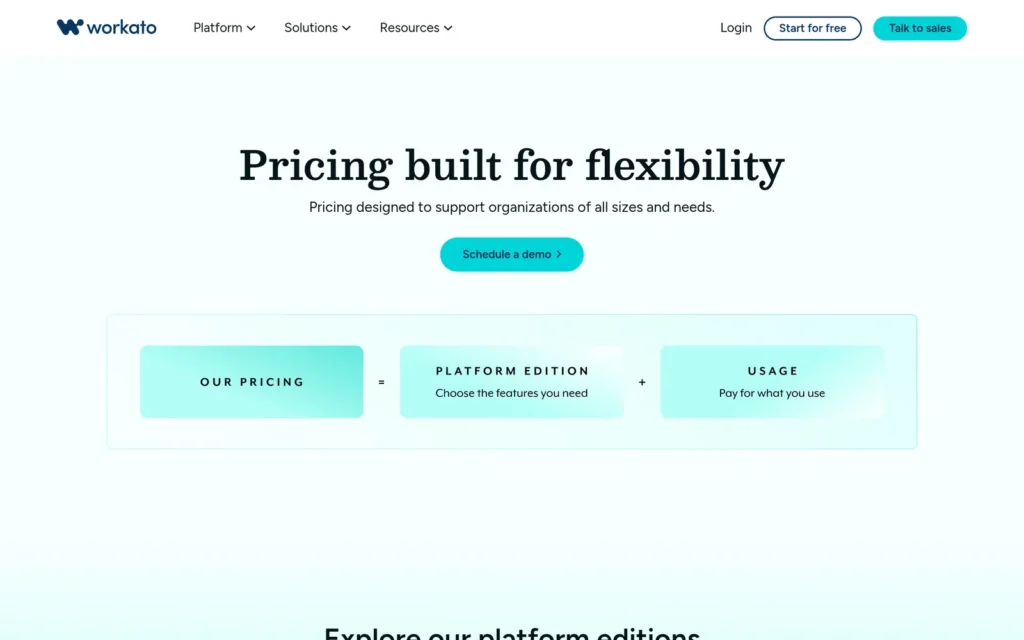
Unlike Tray.io pricing, Workato publishes part of its price list — the part a small business would actually buy. Workato sells on two tracks: self-service plans you buy with a credit card, and enterprise editions you buy through sales. The self-service track is documented in Workato’s own docs, checked on 17 November 2026.
Workato Free costs $0 and gives you a 50,000-credit one-time grant. One-time means once, not every month — when the credits run out, they run out. Same core platform capabilities as Pro, no credit card required.
Workato Pro is a monthly credit allowance, billed monthly by credit card, on a published ladder:
| Monthly price | Credits per month | Cost per 1,000 credits (our maths) |
|---|---|---|
| $75 | 2,500 | $30.00 |
| $100 | 3,500 | $28.57 |
| $275 | 10,000 | $27.50 |
| $780 | 30,000 | $26.00 |
| $1,275 | 50,000 | $25.50 |
Unused Pro credits expire at the end of the billing month and do not roll over. That is the single most important rule in Workato’s pricing. Buy the tier you will actually use — leftover credits evaporate.
One display quirk is worth knowing. The Pro card on Workato’s free-plan page shows $100 a month — the 3,500-credit rung, the tier Workato chose to feature. The docs ladder starts at $75 for 2,500 credits. Both figures are real; they are different rungs.
Pro carries real limits: up to 3 users per workspace, data hosted in the United States, and support through live chat, documentation, and community resources. It includes document processing, analytics, security controls, and custom connectors.
The honest gotcha is the credit itself. A Workato credit is a single, shared billing unit across every capability — workflows, API calls, document processing, agent actions. But Workato does not publish what any of those costs in credits.
The docs say only that each feature measures credits differently. So a $75 buyer cannot tell whether 2,500 credits buys 2,500 workflow steps or 250. Same opacity problem as Tray, wearing a price tag: the ladder is public, the conversion is not.
Above self-service, Workato sells four enterprise editions — Standard, Business MCP, Enterprise MCP, and Workato ONE — with no public prices. The pricing page shows feature highlights and a long add-on list, and not one dollar figure. Need an enterprise edition, and you are back in quote territory, same as Tray.
Workato claims 1,200+ pre-built connectors, unlimited workspaces and users on the enterprise editions, and a usage dashboard. Our full teardown of Workato pricing covers the editions and the credit model in detail.
The Competition: Zapier, the Small-Business Baseline
Zapier is the baseline every other tool here gets measured against, because Zapier publishes everything: four plans, a task-tier slider, and a billing toggle, and you can buy without talking to anyone. We checked the page on 17 November 2026.
Free costs $0 forever: 100 tasks a month, two-step Zaps, unlimited Zaps, Tables, and Forms, plus Zapier Copilot. A real free plan, not a trial.
Professional starts at $19.99 a month billed annually ($29.99 billed monthly) for 750 tasks a month, with multi-step Zaps, unlimited premium apps, webhooks, email and live chat support, AI fields, and conditional form logic. Higher task tiers run up the slider, with the per-task price falling as the tier rises. At 10,000 tasks, Professional costs $129 a month billed annually.
Team starts at $69 a month billed annually ($103.50 billed monthly) for 2,000 tasks a month, shared across up to 25 users, with shared Zaps and folders, shared app connections, SAML SSO, and priority support. That $69 covers the whole team, not per user — one of the fairest deals in automation pricing. Enterprise is contact-for-pricing, with unlimited users and a Technical Account Manager.
Zapier’s counting rules are the most generous in this comparison. Polling never costs a task — Zapier checks for new data free, and only charges when an action succeeds. Failed actions do not count, and neither do built-in tools: Filter, Formatter, Paths, Delay, and Looping are all free steps. Triggers do not count at all.
One newer meter is worth knowing: one MCP tool call uses two tasks from your plan’s quota, so an AI assistant hammering your MCP endpoint burns quota twice as fast.
Overage works like this: at your plan’s task limit, Zapier switches you to pay-per-task billing at a higher rate, unless you turn that off — with it off, your Zaps pause until the next period. Zapier emails you before you hit the limit and again when you reach it. New accounts get a 14-day Pro trial, no card required. Non-profits get 15% off any paid plan.

Head-to-Head Comparison Table
| Tray iPaaS | Tray Helix | Workato | Zapier | |
|---|---|---|---|---|
| Entry price | Quote only | $50/workspace/mo + usage | $0 Free; Pro from $75/mo | $0 Free; Pro from $19.99/mo annual |
| Billing unit | Task | HCU ($1.00 at list) | Credit | Task |
| Prices published? | No — “Sized to your needs” | Yes — editions + HCU rate | Partly — Pro ladder; editions quote-only | Yes — plans + task tiers |
| Free option | 30-day trial, 1M Tasks, no card | Trial can include Helix | Free: 50,000 credits, one-time | Free forever: 100 tasks/mo |
| Trial | 30 days, 1M Tasks, no card, no sales call | Included in trial | Trial offered on pricing page | 14-day Pro trial, no card |
| Per-user fees? | None | None (per workspace + usage) | Pro: up to 3 users/workspace | Team: 25 users included |
| Trigger charged? | Yes — 1 Task | N/A (usage-based) | Credits (conversion unpublished) | No — triggers free |
| Logic steps charged? | Yes — loops/booleans count | N/A | Credits (conversion unpublished) | No — Filter/Formatter/Paths free |
| Agents | Paid add-on (Agent Gateway + Merlin) | Runtime for AI-built apps | Agent Studio on Workato ONE; credits | Agents add-on; MCP = 2 tasks/call |
| Unused allowance | Annual commit + true-up | Committed balance, annual | Pro credits expire monthly | Monthly quota; pay-per-task overage |
| Best for | Technical teams needing governance + scale | Teams shipping AI-built apps | Teams outgrowing Zapier, under enterprise | Small businesses starting out |
Cost-Maths: What a Realistic Stack Costs
Only two of the four products here can be compared on published numbers. Tray’s iPaaS plans are quote-only, so any “Tray costs X” figure would be invented. Compare what can be compared, and say plainly what cannot.
Scenario A: 10,000 units a month. At 10,000 Zapier tasks, Professional costs $129 a month billed annually — $1,548 a year. At 10,000 Workato credits, Pro costs $275 a month — $3,300 a year. Tray at 10,000 Tasks? Unpublished — the quote depends on your package, volume commitment, and add-ons. Two vendors let you do the maths at your desk, and one asks you to book a call.
Scenario B: three everyday apps on Helix. One workspace at $50 a month, plus one internal utility at about $3, one team app at about $46, and one AI-on-every-record app at about $150. Usage totals about $199 a month: the bill is about $249 a month, $2,988 a year. Tray’s own estimates, not quotes. The shape is right: the workspace fee is the small part, usage is the bill.
Scenario C: the break-even test. Suppose an hour of your time is worth $50 — an assumption; adjust it to your rate. Zapier Pro at $239.88 a year breaks even at 4.8 hours a year, about 24 minutes a month. Workato Pro at $900 a year breaks even at 18 hours a year. The Helix stack in Scenario B, at $2,988 a year, breaks even at about 60 hours a year, about 5 hours a month. All easy to clear if the automations actually run.
The honest summary. Zapier Pro at $19.99 a month billed annually is the cheapest published entry point here, with the most generous counting rules. Workato Pro at $75 a month buys a more powerful platform with a published ladder and a credit conversion nobody can see. Tray’s iPaaS price is a quote, and Helix starts at $50 a workspace plus usage.
Who Is Each Tool Actually Best For?
Tray iPaaS is best for technical teams in mid-sized and large organizations who need governance, workspaces, and scale: multiple departments, partner integrations, data residency, and long log retention. Do not buy it as a solo founder with ten workflows and no technical owner — the platform will sit half-built.
Tray Helix is best for teams already building apps with AI coding assistants who need a governed place to run them: one command to production, managed credentials, a named owner per app, and one number on the bill. If your team ships internal tools with Claude Code, Codex, or Cursor, Helix solves a real problem. Do not buy it if nobody on your team builds apps — it is a runtime, not a workflow builder.
Workato is best for teams that have outgrown Zapier and need enterprise orchestration without enterprise sales cycles — at least on the self-service track. The published Pro ladder and card-payment signup make it the easiest enterprise-grade platform to start. Do not buy it if you need more than 3 users per workspace on Pro, or if the unpublished credit conversion worries you.
Zapier is best for small businesses starting out, and for any team that wants to buy automation the way it buys anything else: read the price, pick the tier, pay by card. The free plan is real, the trial needs no card, and the counting rules favor the buyer. At very high volumes, or when you need enterprise governance, the bill and the ceiling push you onward. Start here, and let your usage tell you when to move.
Work Out Your Own Number First
Every vendor here prices on usage, and usage is the one number nobody can guess for you. Before you take a sales call or pick a tier, run your own numbers: add up the workflows you actually run, count the steps each vendor’s way, and price the stack at published rates. The differences will surprise you.
Our free AI Cost Calculator totals what a stack of AI tools really costs per month — subscription, usage, and add-ons — before you commit to any of it. Five minutes with real numbers beats an hour on a sales call with estimates. Use trial numbers, not demo numbers.
Pros and Cons
Pros — Tray
- Genuinely powerful governance: workspaces, audit trails, log masking, SSO, HIPAA, and regional hosting.
- No per-user, per-connection, or per-runtime fees — adding people and systems never changes the bill.
- The Task definition is clear, retries are free, and a step making several API calls still counts as one Task.
- The trial is generous and self-serve: 30 days, 1 million Tasks, every capability, no card, no sales call.
- Helix publishes its HCU rate and worked app examples — unusually transparent for this market.
- 12,000+ apps, databases, APIs, and services, plus headless mode for AI coding assistants.
Cons — Tray
- iPaaS plan prices are unpublished, so you cannot budget from the website or compare quotes without a sales cycle.
- Task counting includes triggers and logic steps, which multiplies usage against Zapier’s more generous rules.
- The annual volume commitment plus true-up means overage arrives as a bill you did not budget for.
- The Agent Development add-on is priced separately through sales, and agent usage counts toward your Tasks on top.
- Log retention starts at 7 days, and 24/7 support is a paid upgrade.
- It needs technical ownership. Low-code is not no-skill.
Our Verdict
Our honest read on Tray.io pricing is this: Tray is a serious platform with a pricing page that tells you almost everything except the price. The $50 figure is real and belongs to Helix. The Task definition is clear, the trial is generous, and the iPaaS plans are quote-only — so the only number that matters, yours, arrives after a sales conversation built on your measured usage.
Buy Tray if you need what it is built for: governed, multi-department automation at scale, or a runtime for AI-built apps your team already ships. The quote process is normal there, and the trial gives you the data to negotiate well. Take the trial first, measure honestly, and get the add-ons and agent pricing in the same quote.
Do not buy Tray if you are a small business with a handful of workflows and no technical owner. Start with Zapier Pro at $19.99 a month billed annually, which publishes every price and counts tasks generously.
If you outgrow it, Workato Pro at $75 a month is the next rung with a published ladder. Take the Tray sales call only when you can name the governance requirement or the volume that Zapier and Workato cannot meet — and when you have trial data to negotiate with.
The worst way to buy Tray is the way most people do: read the $50 headline, assume it is the price, and discover the quote three meetings later. The best way takes thirty days and costs nothing: run the trial, count your Tasks, then decide.
Frequently Asked Questions
How much does Tray cost per month?
Tray’s pricing starts at $50 a month for Tray Helix Builder Edition, per workspace plus usage at $1.00 per HCU. The iPaaS plans — Pro, Team, and Enterprise — publish no prices and are sold by quote, sized to your measured usage. Run the 30-day free trial first, so your quote is built on real numbers.
Does Tray offer a free trial?
Yes. The free trial runs for 30 days with 1 million Tasks on Tray iPaaS, every capability, and it can include Tray Helix too. No card and no sales call are required — start it at tray.ai/request-trial.
What counts as a Tray Task?
A Task is one operation Tray performs on a piece of your data. The trigger firing is one Task, each connector or service step is one Task, and each pass through a loop or boolean is one Task. A step that makes several API calls still counts as one Task, and retries are not charged.
Is Tray cheaper than Zapier?
For most small businesses, no. Zapier publishes its prices — Pro from $19.99 a month billed annually for 750 tasks — and counts tasks generously, with triggers and logic steps free. Tray’s iPaaS plans are quote-only, and Tray counts triggers and logic steps as Tasks. On published numbers alone, Zapier is cheaper and more transparent for small teams.
Does Tray charge per user?
No. Tray charges no per-user, per-connection, or per-runtime fees on the iPaaS platform — cost follows what you run, not how many people or systems you connect. Helix is priced per workspace plus usage, with unlimited builders, end users, and apps, so adding a person never changes the bill.
Price note — updated 17 November 2026: Prices in this post were checked on 17 November 2026. When you are reading this, the price may be lower or higher — always check the official pricing page before you buy.
Pros
- Genuinely powerful governance: workspaces, audit trails, log masking, SSO, HIPAA, and regional hosting.
- No per-user, per-connection, or per-runtime fees — adding people and systems never changes the bill.
- The Task definition is clear, retries are free, and a step making several API calls still counts as one Task.
- The trial is generous and self-serve: 30 days, 1 million Tasks, every capability, no card, no sales call.
- Helix publishes its HCU rate and worked app examples — unusually transparent for this market.
- 12,000+ apps, databases, APIs, and services, plus headless mode for AI coding assistants.
Cons
- iPaaS plan prices are unpublished, so you cannot budget from the website or compare quotes without a sales cycle.
- Task counting includes triggers and logic steps, which multiplies usage against Zapier's more generous rules.
- The annual volume commitment plus true-up means overage arrives as a bill you did not budget for.
- The Agent Development add-on is priced separately through sales, and agent usage counts toward your Tasks on top.
- Log retention starts at 7 days, and 24/7 support is a paid upgrade.
- It needs technical ownership. Low-code is not no-skill.
Our honest read on Tray.io pricing is this: Tray is a serious platform with a pricing page that tells you almost everything except the price. The $50 figure is real and belongs to Helix. The Task definition is clear, the trial is generous, and the iPaaS plans are quote-only — so the only number that matters, yours, arrives after a sales conversation built on your measured usage. Buy Tray if you need what it is built for: governed, multi-department automation at scale, or a runtime for AI-built apps your team already ships. The quote process is normal there, and the trial gives you the data to negotiate well. Take the trial first, measure honestly, and get the add-ons and agent pricing in the same quote. Do not buy Tray if you are a small business with a handful of workflows and no technical owner. Start with Zapier Pro at $19.99 a month billed annually, which publishes every price and counts tasks generously. If you outgrow it, Workato Pro at $75 a month is the next rung with a published ladder. Take the Tray sales call only when you can name the governance requirement or the volume that Zapier and Workato cannot meet — and when you have trial data to negotiate with. The worst way to buy Tray is the way most people do: read the $50 headline, assume it is the price, and discover the quote three meetings later. The best way takes thirty days and costs nothing: run the trial, count your Tasks, then decide.