

For a 15-person, one-location business that needs a schedule plus a time clock, Sling Premium is the cheapest paid match at $1.70 per user per month billed annually, which is $306 a year. Homebase Essentials costs $360 a year, Connecteam Operations Basic $348 a year, When I Work $450 a year, and Deputy Lite $900 a year. Every price was checked on the vendor's official pricing page on 29 November 2026.
Quick Answer
The best ai scheduling software for small business is decided by one question: does the free plan survive your real headcount, and what does the first paid step cost when it does not? For a 15-person, one-location business that needs a schedule plus a time clock, Sling Premium is the cheapest paid match at $1.70 per user per month billed annually, which is $306 a year.
Homebase Essentials costs $30 per location per month ($360 a year) with unlimited employees, and its free Basic plan covers one location with up to 10 employees. Connecteam Operations Basic costs $29 a month billed yearly for the first 30 users ($348 a year), and its Small Business Plan is free for up to 10 users. When I Work costs $2.50 per user per month for a single location ($450 a year for 15 users) with no free plan. Deputy Lite costs $5 per user per month ($900 a year for 15 users).
Buying all five at those sensible tiers costs $2,364 a year. Starting on Sling Premium alone costs $306 a year, so one right tool saves $2,058 a year. Every price below was checked on the vendor’s official pricing page on 29 November 2026.
In this article
- How we compared the best ai scheduling software for small business
- The five tools at a glance
- Homebase: per-location pricing that rewards bigger teams
- Connecteam: free for 10, then priced by hub
- Sling: the widest free plan, the cheapest paid clock
- When I Work: simple per-user pricing, no free plan
- Deputy: compliance depth at a higher per-user price
- The maths: fifteen people, one location, schedule plus time clock
- Five traps that catch scheduling buyers
- Strategic Pivot: count heads and locations before you buy
- Pros and cons
- Our verdict
- Frequently asked questions
- Sources
How we compared the best ai scheduling software for small business
Scheduling looks like a solved problem until Sunday night arrives. Someone calls out sick, two people want the same Saturday off, and the rota lives in a group text nobody can find. That is the moment a small business starts shopping.
Our test business has 15 hourly staff at one location. It needs weekly schedules, shift swaps, time-off requests, a time clock, and approved hours it can hand to payroll. It does not need a full HR suite, and it does not want to pay for one.
We compared the same four things for every tool. First, what that business pays each month and each year at published prices. Second, which plan first includes a time clock, because a schedule without hours still leaves payroll guessing. Third, what the free plan really covers, including the user cap. Fourth, what changes when the team grows past the free cap or opens a second location.
One honesty note before the detail. In scheduling, the useful AI is the part that drafts a rota from availability, flags overtime before you publish, and suggests who can cover an open shift. None of these tools removes your responsibility to publish a fair schedule and pay people correctly.
The five tools at a glance
| Tool | Best for | Price checked 29 November 2026 | Free route |
|---|---|---|---|
| Homebase | One location that wants flat per-location pricing | Essentials $30/location/month | Free for 1 location, up to 10 employees |
| Connecteam | Deskless teams that also want chat and checklists | Operations Basic $29/month billed yearly, first 30 users | Free for up to 10 users |
| Sling | Cheapest paid schedule plus time clock | Premium $1.70/user/month billed annually | Free for up to 30 users, no time clock |
| When I Work | Simple scheduling with auto-scheduling included | $2.50/user/month, single location | 14-day free trial, no free plan |
| Deputy | Compliance and demand forecasting | Lite $5/user/month | Free trial, no free plan |
The table hides the real split, which is how each tool charges. Homebase charges per location, so headcount stops mattering. Connecteam charges per hub for the first 30 users, so the second hub is the real decision. Sling, When I Work, and Deputy charge per user, so every hire moves the bill.
That split decides the winner. A 15-person team pays very different money under each model, and the free plans end at different headcounts. Picking by the free plan alone is how a $306 problem becomes a $2,364 stack.
Homebase: per-location pricing that rewards bigger teams
Homebase is the flat-rate option, and its pricing page is unusually clear. The Basic plan costs $0 per location per month for one location with up to 10 employees, with basic scheduling, basic time tracking, and point-of-sale integration. Essentials costs $30 per location per month with unlimited employees. Plus costs $70 per location per month. All-in-One costs $120 per location per month.
The free plan is genuinely useful for a micro-team. It includes basic scheduling and basic time tracking in one app, so a cafe with eight staff can run a real rota and a real clock for $0. The limits are the headcount cap, the single location, and the basic tier of both scheduling and time tracking.
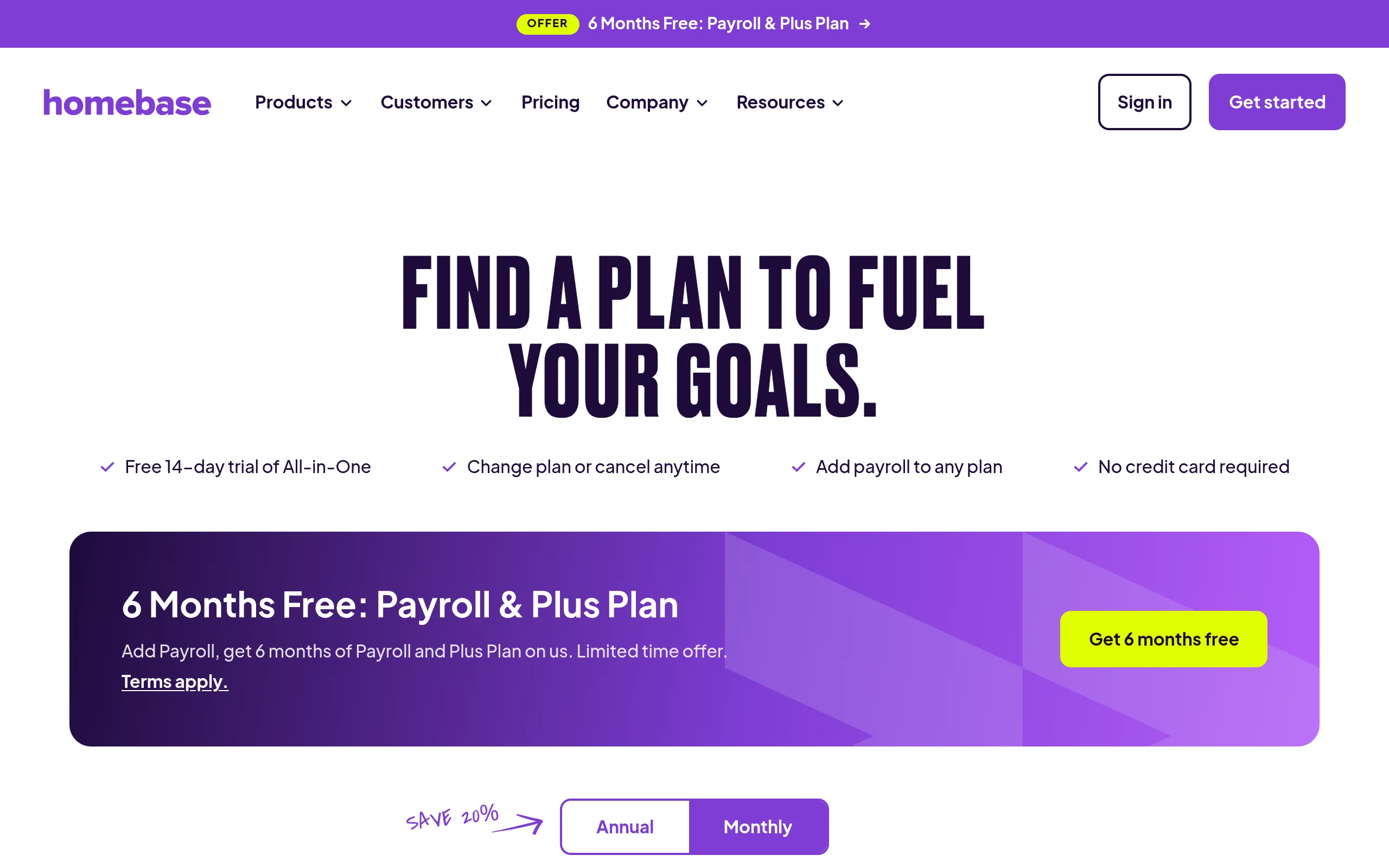
Essentials is where most growing teams should start. It adds advanced scheduling, advanced time tracking, and team communication, still at one flat price per location. That combination is exactly the schedule-plus-clock gate our test business needs, without per-user maths.
Plus adds the AI-powered Scheduling Assistant, PTO and time-off controls, and departments and permissions. That is the tier where Homebase’s AI drafting help lives, so a business buying Homebase for AI scheduling should budget for Plus, not Essentials. All-in-One adds employee onboarding, HR and compliance tools, and labor cost management.
Payroll is an add-on on every plan at $49 per month plus $6 per employee paid per month, after a first-six-months-free promotion shown on the pricing page. Tip Manager costs $25 per month per location and Task Manager costs $13 per month per location, so the add-ons, not the schedule, are where a Homebase bill grows.
For our test business, Essentials costs $30 a month, which is $360 a year, whether the team is 11 people or 40. The real cost driver is locations, not headcount. A second location means a second per-location fee, while a tenth hire costs nothing extra.
Best for: single-location teams of 11 or more that want one flat bill and a time clock included. Skip if: you run several small locations, because per-location pricing multiplies fast and a per-user tool can undercut it.
Connecteam: free for 10, then priced by hub
Connecteam is the deskless-team option, built for crews who never sit at a desk. Its Small Business Plan is free for up to 10 users, and the pricing page describes a free Limited plan for teams of 11 to 30 users after the 14-day trial, with the essentials of each hub. Paid pricing is per hub: Operations, Communications, and HR and Skills are priced separately.
The Operations Hub is where scheduling lives. Basic costs $29 a month billed yearly, or $35 billed monthly, for the first 30 users, then $0.80 per additional user per month billed yearly. Advanced costs $49 billed yearly, or $59 billed monthly, for the first 30 users. Expert costs $99 billed yearly, or $119 billed monthly, for the first 30 users. Enterprise uses custom pricing.

Basic includes a real-time clock in and out with GPS, unlimited jobs, payroll integration, basic scheduling including open shifts, and unlimited checklists, forms, and tasks. For a cleaning crew or a retail team that also needs checklists, that is a strong entry plan at one flat price.
Advanced adds full time clock customization, auto clock out, up to 10 geofence sites, and repeating shifts and templates. Expert adds auto assign shifts, up to 12 schedules, unlimited geofence sites, and API access. Notice the gate: auto-assigning shifts, the feature busy managers ask for first, sits on Expert, not Basic.
The hub model is the cost trap. Scheduling sits in Operations, but team chat sits in Communications and time off sits in HR and Skills, each priced at the same $29 to $99 ladder for the first 30 users. A business that wants all three hubs on Basic pays $87 a month billed yearly, not $29.
For our test business, Operations Basic on yearly billing costs $29 a month, which is $348 a year for 15 users, because the first 30 users are included. The real cost driver is hubs, not headcount, until user 31.
Best for: deskless teams of 10 or fewer that want everything free, or 11 to 30 users who need scheduling plus checklists in one app. Skip if: you need chat and time-off tools as well, because three hubs triple the headline price.
Sling: the widest free plan, the cheapest paid clock
Sling is the price disruptor in this comparison. The Free plan costs $0 for up to 30 users, with shift scheduling, shift templates, open shifts, time-off requests, a news feed, and private messages. Premium costs $2 per user per month billed monthly, or $1.70 billed annually. Business costs $4 per user per month billed monthly, or $3.40 billed annually. Paid plans come with a 15-day free trial, and annual billing saves 15%.
The free plan has the highest headcount ceiling of the five tools, and that matters. A 25-person team that only needs a published rota, swaps handled in the open, and time-off requests in one place can run Sling for $0. The catch is precise: the free plan has no time clock, so hours still live somewhere else.

Premium is where Sling becomes a time-and-attendance tool. It adds a mobile time clock, timesheets, geofencing, availability, shift swaps, group messaging, and labor cost and overtime tracking. That is the full schedule-plus-clock gate at the lowest paid rate in this comparison.
Business adds kiosk clock-in on a shared device, attendance and payroll reports, PTO management, holiday pay, auto-assigning shifts, and employee documents. Auto-assigning is Sling’s scheduling automation, and it sits on Business, so a team buying Sling for automation should price Business, not Premium.
For our test business, Premium on annual billing costs 15 times $1.70, which is $25.50 a month or $306 a year. Business costs 15 times $3.40, which is $51 a month or $612 a year. The real cost driver is users, billed per active user, so deactivating leavers keeps the bill honest.
Best for: teams up to 30 that want free scheduling now and the cheapest paid time clock later. Skip if: you need payroll reports and PTO management on the entry plan, because those gates sit on Business.
When I Work: simple per-user pricing, no free plan
When I Work is the simplicity pick. It has two plans, both priced per user per month: Single location or schedule at $2.50, and Multiple locations or schedules at $5. Every plan includes employee scheduling, time tracking and attendance, and team messaging, so there is no separate add-on to buy for a time clock. There is a 14-day free trial and no free plan.
The single-location plan includes a drag-and-drop scheduler, templates, multi-week scheduling, and Auto Scheduling. Auto Scheduling on the entry plan is the standout: rivals reserve auto-assigning for higher tiers, while When I Work includes its automation at $2.50 per user.
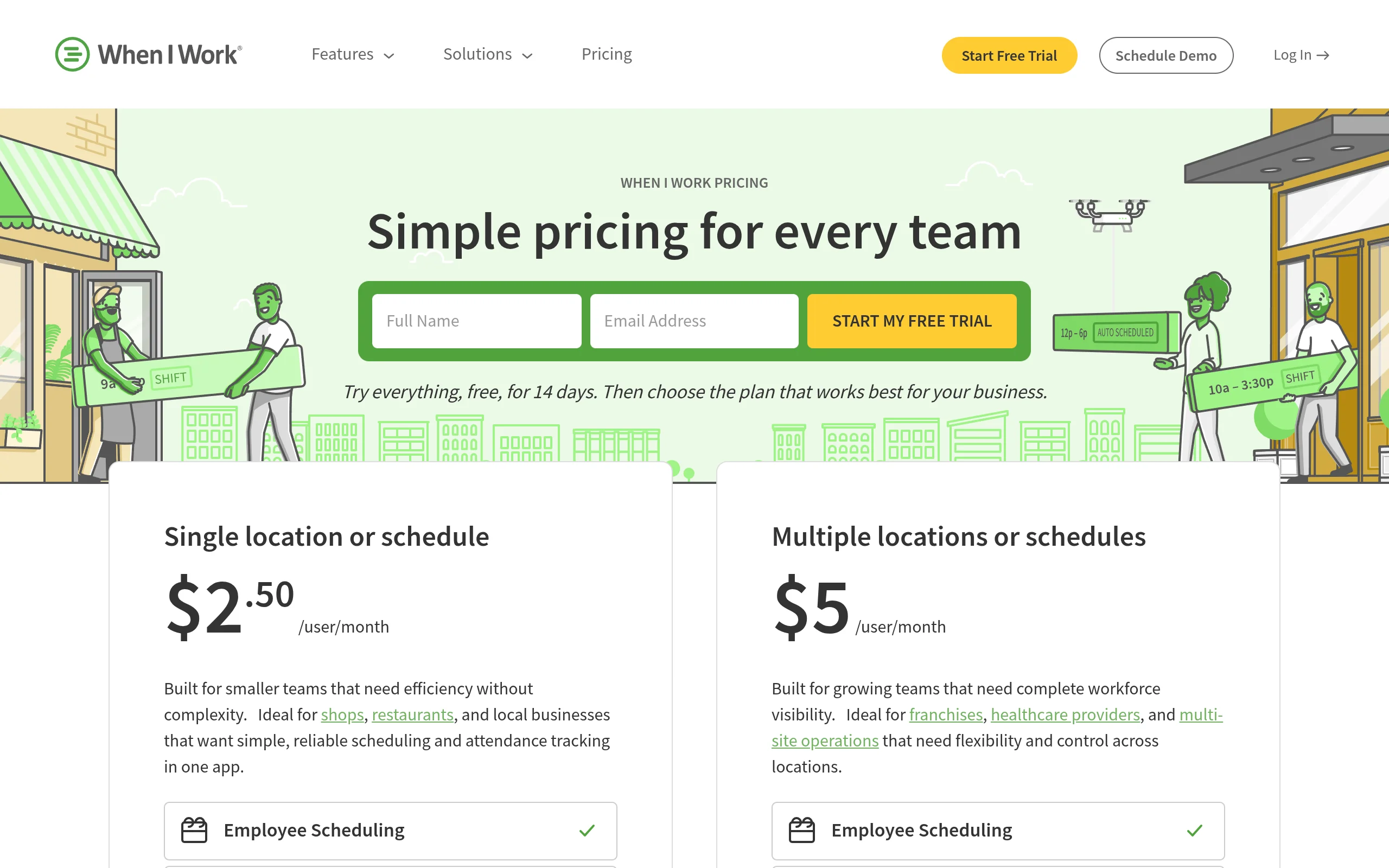
The multiple-locations plan adds labor sharing between locations, custom reporting, role permissions, and time zone management. For a business opening a second site, that is the tier that keeps both rotas in one account without a second subscription.
The honest limit is the missing free plan. A team of eight pays from day one, while Homebase, Connecteam, and Sling would cost $0 at that size. The trial is the evaluation route, so use the 14 days to test swaps and time-off with real staff, not just the manager’s login.
For our test business, the single-location plan costs 15 times $2.50, which is $37.50 a month or $450 a year. The multiple-locations plan costs 15 times $5, which is $75 a month or $900 a year. The real cost driver is users times locations, with no cap surprises.
Best for: single-location teams that want auto-scheduling and a time clock included at one simple rate. Skip if: your team is 10 or fewer and a free plan would cover you, because you would pay for what rivals give away.
Deputy: compliance depth at a higher per-user price
Deputy is the compliance option, and it should be bought on purpose, not by default. Lite costs $5 per user per month, Core costs $6.50 per user per month, and Pro costs $9 per user per month, in USD excluding taxes, billed upfront or in monthly installments. Monthly plans carry a minimum monthly spend of USD $30 per invoice. There is a free trial and no free plan.
Lite includes basic scheduling, basic timesheets, basic time clocking, labor law compliance, shift swap and find replacement, leave and availability management, basic reporting, messaging, and payroll and HR integrations. That is a complete schedule-plus-clock package, priced above every rival here.

Core adds advanced scheduling, timesheet auto approval, biometrics time clocking, advanced labor law compliance, micro-scheduling, auto-scheduling, demand forecasting, labor optimization, and wage and labor budgets. Demand forecasting is Deputy’s real differentiator: it builds staffing around expected demand instead of last week’s guess.
Pro adds custom access levels, advanced timesheets, location hierarchies, pay centers, single sign-on, and a sandbox environment, with the Analytics+ and Messaging+ add-ons included. Add-ons otherwise cost extra per user: HR at $2, Messaging+ at $1.95, and Analytics+ at $1.50 per user per month. Deputy Payroll, enabled by Paycor, costs $8 per user per month plus a $49 monthly base fee on annual Core and Pro plans in the US.
Seat counting matters here. Deputy states that all users, administrators, and supervisors count in the total user number, so the owner who never works a shift still takes a paid seat. The $30 minimum also means a four-person team on Lite pays $30 a month, not $20.
For our test business, Lite costs 15 times $5, which is $75 a month or $900 a year. Core costs 15 times $6.50, which is $97.50 a month or $1,170 a year. The real cost driver is every counted user, managers included, plus add-ons.
Best for: multi-site or regulated teams that need demand forecasting, labor-law compliance depth, and auto-scheduling. Skip if: you run one small location, because Sling and When I Work cover the same weekly rota for a third of the price.
The maths: fifteen people, one location, schedule plus time clock
Here is the same business priced five ways. Fifteen hourly staff, one location, weekly schedules, swaps, time-off requests, a time clock, and approved hours for payroll. Annual billing where the vendor offers it, published prices only.
Sling Premium costs 15 times $1.70 times 12, which is $306 a year. Connecteam Operations Basic costs $29 times 12, which is $348 a year, because the first 30 users are included. Homebase Essentials costs $30 times 12, which is $360 a year, flat per location. When I Work single location costs 15 times $2.50 times 12, which is $450 a year. Deputy Lite costs 15 times $5 times 12, which is $900 a year.
Add those five sensible tiers together and the full stack costs $2,364 a year. Start on Sling Premium alone and the same job costs $306 a year. The difference is $2,058 a year, every year, for buying four tools you do not need.
Now watch the headcount gates move the answer. At 10 staff, Homebase Basic and Connecteam’s Small Business Plan both cost $0 with a time clock included, and Sling costs $0 without one. At 25 staff, Sling Premium costs $510 a year, Homebase Essentials still costs $360, and Connecteam Basic still costs $348, because per-location and per-30-user pricing stop caring about headcount. At two locations, Homebase Essentials doubles to $720 a year, while When I Work moves to its $5 multiple-locations rate.
The lean choice is not always the cheapest headline. A team that needs auto-scheduling on day one pays When I Work $450 or Sling Business $612, not Sling Premium $306. Price the gate you actually need, then compare.
Five traps that catch scheduling buyers
The first trap is the free plan that ends at your next hire. Homebase and Connecteam free plans stop at 10 users, Sling’s stops at 30 without a time clock, and When I Work and Deputy have no free plan at all. Price your team at its size in twelve months, not today.
The second trap is the time clock gate. A free schedule that cannot record hours still leaves payroll copying times from a spreadsheet. Sling’s clock starts on Premium, so the free plan is a rota tool, not a payroll tool.
The third trap is the automation gate. Homebase puts its AI-powered Scheduling Assistant on Plus at $70 per location, Connecteam puts auto assign shifts on Expert at $99 per hub, Sling puts auto-assigning on Business, and Deputy puts auto-scheduling on Core. When I Work is the exception, with Auto Scheduling on its $2.50 plan.
The fourth trap is counted users. Deputy counts administrators and supervisors as paid users, and per-user tools generally bill every active account. A manager who only approves shifts can still be a paid seat, so count logins, not just hourly staff.
The fifth trap is the second location. Per-location pricing doubles with a second site, per-hub pricing triples when chat and HR join scheduling, and per-user pricing quietly grows with every hire. Model the business you are becoming before you sign the annual plan.
Strategic Pivot: count heads and locations before you buy
Before you pay for any scheduler, run your own numbers. Count your staff today, your staff in twelve months, your locations, and the one gate you cannot live without: a time clock, auto-scheduling, or payroll reports. Then price that exact shape on each official pricing page.
Our free AI Cost Calculator helps you total the per-user, per-location, and per-hub models side by side before a trial clock starts. If hours are the bigger problem, our guide to the best ai time tracking software for small business prices the clock side of the same decision. And when approved hours need to become pay, our guide to the best ai payroll software for small business compares the payroll step at the same headcount.
The pivot is simple: buy the pricing model that matches your growth, not the feature list that impresses in a demo. Per-location wins when headcount grows in one place. Per-user wins when locations multiply. Per-hub wins only when you truly need one hub.
Pros and cons
Homebase pros: flat per-location pricing, free plan with a time clock for up to 10 employees, payroll add-on available on every plan. Homebase cons: AI scheduling sits on the $70 Plus plan, and each new location pays the full fee again.
Connecteam pros: free for up to 10 users with all hubs, GPS time clock and checklists included, flat price for the first 30 users. Connecteam cons: chat and time-off tools are separate paid hubs, and auto assign shifts needs the Expert tier.
Sling pros: free scheduling for up to 30 users, cheapest paid time clock at $1.70 per user billed annually, 15-day trial on paid plans. Sling cons: no time clock on the free plan, and payroll reports and PTO management need the Business plan.
When I Work pros: Auto Scheduling and time tracking included at $2.50 per user, simple two-plan pricing, 14-day trial. When I Work cons: no free plan, and custom reporting needs the $5 multiple-locations plan.
Deputy pros: demand forecasting, labor-law compliance depth, auto-scheduling on Core, biometrics clocking. Deputy cons: highest per-user price here, managers count as paid users, and a $30 minimum monthly spend on monthly plans.
Our verdict
For our 15-person, one-location business, Sling Premium is the lean winner at $306 a year: a real schedule, a real time clock, swaps, and overtime tracking at the lowest published price. Connecteam Operations Basic at $348 a year is the better pick when the same team also needs GPS clock-ins and checklists, and Homebase Essentials at $360 a year wins when headcount will grow past 25 in one place, because the flat fee stops moving.
Choose When I Work at $450 a year when auto-scheduling matters more than the free-plan saving. Choose Deputy only when demand forecasting and compliance depth are worth $900 a year or more. And if your team is 10 or fewer, start free on Homebase or Connecteam and let the eleventh hire, not a sales page, tell you when to pay.
Frequently asked questions
Is there free ai scheduling software for small business?
Yes. Homebase Basic is free for one location with up to 10 employees and includes basic scheduling and time tracking. Connecteam’s Small Business Plan is free for up to 10 users. Sling is free for up to 30 users but has no time clock on the free plan. When I Work and Deputy offer free trials only, with no free plan.
What is the cheapest scheduling software for 15 employees?
For 15 employees at one location with a time clock, Sling Premium costs $306 a year on annual billing. Connecteam Operations Basic costs $348 a year and Homebase Essentials costs $360 a year. When I Work costs $450 a year and Deputy Lite costs $900 a year at the same headcount.
Is per-location or per-user pricing cheaper?
Per-location pricing wins when many staff work in one place, because Homebase Essentials stays $30 a month whether you have 11 or 40 employees. Per-user pricing wins when you have few staff across several locations, because a second location doubles a per-location bill.
Which scheduling tool includes auto-scheduling on its cheapest plan?
When I Work includes Auto Scheduling on its $2.50 per user single-location plan. Homebase puts its AI-powered Scheduling Assistant on Plus, Connecteam puts auto assign shifts on Expert, Sling puts auto-assigning on Business, and Deputy puts auto-scheduling on Core.
Does scheduling software replace payroll?
No. Scheduling tools record shifts and hours, and some offer payroll as a paid add-on: Homebase charges $49 a month plus $6 per employee paid, and Deputy Payroll costs $8 per user per month plus a $49 base fee. Most small businesses still run payroll separately and import approved hours.
Sources
Prices and plan details were checked on the official pricing pages on 29 November 2026: Homebase pricing, Connecteam pricing, Sling pricing, When I Work pricing, and Deputy pricing.
Price note — updated 29 November 2026: Prices in this post were checked on 29 November 2026. When you are reading this, the price may be lower or higher, and promotions may have ended. Check the official pricing page before buying.
Pros
- Homebase: flat per-location pricing, free plan with a time clock for up to 10 employees, payroll add-on available on every plan
- Connecteam: free for up to 10 users with all hubs, GPS time clock and checklists included, flat price for the first 30 users
- Sling: free scheduling for up to 30 users, cheapest paid time clock at $1.70 per user billed annually, 15-day trial on paid plans
- When I Work: Auto Scheduling and time tracking included at $2.50 per user, simple two-plan pricing, 14-day trial
- Deputy: demand forecasting, labor-law compliance depth, auto-scheduling on Core, biometrics clocking
Cons
- Homebase: AI scheduling sits on the $70 Plus plan, and each new location pays the full fee again
- Connecteam: chat and time-off tools are separate paid hubs, and auto assign shifts needs the Expert tier
- Sling: no time clock on the free plan, and payroll reports and PTO management need the Business plan
- When I Work: no free plan, and custom reporting needs the $5 multiple-locations plan
- Deputy: highest per-user price here, managers count as paid users, and a $30 minimum monthly spend on monthly plans
For our 15-person, one-location business, Sling Premium is the lean winner at $306 a year: a real schedule, a real time clock, swaps, and overtime tracking at the lowest published price. Connecteam Operations Basic at $348 a year is the better pick when the same team also needs GPS clock-ins and checklists, and Homebase Essentials at $360 a year wins when headcount will grow past 25 in one place, because the flat fee stops moving.Choose When I Work at $450 a year when auto-scheduling matters more than the free-plan saving. Choose Deputy only when demand forecasting and compliance depth are worth $900 a year or more. And if your team is 10 or fewer, start free on Homebase or Connecteam and let the eleventh hire, not a sales page, tell you when to pay.