
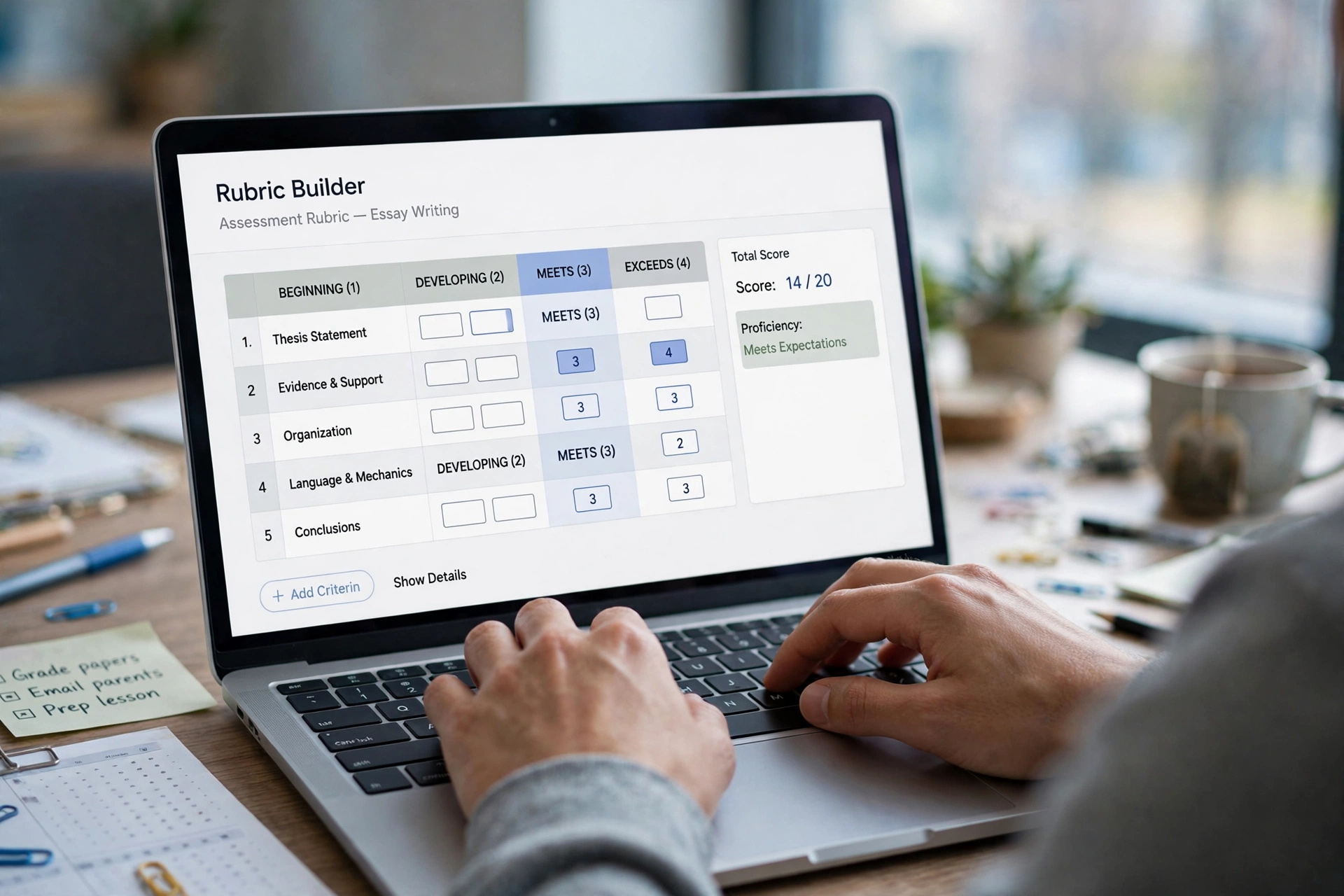
**For most teachers, the best AI tools for teachers creating rubrics start with MagicSchool AI.** Free costs $0 and includes the Rubric Generator among more than 80 teacher tools, and Plus costs $12.99 a month, or $8.33 a month billed yearly, and makes generations unlimited. The limit to watch is on the free plan: generation limits apply, and the number is not published.**Pick Eduaide if you want the cheapest paid plan:** Free costs $0 with 24 credits a month, and rubric generation is a credit spend — it is not locked behind Pro the way differentiation is. Pro costs $5.99 a month, or $49.99 a year, with unlimited generations. **Pick Khanmigo if you want to pay $0 forever:** its teacher tools, including the Rubric Generator, are free for teachers — a teacher told Khan Academy a rubric that normally took an hour took fifteen minutes.**Pick Brisk Teaching if you grade inside Google Docs:** Free costs $0 and gives rubric-criteria feedback right in the document, but Brisk does not sell to individual teachers at all — Premium is school or district only, so check the 14-day complimentary Premium before you plan around it. **Pick CoGrader if the rubric is only half the job:** Free costs $0 with 150 submissions a month, and it grades essays criterion by criterion against your rubric; Individual costs $19 a month, or $15 a month billed yearly.**The short version:** if you want one tool for everything, start with MagicSchool free this week. If you grade against the rubric too, CoGrader free is the one to try first.
5 AI Tools for Teachers Creating Rubrics (2026): Compared by Real Price
It is Sunday night, and you have thirty essays to grade by Tuesday. The essays are the easy part. The hard part is the rubric: four criteria, four performance levels, clear language a fourteen-year-old can actually read, and points that add up to something fair. Done by hand, that is an hour of staring at a blank grid before you mark a single paper.
That is the problem teachers are actually searching for when they look for AI tools for teachers creating rubrics: a grid that says what good work looks like, in minutes, in words your students can read. Not a generic template, and not a score with no explanation — a real rubric for your assignment, your grade level, your standards.
This guide answers that search with real prices, checked on the official pricing pages on 14 November 2026. It compares five AI tools for teachers creating rubrics a classroom teacher can run this week: MagicSchool AI, Eduaide, Khanmigo, Brisk Teaching and CoGrader. Two of them cost $0 for a teacher, and the dearest honest starting price here is $19 a month — against an hour of blank-grid staring every Sunday night.
Quick Answer
For most teachers, the best AI tools for teachers creating rubrics start with MagicSchool AI. Free costs $0 and includes the Rubric Generator among more than 80 teacher tools, and Plus costs $12.99 a month, or $8.33 a month billed yearly, and makes generations unlimited. The limit to watch is on the free plan: generation limits apply, and the number is not published.
Pick Eduaide if you want the cheapest paid plan: Free costs $0 with 24 credits a month, and rubric generation is a credit spend — it is not locked behind Pro the way differentiation is. Pro costs $5.99 a month, or $49.99 a year, with unlimited generations. Pick Khanmigo if you want to pay $0 forever: its teacher tools, including the Rubric Generator, are free for teachers — a teacher told Khan Academy a rubric that normally took an hour took fifteen minutes.
Pick Brisk Teaching if you grade inside Google Docs: Free costs $0 and gives rubric-criteria feedback right in the document, but Brisk does not sell to individual teachers at all — Premium is school or district only, so check the 14-day complimentary Premium before you plan around it. Pick CoGrader if the rubric is only half the job: Free costs $0 with 150 submissions a month, and it grades essays criterion by criterion against your rubric; Individual costs $19 a month, or $15 a month billed yearly.
The short version: if you want one tool for everything, start with MagicSchool free this week. If you grade against the rubric too, CoGrader free is the one to try first.
In this article
- Why a rubric takes an hour
- The 5 AI tools for teachers creating rubrics, compared at a glance
- 1. MagicSchool AI — best all-round bundle
- 2. Eduaide — cheapest paid plan
- 3. Khanmigo — best free for teachers
- 4. Brisk Teaching — best inside Google Docs
- 5. CoGrader — best for grading against a rubric
- Analytic, holistic or single-point — which rubric should you use?
- What a year of each tool really costs
- The four traps: how to read a rubric-tool price
- How to choose in 10 minutes
- Frequently asked questions
- Verdict
Why a rubric takes an hour
A rubric is not a table. It is a promise to your students: this is what good work looks like, this is what needs more work, and this is how the marks add up. Writing one by hand means deciding the criteria, writing four levels of description for each one, and checking the points still add up. Four criteria at four levels is sixteen little paragraphs, and every one of them has to sound like the same teacher wrote it.
Teachers have been asking for the fix in plain language. One of the most common questions on rubric-generator sites is simply “What is the best free AI rubric generator for teachers?” — and the next is “Can you create rubrics with AI?” The answer to both is yes, but the tools are not the same tool. Some write the rubric and stop. Some write it and then grade against it. Some only work inside Google Docs. Some are free for a teacher and some only sell to a whole school.
The worry teachers raise next is the right one: a generated rubric can be vague in exactly the place it matters. “Good analysis” is not a level description — it is a shrug. A good rubric names what the student did: the thesis answers the question, the evidence comes from the text, the counter-argument is addressed. If the AI writes “excellent / good / fair / poor” with no detail, it has saved you no time at all.

The 5 AI tools for teachers creating rubrics, compared at a glance
| Tool | Best for | Free plan | Entry paid price* | What the rubric tool does |
|---|---|---|---|---|
| MagicSchool AI | Best all-round bundle | Yes — $0 | Plus $12.99/month ($8.33/month billed yearly) | Rubric Generator among 80+ teacher tools; editable grid with criteria, levels and points |
| Eduaide | Cheapest paid plan | Yes — $0 (24 credits/month) | Pro $5.99/month ($49.99/year) | Rubric generation as a credit spend on free; unlimited on Pro |
| Khanmigo | Best free for teachers | Yes — $0 for teachers | None for teachers | Rubric Generator free for teachers, built from your unit plans and objectives |
| Brisk Teaching | Best inside Google Docs | Yes — $0 | No individual price — school/district only | Rubric-criteria feedback inside Google Docs; scoring on paid tiers |
| CoGrader | Best for grading against a rubric | Yes — $0 (150 submissions/month) | Individual $19/month ($15/month billed yearly) | Grades essays criterion by criterion against your rubric, with Glow & Grow feedback |
Prices checked 14 November 2026 on the official pricing pages. Brisk Teaching does not sell an individual teacher plan; Khanmigo has no paid tier for teachers. EssayGrader and Wayground were considered and left out — EssayGrader’s pricing table did not load on its official page on the day of writing, so no figure could be verified, and Wayground grades against rubrics on its district plan but does not generate them for individual teachers.
Read the free-plan column before the price column. All five tools have a real free plan, but they are not the same free plan. MagicSchool free includes the Rubric Generator with standard generation limits and no published number. Eduaide free gives you 24 credits a month, and a rubric costs credits. Khanmigo free is the whole teacher product, because there is no teacher paid tier at all. Brisk free gives rubric-criteria feedback inside Google Docs, plus 14 days of complimentary Premium when you first sign up. CoGrader free lets you grade 150 submissions a month against a rubric you upload or build.
The paid column tells you the second decision: the cheapest honest paid start here is Eduaide Pro at $5.99 a month, and the dearest is CoGrader Individual at $19 a month. Between them sits MagicSchool Plus at $12.99 a month, or $8.33 a month billed yearly. Brisk has no published number to compare, because an individual teacher cannot buy it at any price.
1. MagicSchool AI — best all-round bundle
MagicSchool AI is the pick when rubric-writing is one of many jobs and you want one subscription for all of them. It is the biggest teacher-tool platform here: more than 80 teacher tools on the free plan, a Raina chatbot, quizzes, class writing feedback and exports to Google and Microsoft. The Rubric Generator sits among them and does the core job — you enter the assignment type, the grade level and the learning goals or standards, and it returns an editable grid with criteria, performance levels and a score breakdown with levels and points.
Free costs $0 forever and includes the Rubric Generator, but with standard generation limits. MagicSchool does not publish the number — its FAQ says only that your dashboard shows your remaining usage and that it resets automatically. Plus makes generations unlimited, which is the point of paying.
Plus costs $12.99 a month billed monthly, or $8.33 a month billed annually — $99.96 a year, a 36 percent annual discount. It adds unlimited output history and unlimited output editing, more than 50 student tools, Student Rooms and student learning insights. There is a 14-day refund window from your most recent payment, and you can cancel at any time with access until the end of the period.
Pros: the best value in this guide — a rubric generator plus 80+ tools for $8.33 a month billed yearly; unlimited generations on Plus; 14-day refund window; free plan costs $0 forever. Cons: the free plan’s generation limit is not published, so you cannot plan around it; the rubric tool is one tool among many, not the main product; $12.99 a month on monthly billing is dearer than it looks.
Best for: a teacher who wants one subscription for rubrics, quizzes, feedback and lesson planning, and a school that wants a single platform for every teacher.
2. Eduaide — cheapest paid plan
Eduaide is the pick when the paid price is the whole decision. It is a lesson-planning platform whose AI assistant builds lesson plans, generates resources, chats with your documents and imports YouTube transcripts. Rubric generation is one of its 120-plus templates, alongside seven assessment templates — and here is the detail that matters: on Eduaide, a rubric is a credit spend, not a locked feature. The free plan can generate rubrics. That is different from differentiation, which is Pro-only on Eduaide, and it is the reason Eduaide earns its place here.
Free costs $0 and gives you 24 credits a month, resetting on the first of the month, with no credit card needed. Each lesson plan or resource costs about 3 credits, so the free plan covers roughly eight resources a month — and a rubric is one of them. A teacher who needs one rubric a week can run on the free plan for a whole term, as long as she is not also spending credits on lesson plans.
Pro costs $5.99 a month, or $49.99 a year, which is $4.17 a month — unlimited generations, plus document chat, AI images, YouTube transcript import and alignment to up to five standards instead of one. At $49.99 a year it is half the price of MagicSchool Plus and the cheapest paid plan in this guide by a clear margin. No trial or refund terms are stated on Eduaide’s facts page, so do not count on either.
Eduaide exports to PDF on both plans, and to Google Docs, Word and Google Forms for lesson plans, worksheets and assessments. It works in 29 languages, takes no student accounts, and says it does not train on your inputs. It is a web app only — there is no extension and no grading against the rubric, so if you want the marking done too, look at CoGrader below.
Pros: the cheapest paid plan here — $49.99 a year, or $4.17 a month; rubrics on the free plan, not locked behind Pro; unlimited generations on Pro; free plan needs no credit card. Cons: 24 free credits a month cover about eight resources, so a heavy week runs dry; no grading against the rubric; no trial or refund terms stated on the facts page.
Best for: a teacher who wants rubrics and lesson plans in one cheap subscription, and a teacher who needs one rubric a week and is happy to spend credits carefully.
3. Khanmigo — best free for teachers
Khanmigo is the odd one out, and it is here because for many teachers it is the right answer. It is Khan Academy’s AI assistant, and its teacher tools — lesson plans, rubrics, exit tickets, learning objectives — are free for teachers. There is no teacher paid tier at all, so the free plan is not a trial and the price cannot go up on you mid-year.
The Rubric Generator is confirmed on Khanmigo’s own homepage, and the testimonial there is the most concrete in this guide. A high-school English teacher, Ms. Bartsch, said Khanmigo could take her actual unit plans and objectives and construct a rubric from scratch — “a task that would normally take about an hour was now completed in no more than 15 minutes.” That is the whole promise of this post in one sentence: your unit plan in, a rubric out, in fifteen minutes instead of an hour.
The limit is on the student side, not the teacher side. Individual teachers cannot give their students Khanmigo access — student classroom access needs a district implementation, with Writing Coach as the exception, free for US teachers. Paid access for learners and families exists, but Khanmigo’s homepage shows no dollar price, so this guide prints none.
Pros: $0 for teachers, the whole teacher product free, no paid tier to grow into; builds the rubric from your actual unit plans and objectives; a teacher-reported hour cut to fifteen minutes; tied to Khan Academy’s content library. Cons: individual teachers cannot give students access without a district; no dollar price published for learner access; strongest where Khan Academy’s library is strongest.
Best for: a teacher who wants to pay $0 forever and is happy to build rubrics from her own unit plans, and any teacher as a free backup when the other tools hit their limits.
4. Brisk Teaching — best inside Google Docs
Brisk Teaching is the pick when you already live in Google Docs and do not want another tab open. It is a Chrome and Edge extension — plus a web app — that works inside the document you are editing. Its rubric work happens where your students’ writing already is: Rubric Criteria Feedback, Targeted Feedback with comments embedded in Docs, and Batch Feedback for a whole class at once. Rubric scoring is available too, as an opt-in on the paid tiers.
Free costs $0 and includes more than 20 tools on the plans page, the standard AI models, and feedback including rubric criteria. New sign-ups also get 14 days of complimentary Premium, and then drop back to Free Forever automatically — a real trial, even though Brisk does not call it one. The free plan’s models are the standard ones; the paid tiers get Turbo models.
The price is the problem with Brisk, and it is worth stating plainly. Premium and Intelligence are custom-priced for schools and districts, per student, and no individual Educator Pro price appears anywhere on Brisk’s official plans page. The plans-page FAQ answers the question directly: “Can we purchase at the individual teacher level?” — No, Brisk is designed for school-wide and district-wide adoption. A single teacher cannot buy Brisk at any published price, and third-party figures like $99.99 a year are not on Brisk’s public pages, so this guide does not print them as verified.
Brisk’s other distinctive tool is Inspect Writing, which replays how a student wrote in Google Docs — timestamps, typing, deletes and pastes — with an AI-detection score. The replay is described on Brisk’s official FAQ; whether the AI-detection score needs a paid tier is reported by third parties, not stated there, so treat it as unconfirmed.
Pros: rubric feedback inside Google Docs, where your work already lives; a strong free plan with 20 or more tools; 14 days of complimentary Premium for new sign-ups; Batch Feedback for a whole class at once. Cons: no individual teacher plan exists at any price — school or district only; rubric scoring is a paid-tier feature; Chrome, Edge and Google Docs only, so it is no help if your school runs on Microsoft.
Best for: a teacher who plans, writes and grades inside Google Docs and wants rubric feedback without leaving the document, and a teacher whose school already buys Brisk for everyone.
5. CoGrader — best for grading against a rubric
CoGrader is the pick when the rubric is only half the job. The other four tools write the rubric and stop. CoGrader grades against it. You upload any rubric of your own, or pick from its preloaded standards — Common Core, TEKS, Florida B.E.S.T., California Smarter Balanced, STAAR, New York Regents, AP and IB — and it scores each essay criterion by criterion, writes Glow & Grow feedback, checks grammar, and passes grades back to Google Classroom.
Free costs $0 with 150 submissions a month, and lets you build and share rubrics, work with Google Classroom, Canvas and Schoology, and grade handwritten work from photos. That is a genuinely usable free plan for a teacher with one or two classes. Individual costs $19 a month billed monthly, or $15 a month billed annually — $180 a year, a 21 percent annual discount. Schools and districts get unlimited submissions by quote.
CoGrader’s accuracy claim is the boldest in this guide, and it is specific enough to check: in October 2026 it reported matching official Texas raters within one point in 98.3 percent of 1,764 STAAR responses. Its pricing page also shows a 4.6 out of 5 rating from 63 reviews.
The honest limit is the price. At $19 a month on monthly billing, CoGrader Individual is the dearest entry paid plan here — more than MagicSchool Plus and more than three times Eduaide Pro. It earns that only if you grade with the rubric every week. If you only need the rubric written, the other four tools do that for less or for free.
Pros: grades against your rubric, not just writes it; 150 free submissions a month is genuinely usable; preloaded standards rubrics from CCSS to STAAR; handwritten work from photos; grade passback to Google Classroom. Cons: $19 a month is the dearest paid start in this guide; the accuracy claim is CoGrader’s own validation, not an independent audit; no use at all if you only want the rubric written.
Best for: a teacher who grades essays every week against a rubric and wants the marking done too, and a teacher in a tested subject whose standards rubric is already preloaded.

Analytic, holistic or single-point — which rubric should you use?
Before you pick a tool, pick a shape — because the tools in this guide do not all make the same kind of rubric, and the wrong shape wastes the time the AI just saved you. Teachers ask this in plain language too: “Analytic vs holistic vs single-point rubric — which should I use?” The answer depends on what the rubric is for.
An analytic rubric is the grid most teachers picture: criteria down the side, performance levels across the top, a description in every cell. It is the best shape for feedback, because a student can see exactly which criterion cost her marks. It is also the slowest to write by hand — four criteria at four levels is sixteen cells — which is why it is the shape the AI tools here handle best.
A holistic rubric gives one overall score with one description per level. It is faster to write and faster to mark, and it is the right shape for a quick piece of work where you do not need to explain every mark. The risk is vagueness: “good work” at the top level tells a student nothing about what to fix.
A single-point rubric has one column: what proficiency looks like, with space for notes on what went beyond it and what needs work. It is the best shape for a conversation with a student, and the worst shape for a grade that has to be defended to a parent, because there is no number attached.
For the writing that comes after the rubric, our guide to the best AI tools for teachers grading essays and assignments compares those by real price. And for the quizzes that follow a rubric-graded assignment, our guide to AI tools for teachers creating quizzes and worksheets covers the free limits.
What a year of each tool really costs
The monthly price is the smallest part of the bill when the free plan has a hidden limit. The real cost is the subscription, plus the work you lose when a limit hits mid-lesson, over twelve months, for one teacher. Our guide to the best free AI tools for teachers for lesson planning uses the same year-one maths.
| Tool | One teacher, year one* | What is not in the total |
|---|---|---|
| Khanmigo (teachers) | $0 | Nothing — no teacher paid tier exists |
| MagicSchool Free | $0 | Generation limits — number not published |
| Brisk Free | $0 | No individual plan exists at any price |
| Eduaide Free | $0 | 24 credits a month — about eight resources |
| CoGrader Free | $0 | 150 submissions a month |
| Eduaide Pro (annual) | $49.99 | Unlimited generations; rubrics plus lesson planning |
| MagicSchool Plus (annual) | $99.96 | Unlimited generations; 80+ tools included |
| CoGrader Individual (annual) | $180 | 350 submissions a month; grading against your rubric |
| Eduaide Pro (monthly) | $71.88 | $5.99 a month, 12 months |
| MagicSchool Plus (monthly) | $155.88 | $12.99 a month, 12 months |
| CoGrader Individual (monthly) | $228 | $19 a month, 12 months |
| Brisk Premium | Not published | School/district only — no individual price |
Year one uses the entry paid plan at list price, before tax. MagicSchool Plus $12.99 a month or $8.33 a month billed yearly, $99.96 a year. Eduaide Pro $5.99 a month or $49.99 a year. CoGrader Individual $19 a month or $15 a month billed yearly, $180 a year. Khanmigo has no paid tier for teachers. Brisk publishes no individual price.
Three numbers matter more than the table. First, the annual-billing gap: MagicSchool saves $55.92 a year, Eduaide saves $21.89, and CoGrader saves $48. MagicSchool’s gap is the biggest — 36 percent — so if you are sure you will use it all year, pay yearly.
Second, the two $0 answers are not the same $0. Khanmigo’s $0 is the whole teacher product with no paid tier behind it. CoGrader’s $0 is 150 graded submissions a month — generous, but a limit you can hit. Read the limit, not the price.
Third, the price you cannot see: Brisk Premium. Until your school buys it, Brisk has no year-one cost at all for an individual teacher — do not put it in a budget beside the others until you have seen a quote.
The four traps: how to read a rubric-tool price
Trap 1: the free plan that cannot do the job you want. On Eduaide, differentiation is Pro-only — but rubric generation is not. A teacher who assumes “Pro-only” applies to rubrics too will pay $49.99 a year for a feature the free plan already gives her. Always check whether the feature you want is on the free plan, not just whether the tool has a paid tier.
Trap 2: the unpublished limit. MagicSchool Free has standard generation limits and Brisk Free has daily usage caps, and neither publishes the number. A limit you cannot see is a limit you will discover at the worst moment — halfway through building rubrics for a whole unit on a Sunday night. If the number is not published, assume the limit is low and keep a free backup ready, like Khanmigo.
Trap 3: the school-only price. Brisk does not sell to individual teachers at any price. A teacher who budgets for Brisk Premium from a third-party figure is budgeting for a product she cannot buy — the plans-page FAQ says plainly that it is designed for school-wide adoption. Do not put a school-only tool in an individual budget.
Trap 4: the monthly price that hides the yearly one. CoGrader at $19 a month sounds close to MagicSchool at $12.99, until you bill yearly: $180 against $99.96, an $80 gap. Eduaide at $5.99 a month sounds like half of MagicSchool, and yearly it is — $49.99 against $99.96. Always compare the yearly totals, not the monthly headlines.
How to choose in 10 minutes
You want one subscription for everything: MagicSchool Plus at $8.33 a month billed yearly. Rubrics plus quizzes, feedback and lesson planning for $99.96 a year, with unlimited generations. Start on Free at $0 and pay only when the generation limit gets in your way.
You want the cheapest paid plan and you plan lessons too: Eduaide Pro at $49.99 a year. Rubrics plus lesson planning for $4.17 a month — but try the free plan first, because it can already generate rubrics on 24 credits a month.
You want to pay $0 forever: Khanmigo. The whole teacher product is free, the Rubric Generator builds from your unit plans, and a teacher reported an hour cut to fifteen minutes. Keep it open beside any tool you pay for.
You live in Google Docs: Brisk Free at $0. Rubric-criteria feedback inside the document, with 14 days of complimentary Premium when you sign up. Ask your school about Premium — you cannot buy it yourself.
You grade against the rubric too: CoGrader Free at $0. Grade 150 submissions a month against your rubric, with Glow & Grow feedback. Move to Individual at $180 a year only when you grade more than 150 pieces a month.
Whichever you pick, test it properly: take one real assignment from next week, generate its rubric, and read every cell before you hand it out.
Frequently asked questions
Is there a free AI rubric generator for teachers?
Yes, several. Khanmigo’s teacher tools, including the Rubric Generator, are free for teachers with no paid tier behind them. MagicSchool AI Free costs $0 and includes the Rubric Generator among 80-plus tools, with standard generation limits that are not published. Eduaide Free costs $0 with 24 credits a month, and a rubric is a credit spend, so the free plan can generate rubrics. Brisk Teaching Free costs $0 with rubric-criteria feedback inside Google Docs. CoGrader Free costs $0 with 150 submissions a month. Start with Khanmigo or MagicSchool free this week, and pay only when a limit gets in your way.
Which is best for rubrics — MagicSchool, Eduaide or Brisk?
It depends on where you work. MagicSchool is best if you want rubrics plus eighty other teacher tools for $8.33 a month billed yearly. Eduaide is best if you want the cheapest paid plan at $49.99 a year and you plan lessons too. Brisk is best if you live in Google Docs and want rubric feedback inside the document. If you want to pay $0 forever, start with Khanmigo.
Analytic, holistic or single-point — which rubric should I use?
Use an analytic rubric — criteria down the side, performance levels across the top — for anything you grade and return, because a student can see exactly which criterion cost her marks. Use a holistic rubric — one overall score per level — for quick checks you will not have to defend. Use a single-point rubric — one column describing proficiency, with space for notes — for drafts and conferences. MagicSchool, Eduaide and Khanmigo all build analytic grids, and CoGrader grades against them. Whichever shape you pick, read every cell before you hand it out.
Can Brisk grade against my rubric inside Google Docs?
Brisk gives rubric-criteria feedback and targeted feedback inside Google Docs, with comments embedded in the document, and Batch Feedback for a whole class at once. Rubric scoring is an opt-in on the paid tiers, which are school or district only — an individual teacher cannot buy them. If you want full grading against a rubric as an individual teacher, CoGrader Free grades 150 submissions a month against a rubric you upload or build.
Does CoGrader grade against my own rubric?
Yes. You can upload any rubric of your own, or pick from CoGrader’s preloaded standards rubrics — Common Core, TEKS, Florida B.E.S.T., STAAR, New York Regents, AP and IB. It scores each essay criterion by criterion, writes Glow & Grow feedback, checks grammar and passes grades back to Google Classroom. The free plan covers 150 submissions a month. Individual costs $19 a month, or $15 a month billed yearly.
Why does Brisk not show a price for an individual teacher?
Brisk Teaching does not sell to individual teachers at any price. Its plans-page FAQ answers the question directly: Brisk is designed for school-wide and district-wide adoption, and Premium and Intelligence are custom-priced per student for schools and districts. New sign-ups get 14 days of complimentary Premium, then drop back to Free Forever automatically. Do not trust a price from a review site, because the numbers in circulation are not on Brisk’s public pages.
Verdict
The AI tools for teachers creating rubrics that matter are not the ones with the longest feature list. They are the ones whose rubric still describes real work, whose free plan actually builds a rubric, and whose bill hides no surprise.
MagicSchool AI is the best answer for most teachers: $0 to start, a rubric generator among 80-plus tools, and $99.96 a year when you want unlimited generations. Eduaide Pro is the best answer if you want the cheapest paid plan and you plan lessons too: $49.99 a year — and the free plan can already generate rubrics on credits. Khanmigo is the best answer if you want to pay $0 forever: the whole teacher product free, built from your unit plans.
Brisk is the best answer if your work lives in Google Docs: $0 to start, rubric feedback inside the document — but you cannot buy Premium yourself, so do not budget for it. CoGrader is the best answer if you grade against the rubric too: $0 for 150 submissions a month, and $180 a year when you grade more.
For most teachers searching for AI tools for teachers creating rubrics, start with MagicSchool free this week — and keep Khanmigo open beside it for the days the other tools hit their limits.
Check the pricing page before you build your year around a tool — every vendor here changes prices without notice.
Price note — updated 14 November 2026: Prices in this post were checked on 14 November 2026. When you are reading this, the price may be lower or higher, and a free plan’s limits may have changed. Check the official pricing page before you buy. Brisk Teaching does not sell an individual teacher plan, Khanmigo has no paid tier for teachers, and EssayGrader was left out because its pricing table did not load on its official page on the day of writing.
Pros
- the best value in this guide — a rubric generator plus 80+ tools for $8.33 a month billed yearly
- unlimited generations on Plus
- 14-day refund window
- free plan costs $0 forever
Cons
- the free plan's generation limit is not published, so you cannot plan around it
- the rubric tool is one tool among many, not the main product
- $12.99 a month on monthly billing is dearer than it looks
The AI tools for teachers creating rubrics that matter are not the ones with the longest feature list. They are the ones whose rubric still describes real work, whose free plan actually builds a rubric, and whose bill hides no surprise.MagicSchool AI is the best answer for most teachers: $0 to start, a rubric generator among 80-plus tools, and $99.96 a year when you want unlimited generations. Eduaide Pro is the best answer if you want the cheapest paid plan and you plan lessons too: $49.99 a year — and the free plan can already generate rubrics on credits. Khanmigo is the best answer if you want to pay $0 forever: the whole teacher product free, built from your unit plans.Brisk is the best answer if your work lives in Google Docs: $0 to start, rubric feedback inside the document — but you cannot buy Premium yourself, so do not budget for it. CoGrader is the best answer if you grade against the rubric too: $0 for 150 submissions a month, and $180 a year when you grade more.For most teachers searching for AI tools for teachers creating rubrics, start with MagicSchool free this week — and keep Khanmigo open beside it for the days the other tools hit their limits.Check the pricing page before you build your year around a tool — every vendor here changes prices without notice.