

This guide to how to use ChatGPT for customer service replies gives you a complete copy-paste system: a one-page support brief, a system prompt, five reply templates, and a pre-send checklist. Start on the free plan — ChatGPT Free costs $0 a month and is enough, because the whole method runs on your own facts, not on a paid feature. Write your support brief first: your policies, prices, hours, and shipping times on one page. Save it in Custom Instructions, or in a Project on Plus at $20 a month. Then build five templates — order status, shipping, refund, delay, and general question — and draft every reply from the customer's message plus your brief, never from ChatGPT's memory alone. The rule that makes the whole system safe is simple: ChatGPT drafts, a human sends. Read every reply before it goes out, check every price and date against your own records, and escalate any refund over $50 to yourself. An AI that invents a refund policy costs more than the time it saves — in 2024, a tribunal held Air Canada liable for a discount its chatbot invented.
In this article: Quick Answer Box / Why Your Inbox Is Eating Your Business / Before You Start: The One-Page Support Brief / ChatGPT Plans at a Glance / Step 1 — Write Your Support Brief / Step 2 — How to Use ChatGPT for Customer Service Replies: Teach It Your Business / Step 3 — Build the 5 Reply Templates / Step 4 — Draft Every Reply, Send Nothing Straight From AI / Step 5 — The Pre-Send Checklist / Step 6 — Escalate Refunds Over $50 /
Never Let AI Say This / The Air Canada Lesson: Your Bot’s Words Are Your Words / Cost Maths / The Hidden Costs and Gotchas / Work Out What the Hour Is Worth / Strategic Pivot: Count the Hours Before You Count the Dollars / Pros and Cons / Our Verdict: How to Use ChatGPT for Customer Service Replies / Frequently Asked Questions / Price Note
Quick Answer Box
This guide to how to use ChatGPT for customer service replies gives you a complete copy-paste system: a one-page support brief, a system prompt, five reply templates, and a pre-send checklist. Start on the free plan — ChatGPT Free costs $0 a month and is enough, because the whole method runs on your own facts, not on a paid feature.
Write your support brief first: your policies, prices, hours, and shipping times on one page. Save it in Custom Instructions, or in a Project on Plus at $20 a month. Then build five templates — order status, shipping, refund, delay, and general question — and draft every reply from the customer’s message plus your brief, never from ChatGPT’s memory alone.
The rule that makes the whole system safe is simple: ChatGPT drafts, a human sends. Read every reply before it goes out, check every price and date against your own records, and escalate any refund over $50 to yourself. An AI that invents a refund policy costs more than the time it saves — in 2024, a tribunal held Air Canada liable for a discount its chatbot invented.
Why Your Inbox Is Eating Your Business
It is 9:47 in the morning and you have already answered the same question four times. “Where is my order?” “How long does shipping take?” “Can I return this?” Each one takes three minutes. By lunch, an hour is gone.
The inbox is not the problem. Typing the same answers by hand is. And the obvious fix — letting an AI answer customers directly — is the one that keeps small-business owners awake at night.
There is a middle path. ChatGPT does not answer your customers. It drafts the reply, and you send it — after a thirty-second check. You keep the judgment, the tone, and the final say. The AI does the typing. The drafts are fast, the facts are yours, and nothing reaches a customer that you have not read. It works in Gmail, in Shopify Inbox, or in any inbox. It costs $0 to start.
Before You Start: The One-Page Support Brief
Every step in this guide depends on one page, and it takes twenty minutes to write. The support brief is the single source of truth ChatGPT may use. Without it, the AI fills gaps with confident guesses.
Open your inbox and your order records and write down the facts customers actually ask about — the policy as it is, with real numbers.
Then add the never-promise rules: never promise a refund, a discount, or a delivery date not in the brief; never quote a price not in the brief; never invent a tracking number, an order status, or a policy; never ask for a password, a card number, or a government ID; and hand the message to a human when the customer sounds angry, repeats a question, or writes about money.
Keep the brief on one page — past that, it becomes a document nobody reads, including the AI. Update it the same day any fact changes.
MY SUPPORT BRIEF — [Business name]
- We sell: [your products, in one line]
- Best sellers and prices: [product — $X], [product — $X], [product — $X]
- Shipping: [cost] to [areas]; [X–Y business days]; tracking link by email
- Returns: [X days], [condition], return shipping paid by [us/the customer]; refunds in [X–Y business days]
- Refunds over $50: escalate to [owner name] — never approve by AI draft alone
- Hours: [days and times]; replies within [X hours] during working hours
- Payment: [methods accepted]; we do not accept [methods]
- Contact: [email/phone]; complaints go to [name]
- NEVER say: refunds, discounts, delivery dates, or prices not in this brief; never invent a tracking number or order status; never ask for passwords, card numbers, or IDs
ChatGPT Plans at a Glance
| Plan | Cost | What matters for customer service replies |
|---|---|---|
| Free | $0 a month | Unlimited text chats; limited uploads, images, voice, research, memory; may include ads |
| Go | $8 a month, monthly only | More messages, uploads, images, and voice; longer memory |
| Plus | $20 a month, monthly only | Advanced reasoning, expanded deep research, Projects, custom GPTs, expanded memory; no ads |
| Pro | $100, $200, or $500 a month (three usage tiers) | The heaviest tier; far more than an inbox needs |
| Business Standard | $20 a user a month billed annually, or $25 billed monthly; 2-seat minimum | Business data is not used for training |
| Business Premium | $100 a user a month billed annually, or $125 billed monthly | 5x Standard usage |
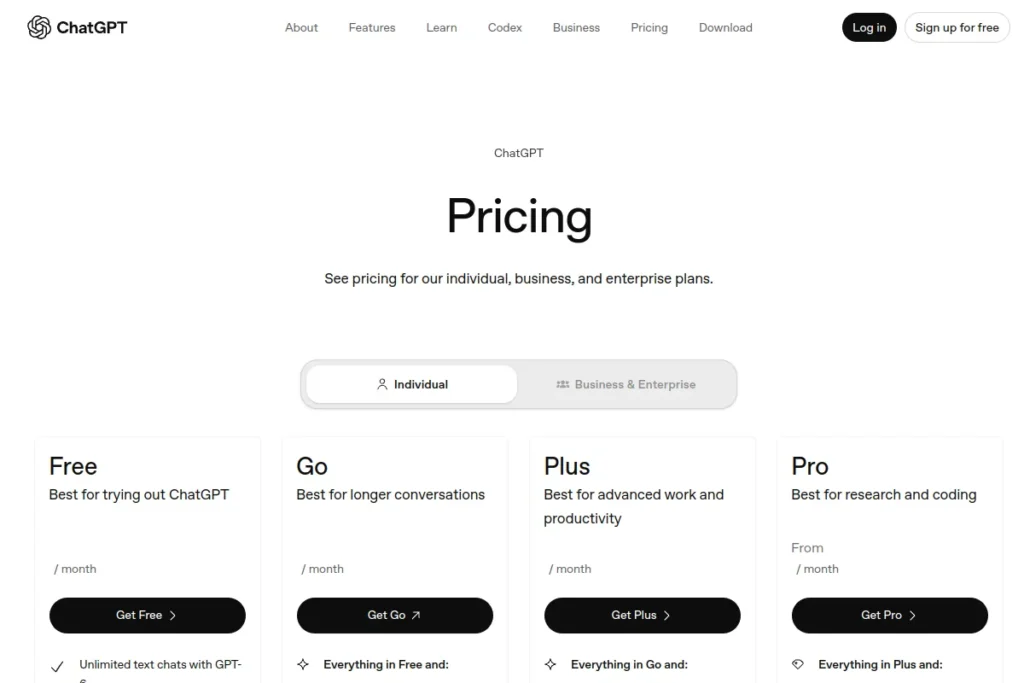
Read the table as a ladder, not a ranking. Free is enough for the whole method, because drafting replies needs text chats and Custom Instructions, and both work on the free plan. Plus at $20 a month is worth it when you want Projects — a saved workspace for your brief and templates — plus longer memory and noads. Go at $8 a month is the middle step for more messages and longer memory.
Business is the right plan when replies are a team job. Two people answering the same inbox should not share one login, and Business Standard’s promise that your business data is not used for training matters when customer messages pass through the tool. Business was formerly called Team, renamed on 29 August 2025. Do not buy Pro for replies: its $100, $200, and $500 tiers buy heavy research and coding usage an inbox does not need.
Step 1 — Write Your Support Brief
You already did the hard part: the brief itself. Save it as a plain text file, like support-brief.txt, and keep one copy on your computer and one where you paste it in Step 2. Update both copies the same day anything changes. Stale facts are the single biggest source of wrong AI replies.
Then test the brief as a stranger would. If a line needs inside knowledge — “standard delivery as usual” — rewrite it with the number in it. “Standard delivery costs $4.99 and arrives in 3–5 business days” is a fact ChatGPT can quote.
Step 2 — How to Use ChatGPT for Customer Service Replies: Teach It Your Business
On the free plan, use Custom Instructions: open ChatGPT, go to your profile, then Settings, then Personalization, and paste the system prompt below into the instructions box. Set them once and they apply to every chat.
On Plus, use a Project instead — or as well. Create a new Project called “Customer Service”, paste your support brief in as a project file, and paste the system prompt as the project instructions. Projects keep your support material in one place, and the expanded memory on Plus means less re-pasting. Do not pay $20 a month for Projects alone.

Here is the system prompt — copy it exactly, then replace the bracketed parts:
You are my customer service drafting assistant. Draft replies to customer messages. You never send anything — I send every reply myself after reading it.
RULES
- Use ONLY the facts in my support brief below. If a fact is not in the brief, do not invent it — write “[CHECK: fact not in brief]” in the draft instead.
- Never promise a refund, a discount, a delivery date, or a price that is not in the brief.
- Never invent a tracking number, an order number, or an order status.
- Keep every reply under 120 words unless I ask for more.
- Match my tone: friendly, plain, and professional. No slang, no corporate jargon. Start with the answer, not an apology.
- If the customer is angry, asks for a refund over $50, or repeats a question, draft a short holding reply and flag it “ESCALATE — needs a human”.
- Never ask for a password, a card number, or a government ID.
- End every draft with the exact next step for the customer, or the exact question I still need to ask them.
MY SUPPORT BRIEF
[Paste your full one-page brief here, exactly as written.]
Test it before you use it on a real customer. Paste in three old messages — one easy, one annoyed, one asking for a discount — and read the drafts. The easy one should be correct and short. The annoyed one should be calm and flagged for you. The discount one should say no, politely, without inventing a discount. If any draft breaks a rule, the fix is in the brief or the prompt, not in the AI.
Step 3 — Build the 5 Reply Templates
Most customer messages fall into five buckets, and each bucket has a shape. When ChatGPT already knows the shape, the draft comes back in seconds. Save these five templates with your system prompt. Each one has blanks for the facts that change per customer — fill them from your order records, never from memory, and never let ChatGPT fill a blank with a guess.
Template 1 — Order status. “Hi [name], thanks for checking in. Your order #[number] shipped on [date] and is currently [status from tracking page]. You can follow it here: [tracking link]. It is expected to arrive by [date from tracking, not a guess]. If it has not arrived by then, reply here and I will check it.”
Template 2 — Shipping question. “Hi [name], happy to help. Shipping to [area] costs [amount] and takes [X–Y business days]. Orders placed before [cutoff time] ship the same business day, and you will get a tracking link by email when it leaves us.”
Template 3 — Refund request. “Hi [name], I am sorry [product] did not work out. You are within our [X]-day return window, so here is what happens next: [return steps]. Once we receive it, your refund of [amount] will appear in [X–Y business days]. If your refund is over $50, I will confirm it personally first.”
Template 4 — Delay or apology. “Hi [name], you are right to follow up — your order is later than we promised, and I am sorry. The delay is [real reason, one sentence]. Your order is now expected by [date from the courier, not a guess]. If it has not arrived by then, reply here and I will [specific next step].”
Template 5 — General question. “Hi [name], great question. [Answer in one or two sentences, using only facts from the brief.] If you would like, I can [specific next step — send a link, check stock, book a call]. Just let me know.”
Notice what every template has in common: the answer comes first, the next step is specific, and every fact is a blank to fill from a real record. A template with a blank is honest. If the wording still feels flat, our guide to the best AI copywriting tools for small business compares tools that sharpen drafts — use them for wording only, never for facts.
Step 4 — Draft Every Reply, Send Nothing Straight From AI
The daily workflow takes about ninety seconds per message.
First, read the customer’s message yourself — ChatGPT answers the message you paste, and the wrong thread gets the wrong answer.
Second, paste the message into ChatGPT with the facts it needs. ChatGPT cannot see your orders, your tracking page, or your inbox — it only knows what you paste. A good prompt: “Draft a reply using the order-status template. Order #4821 shipped 18 November, tracking shows ‘out for delivery’, expected today.” That is the whole job — the message, the template, and the facts.
Third, read the draft like a customer would. Check the name, the order number, the price, and the date — and that it promises nothing your brief does not allow. If a sentence feels wrong, delete it. You are the editor; the AI is the typist. Watch for tone drift too: left alone, replies get longer and more apologetic over a session.
Fourth, copy the draft into your inbox and send it yourself. This step must never be automated away — replies going out unread is the exact system that got Air Canada into trouble.
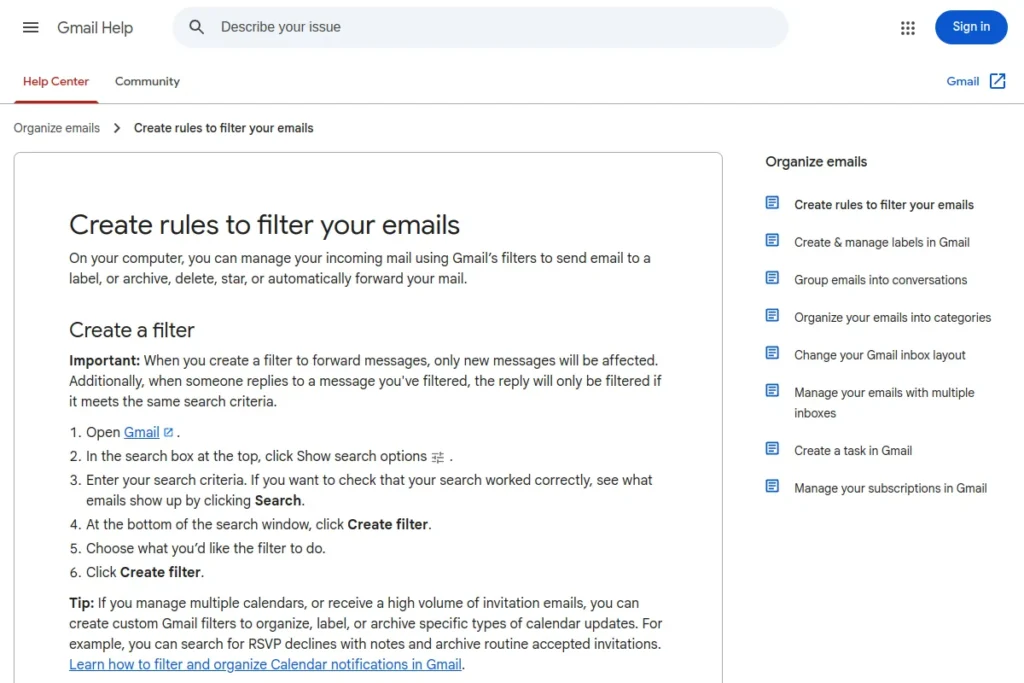
Gmail is free, and Shopify Inbox is also free. Drafting works the same in either: copy the message out, draft in ChatGPT, paste the reply back. Neither needs a connection to ChatGPT. Copy and paste is the safety feature, not a limitation.
Step 5 — The Pre-Send Checklist
Thirty seconds. Every reply. No exceptions — especially the easy ones, when your attention drifts.
- The customer’s name is spelled right.
- The order number, price, and date match your records — not your memory.
- Nothing promises a refund, discount, or delivery date that is not in the support brief.
- No tracking number, order status, or policy was invented to fill a gap.
- If the customer is angry or the refund is over $50, the reply is flagged for you.
- You read the whole reply once, as the customer.
Print this list and keep it next to your keyboard for the first month. After that it becomes habit — but keep it printed, because the week you stop checking is the week a wrong date goes out.
Step 6 — Escalate Refunds Over $50
Some messages should never be answered from a template, and refunds are the top of that list. The $50 line is not a legal threshold. It is a practical one: below it, a standard refund is routine; above it, a wrong call hurts, and a template reply feels dismissive.
When a refund request crosses $50, ChatGPT drafts a short holding reply only: “Hi [name], thank you for letting me know. I have your request and I am looking into it personally. I will confirm your refund of [amount] by [time].” Then you handle the refund yourself: check the order and the return condition, approve it, and write the confirmation in your own words.
The same escalation applies to three other situations, whatever the amount: an angry customer threatening a chargeback, a damaged or wrong item where you need a photo first, and any message that mentions a lawyer, a regulator, or a public review. In all four cases, the AI drafts a holding reply and you take over.
Never Let AI Say This
Keep this list next to the checklist. If any of these sentences appears in a draft, delete it and rewrite the reply yourself:
- “Your refund has been processed.” — unless you have actually processed it.
- “Your order will arrive tomorrow.” — unless the tracking page says so.
- “We offer a 10 percent discount as an apology.” — unless you decided that, today, for this customer.
- “Your tracking number is…” — unless you copied it from the courier.
- Any price, date, or promise followed by “approximately” or “usually” — that is the AI hedging a guess.
The pattern is simple: anything about money, dates, or promises must come from your records. Everything else is tone and structure — that is what the AI is for.
The Air Canada Lesson: Your Bot’s Words Are Your Words
This is not a hypothetical risk. In February 2024, the British Columbia Civil Resolution Tribunal decided Moffatt v. Air Canada, 2024 BCCRT 149. After his grandmother died, Jake Moffatt booked a flight, and Air Canada’s website chatbot told him he could apply for a reduced bereavement fare retroactively, within 90 days of the ticket being issued. The airline’s actual policy did not allow bereavement consideration after travel was completed, and when Moffatt applied, he was refused.
Air Canada argued it could not be held liable for information provided by its chatbot — in effect, that the chatbot was a separate legal entity responsible for its own actions. The tribunal rejected that argument. Tribunal member Christopher Rivers wrote that a chatbot is still just a part of Air Canada’s website, and the company is responsible for all the information on its website: “It makes no difference whether the information comes from a static page or a chatbot.” The tribunal found negligent misrepresentation and awarded Moffatt $650.88 in damages, plus $36.14 in pre-judgment interest and $125 in tribunal fees — $812.02 in total.
Three things matter for a small business. First, the same logic applies to any AI-generated message sent in your business’s name — a reply your customer received from you is your reply, whoever drafted it. Second, the amount was small and the lesson was large: the case cost Air Canada far more in reputation than $812.02. Third, the failure was preventable: the chatbot had no approved answer for bereavement fares, so it invented one. A one-page brief with the real policy, plus a human reading the reply, would have stopped it.
That is why this guide insists on drafts, not auto-send. The thirty seconds you spend reading a reply is the cheapest legal protection your business will ever buy.
Cost Maths
What this system costs for a year, at 20 messages a day (a quiet inbox) and 60 a day (a busy one):
| Volume | Plan | Monthly | Yearly |
|---|---|---|---|
| 20 messages a day | ChatGPT Free, $0 | $0.00 | $0.00 |
| 20 messages a day | ChatGPT Plus, $20 a month | $20.00 | $240.00 |
| 60 messages a day | ChatGPT Free, $0 | $0.00 | $0.00 |
| 2 people | Business Standard, $20/user/mo billed annually | $40.00 | $480.00 |
The price does not rise with volume, because ChatGPT charges per seat, not per message. At 20 messages a day, drafting saves roughly an hour a day — about 22 hours a month — and costs $0 on the free plan. At 60 a day, it saves closer to three hours a day, still for $0. A part-time virtual assistant at $10 an hour costs $220 a month for one hour a day, and you still have to train them. Plus at $240 a year is worth it when Projects and longer memory save you re-pasting the brief — not before.

The Hidden Costs and Gotchas
First, the free plan’s memory is limited. ChatGPT Free will forget your business context between sessions, so keep your support brief in a file and paste it when you start one, instead of assuming the AI remembers. On Plus, the expanded memory helps, but verify the facts anyway — memory is a convenience, not a source of truth.
Second, ChatGPT cannot see your orders — and it will invent one if you let it. The AI has no connection to your shop, your tracking page, or your inbox. This is hallucination in plain clothes: a confident, plausible-sounding fact that is simply made up. Every fact in every draft must come from something you pasted, which is why the system prompt’s rule 1 says to write “[CHECK: fact not in brief]” instead of guessing. If you want a tool that reads your orders directly, that is a helpdesk, not a chatbot — read our guide to the best AI helpdesk software when your volume outgrows copy and paste.
Third, the brief goes stale. Prices change, shipping times change, the return window changes for a holiday sale, and every change has to reach the brief the same day. A ChatGPT that quotes last month’s shipping time is worse than no ChatGPT. Put a monthly 15-minute review on your calendar, and update the brief before you update the website.
Fourth, do not let ChatGPT write your policies. It can draft a reply about your return policy; it must not invent it. Policies are business decisions, made by you, written in the brief, and quoted by the AI.
Work Out What the Hour Is Worth
Answering the same five questions by hand takes about three minutes per message. At 20 messages a day, that is an hour a day, or about 22 hours a month — $330 a month at a modest $15 an hour.
Drafting with ChatGPT cuts each reply to about ninety seconds: thirty to paste and draft, thirty to check, thirty to send. At 20 messages a day, that is thirty minutes a day, or 11 hours a month — a saving of $165 a month at $15 an hour, for $0 on the free plan. At 60 a day, the saving is about 33 hours a month, or $495 a month. The AI Time-Saving Calculator does this maths for you with your real numbers.
Strategic Pivot: Count the Hours Before You Count the Dollars
A reply system is a small purchase that becomes a habit. The setup takes an afternoon: one brief, one system prompt, five templates. The habit that protects you takes thirty seconds a message: read the draft, check the facts, then send. Most owners do the setup and skip the habit, because reading feels like the part the AI was supposed to replace. It is not. Reading is the product.
Once the system runs for a month, look at the numbers: messages a day, drafts that needed a correction, and the most-used template. The template with the most corrections is telling you the brief is wrong, not the AI. Fix the brief, and the corrections stop. The AI Time-Saving Calculator works out what those saved hours are worth.
Pros and Cons
Pros — the whole method: Every price was verified from OpenAI’s own pricing pages on 20 November 2026, and the Air Canada case is cited from the tribunal decision, Moffatt v. Air Canada, 2024 BCCRT 149; the guide prices everything at 20 and 60 messages a day.
Cons — the whole method: Prices are OpenAI’s US list prices and may differ by country; Plus and Go are monthly-only billing; Business Standard’s $20 figure is the annual-billing price, and month-to-month costs $25 a user.
Pros — ChatGPT Free: Costs $0 and covers the whole method — unlimited text chats and Custom Instructions are enough to draft replies; no card, no trial clock.
Cons — ChatGPT Free: Limited memory means re-pasting the brief between sessions; limited uploads, images, voice, and deep research; may include ads.
Pros — ChatGPT Plus: Projects keep your brief and templates in one saved workspace; expanded memory means less re-pasting; no ads.
Cons — ChatGPT Plus: $20 a month, monthly only, for features a quiet inbox does not need; it still cannot see your orders.
Pros — ChatGPT Business: Two or more people can share the inbox properly instead of sharing one login; business data is not used for training.
Cons — ChatGPT Business: Standard costs $20 a user a month billed annually ($25 monthly) with a 2-seat minimum, so the cheapest team setup is $40 a month; Premium at $100 a user a month billed annually is far more than most small teams need.
Our Verdict: How to Use ChatGPT for Customer Service Replies
The best way to learn how to use ChatGPT for customer service replies is the free plan: it costs $0, Custom Instructions hold your system prompt, and the whole method — brief, templates, checklist — works without paying anything. Start on Free, write the one-page brief, paste the system prompt, and draft ten real replies before you spend a dollar.
Buy Plus at $20 a month only when re-pasting the brief every session starts to annoy you — Projects and expanded memory are what you are buying. Do not buy it for the AI itself; the free model drafts replies just fine.
Move to Business Standard at $20 a user a month billed annually only when a second person joins the inbox. And when your volume outgrows copy and paste — when you are answering a hundred messages a day and need the tool to read your orders — that is the moment to graduate to a helpdesk. Our guide to the best AI helpdesk software compares the options, and our chatbot setup guide shows the other side of the same coin.
Whichever plan you pick, write the brief first and read every draft before it goes out. The AI does the typing. You do the thinking.
Frequently Asked Questions
Can ChatGPT answer customer service emails automatically?
No — and it should not. ChatGPT cannot see your inbox or your orders, and cannot send email on its own. The safe method is copy and paste: read the message, paste it into ChatGPT with the facts it needs, read the draft, and send it yourself.
Is ChatGPT free for customer service replies?
Yes. ChatGPT Free costs $0 a month and covers the whole method in this guide, including unlimited text chats and Custom Instructions. Plus costs $20 a month, monthly only, and adds Projects, expanded memory, and no ads — worth it when re-pasting your support brief every session gets old.
How do I stop ChatGPT from making up policies or prices?
Give it a one-page support brief with your real facts and a system prompt that says to use only the brief — and to write “[CHECK: fact not in brief]” instead of guessing. Then read every draft before sending. The Air Canada case shows why: its chatbot invented a bereavement discount, and the tribunal held the airline liable.
Can ChatGPT work with Gmail or Shopify Inbox?
Yes, through copy and paste. Gmail is free, and Shopify Inbox is free for store owners. Copy the customer’s message into ChatGPT with the facts it needs, read the draft, and paste your reply back. There is no integration to set up — nothing goes out without you reading it.
When should I switch from ChatGPT to a helpdesk?
When copy and paste becomes the bottleneck — roughly a hundred messages a day, a team of two or more answering the same inbox, or the day you need the tool to read order status directly. At that point, compare helpdesk tools in our guide to the best AI helpdesk software rather than paying for a bigger ChatGPT plan.
Price Note
Price note — updated 20 November 2026: Prices in this post were checked on 20 November 2026. When you are reading this, the price may be lower or higher — always check the official pricing page before you buy.
ChatGPT’s prices were read on OpenAI’s own pricing pages: Free at $0 a month with unlimited text chats and limited uploads, images, voice, deep research, and memory, and may include ads; Go at $8 a month, monthly only, with more messages, uploads, images, and voice and longer memory, and may include ads; Plus at $20 a month, monthly only, with advanced reasoning models, expanded deep research, Projects, scheduled tasks, custom GPTs, expanded memory and context, and expanded Codex, with no ads; and Pro at $100, $200, or $500 a month across three usage tiers.
Business Standard is $20 a user a month billed annually or $25 billed monthly with a 2-seat minimum; and Business Premium is $100 a user a month billed annually or $125 billed monthly. Business data is not used for training. Gmail and Shopify Inbox are free.
Pros
- Pros — the whole method: Every price was verified from OpenAI's own pricing pages on 20 November 2026, and the Air Canada case is cited from the tribunal decision, Moffatt v. Air Canada, 2024 BCCRT 149; the guide prices everything at 20 and 60 messages a day.
- Pros — ChatGPT Free: Costs $0 and covers the whole method — unlimited text chats and Custom Instructions are enough to draft replies; no card, no trial clock.
- Pros — ChatGPT Plus: Projects keep your brief and templates in one saved workspace; expanded memory means less re-pasting; no ads.
- Pros — ChatGPT Business: Two or more people can share the inbox properly instead of sharing one login; business data is not used for training.
Cons
- Cons — the whole method: Prices are OpenAI's US list prices and may differ by country; Plus and Go are monthly-only billing; Business Standard's $20 figure is the annual-billing price, and month-to-month costs $25 a user.
- Cons — ChatGPT Free: Limited memory means re-pasting the brief between sessions; limited uploads, images, voice, and deep research; may include ads.
- Cons — ChatGPT Plus: $20 a month, monthly only, for features a quiet inbox does not need; it still cannot see your orders.
- Cons — ChatGPT Business: Standard costs $20 a user a month billed annually ($25 monthly) with a 2-seat minimum, so the cheapest team setup is $40 a month; Premium at $100 a user a month billed annually is far more than most small teams need.
The best way to learn how to use ChatGPT for customer service replies is the free plan: it costs $0, Custom Instructions hold your system prompt, and the whole method — brief, templates, checklist — works without paying anything. Start on Free, write the one-page brief, paste the system prompt, and draft ten real replies before you spend a dollar. Buy Plus at $20 a month only when re-pasting the brief every session starts to annoy you — Projects and expanded memory are what you are buying. Do not buy it for the AI itself; the free model drafts replies just fine. Move to Business Standard at $20 a user a month billed annually only when a second person joins the inbox. And when your volume outgrows copy and paste — when you are answering a hundred messages a day and need the tool to read your orders — that is the moment to graduate to a helpdesk. Our guide to the best AI helpdesk software (https://aitbizhub.com/best-ai-helpdesk-software/) compares the options, and our chatbot setup guide (https://aitbizhub.com/how-to-set-up-an-ai-chatbot-on-your-website/) shows the other side of the same coin. Whichever plan you pick, write the brief first and read every draft before it goes out. The AI does the typing. You do the thinking.
2 thoughts on “How to Use ChatGPT for Customer Service Replies (2026): A Small Business Guide”