
This guide to the best AI tools for interior designers compares five tools a small studio can actually buy and use: Homestyler, Planner 5D, Interior AI, RoomGPT, and HomeDesigns AI. Start with Planner 5D Professional at $33.33 a month billed annually if you want dimensioned floor plans and 4K renders for client work. Pick HomeDesigns AI Pro at $29 a month if you want one restyler that keeps your client's real walls and windows and lets you shop the furniture in the render. Pick Homestyler Master+ from $11.80 a month if you want unlimited 4K renders for almost nothing. Pick Interior AI Pro at $29 a month billed annually if you want a thousand restyles a month and don't mind that the cheapest renders are low quality. Pick RoomGPT's $19 one-time pack of 100 credits if you want quick restyles with no subscription at all.The two jobs in this market are different jobs, and that is the story of this guide. Planners build dimensioned, editable floor plans. Restylers repaint one photo of a room. Buy one of each, and never two of the same kind.
Best AI Tools for Interior Designers (2026): 5 Compared by Real Price
Your client sent you a photo of their living room at 9pm. By 9:04 they’d sent three Pinterest boards, a screenshot of a sofa they love, and the words “something like this, but warmer?” By 9:30 you’re still awake, sketching a third version of a room you already designed twice. That is the interior designer’s version of the leaky bucket: the design is the easy part, the revisions after it are what eat the week.
A small studio lives or dies on how fast it can show a client a finished-looking room, and AI tools now do in thirty seconds what used to take an evening. This guide compares five of them, at real prices, for a two-designer studio doing fifteen projects a month.
Every price below was checked on the vendor’s own pricing page on 19 November 2026. Where a vendor’s page hides its prices behind a script or a login, we say so, and the figure is flagged until it is re-checked live.
Quick Answer Box
This guide to the best AI tools for interior designers compares five tools a small studio can actually buy and use: Homestyler, Planner 5D, Interior AI, RoomGPT, and HomeDesigns AI. Start with Planner 5D Professional at $33.33 a month billed annually if you want dimensioned floor plans and 4K renders for client work. Pick HomeDesigns AI Pro at $29 a month if you want one restyler that keeps your client’s real walls and windows and lets you shop the furniture in the render.
Pick Homestyler Master+ from $11.80 a month if you want unlimited 4K renders for almost nothing. Pick Interior AI Pro at $29 a month billed annually if you want a thousand restyles a month and don’t mind that the cheapest renders are low quality. Pick RoomGPT’s $19 one-time pack of 100 credits if you want quick restyles with no subscription at all.
The two jobs in this market are different jobs, and that is the story of this guide. Planners build dimensioned, editable floor plans. Restylers repaint one photo of a room. Buy one of each, and never two of the same kind.
In this article
- Quick Answer Box
- What AI Actually Does Inside a Design Studio
- How We Picked These Five
- The Five Tools at a Glance
- Homestyler — The 3D Planner That Costs Less Than Lunch
- Planner 5D — The Professional’s Floor Plan Machine
- Interior AI — The Render Quality Ladder
- RoomGPT — The $9 Impulse Buy
- HomeDesigns AI — The All-in-One Restyler
- Cost Maths
- The Hidden Costs and Gotchas
- Work Out What the Hour Is Worth
- Pros and Cons
- Our Verdict
- Frequently Asked Questions
- Price Note
What AI Actually Does Inside a Design Studio
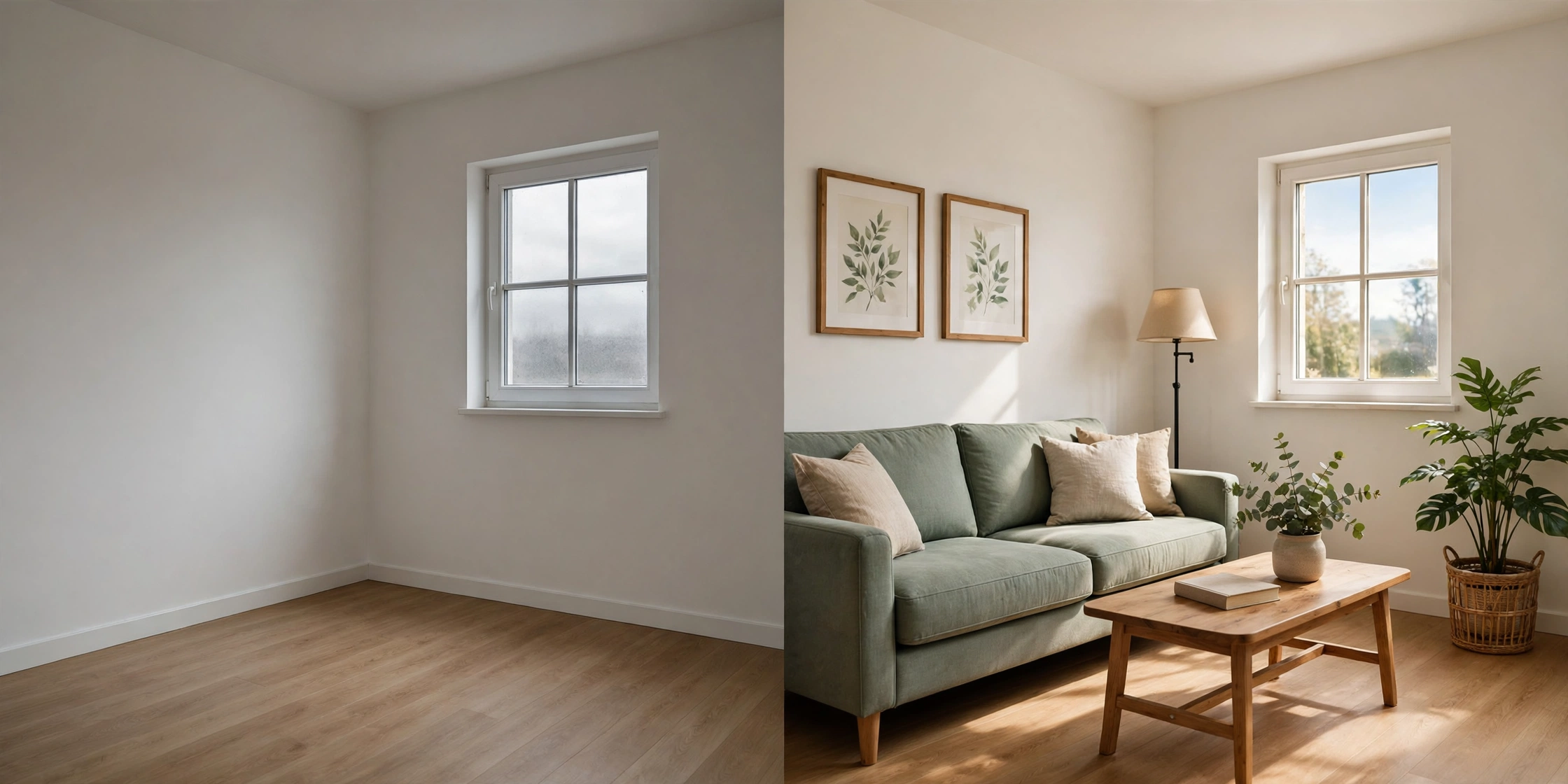
AI in a design studio is not a robot with taste. It is a very fast junior who never sleeps and never complains about the third revision. It takes a photo of a bare room and shows it furnished in six styles before your coffee cools. It turns a hand-drawn floor plan into a 3D model you can walk through. It renders the same kitchen in walnut, then oak, then painted green, while you are still on the phone with the client.
The split that matters is the one most roundups never explain. Planners and restylers do different jobs. A planner like Homestyler or Planner 5D builds a measured, editable model of a room: walls at real dimensions, furniture you can move, a floor plan a contractor can read. A restyler like Interior AI, RoomGPT or HomeDesigns AI takes one photo and repaints it: same room, new sofa, new light, new mood.
The restyle looks finished in thirty seconds. It is not a plan. Peer-reviewed research published in March 2026 found that multimodal models generating interior layouts routinely violate collision, clearance and circulation constraints, producing rooms that are, in the researchers’ words, describable but not buildable. A restyled photo can show a chair clipping through a wall and nobody notices until the furniture arrives. Measure twice, render once.
HomeDesigns AI puts the alternative on its own page: hiring a designer costs $3,000 or more and takes weeks, and it prices a one-bedroom condo design at $3,296.
How We Picked These Five
Every one of the AI tools for interior designers in this guide has a published price a small studio can actually pay without a sales call.
We priced every tool in this guide at one studio size: two designers, fifteen projects a month, ten renders per project, or 150 renders a month. Every price was read on the vendor’s own pricing page on 19 November 2026. Where the page would not show its prices to a text reader, we used the consensus of independent sites that read the same page in the last ten days, and we flagged the figure for a live re-check before publishing.
The Five Tools at a Glance
| Tool | What it does | Entry price | The catch |
|---|---|---|---|
| Homestyler | 3D floor plans + renders | Free; Master+ from $11.80/mo | “From” prices ride on discounts |
| Planner 5D | Professional floor plans + AI restyles | $33.33/mo billed annually | Credits cap how much AI you get |
| Interior AI | Photo restyles at volume | $29/mo billed annually | Cheapest renders are low quality |
| RoomGPT | One-photo restyles, no subscription | $9 one-time for 30 credits | Pro quality costs 2 credits a render |
| HomeDesigns AI | All-in-one restyler + shopping | $29/mo | First-year price renews higher |
Homestyler — The 3D Planner That Costs Less Than Lunch
What it is
Homestyler is a cloud-based 3D floor planner from Alibaba’s design stable, and it is the cheapest serious tool in this guide. You draw a floor plan or upload a sketch, it becomes an editable 3D model, and you furnish it from a library of real branded furniture models and render it in the cloud. The free Basic plan lets you build a complete interior project with unlimited 1K renders, which is already more than most studios need for a first draft. Homestyler pricing
What the AI does
Homestyler’s AI Studio adds image-to-image restyling, floor plan options, moodboards and image-to-video on top of the planner.
Pricing
Homestyler Basic is free, with unlimited 1K renders and the free model library. Pro+ starts from $6.80 a month and adds 75 renders a month at 2K and 4K plus 180 AI credits a month. Master+ starts from $11.80 a month and adds unlimited 4K rendering and 380 AI credits a month. Team starts from $19.90 per seat a month with shared spaces and libraries. There is also an AI Boost membership for extra credits, and single renders cost $0.99 for 2K and $1.99 for 4K if you would rather pay as you go.

These figures carry a flag. Homestyler’s pricing page renders its prices in JavaScript, so no dollar figure appears in a plain text read of the page, and third-party listings disagree: older pages still show Pro at $4.90 a month and Master at $9.90, while September to November 2026 checks of the live page report the Pro+ from $6.80 and Master+ from $11.80 figures used here. The publishing browser must re-verify them live on the rendered page before publishing, and if the live page shows the older $4.90 and $9.90 set, correct this guide everywhere before it goes out.
Best for
A studio that wants the cheapest route to unlimited 4K renders.
Watch out
The word “from” is doing heavy lifting. The lowest prices are tied to billing terms and first-time discounts, so confirm the term at checkout. And Homestyler memberships are non-refundable as a general policy, because the digital benefits arrive instantly.
Planner 5D — The Professional’s Floor Plan Machine
What it is
Planner 5D is the professional’s tool in this guide, and the only one built for client-facing work from the ground up. It draws floor plans in 2D and 3D, recognises an uploaded plan and turns it into an editable 3D project, and renders photorealistic images and 360-degree walkthroughs. Its AI Copilot and AI Studio sit on top of the planner, so the same subscription covers both the measured plan and the pretty picture. Planner 5D pricing
What the AI does
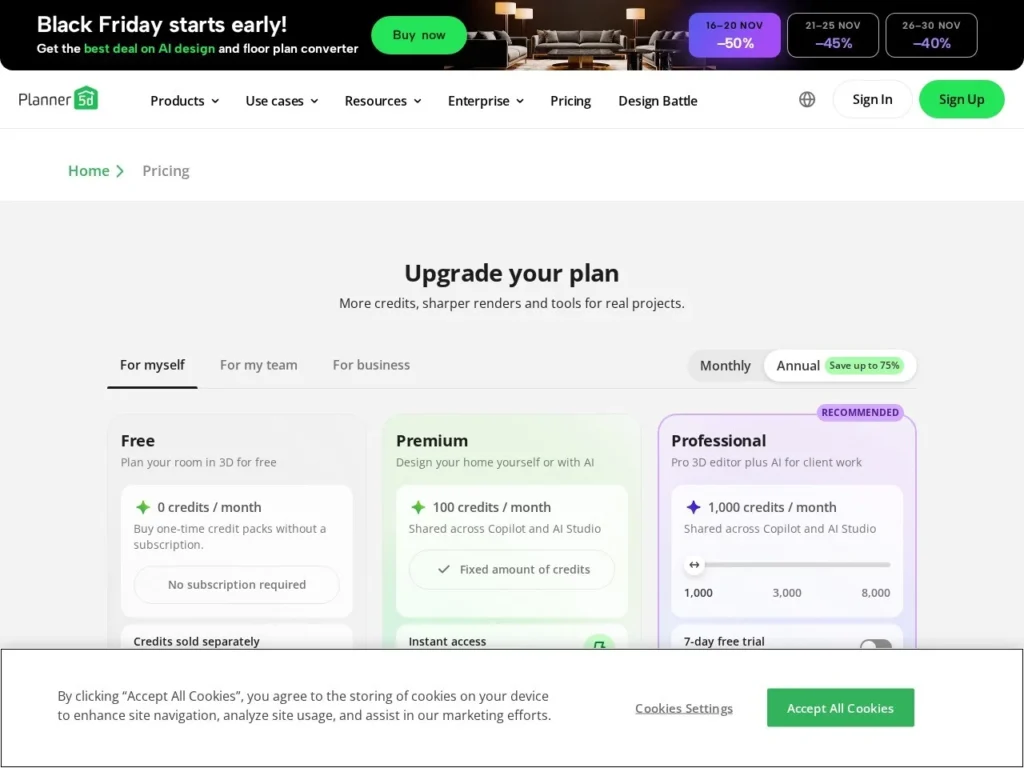
The pricing page is unusually honest about what credits buy: 100 credits make about 50 Nano Banana 2 images at 1K resolution, or about 12 standard five-second AI video clips. A paid Professional subscription includes 1,000 credits a month, or 12,000 a year, which is about 500 images a month at the same settings.
Pricing
Planner 5D Free costs $0, with 50% of the furniture catalog and no credits. Premium costs $19.99 a month billed monthly, or $4.99 a month billed annually at $59.99 a year, and includes 100 credits a month, the full 10,000-item catalog, unlimited HD renders and AI floor plan recognition. Professional costs $49.99 a month billed monthly, or $33.33 a month billed annually at $399.99 a year, and includes 1,000 credits a month, unlimited watermark-free 4K renders, custom 3D model uploads, CAD export, a branded profile, 360-degree panoramas and walkthroughs, and a 7-day free trial with 50 credits to try.
Best for
A studio that hands clients documents, not just pictures.
Watch out
The credit maths is the whole game. Premium’s 100 credits a month sound generous until you learn they make about 50 images. A studio doing fifteen projects a month will burn through Premium’s credits in a week, which is why this guide prices Professional, not Premium. And the monthly price of Professional is $49.99, a full 50% above the $33.33 annual figure. Pay monthly for a year and you hand Planner 5D an extra $199.92 for nothing.
Interior AI — The Render Quality Ladder
What it is
Interior AI is the tool that made AI room redesign mainstream, built by indie maker Pieter Levels. Upload a photo, pick one of 55-plus styles, and see your room reimagined in seconds. It is a restyler, not a planner: it repaints the photo, it does not measure the room. Its pricing is a ladder, and the ladder is the product. Interior AI pricing
What the AI does
Interior AI redesigns, virtually stages, edits, paints walls, changes lighting, adds furniture and makes walkthrough videos, but not all on every tier. Pro renders on the Flux model at low quality. Premium adds Hyper Realism, virtual staging, upscaling and walkthrough videos. Ultra adds ultra-quality renders and priority speed.
Pricing
Interior AI Pro costs $49 a month billed monthly, or $349 a year, which works out to $29 a month, and includes 1,000 interior designs a month, low-quality renders, up to 4 rooms in parallel and a commercial use license. Premium costs $99 a month billed monthly, or $599 a year, which works out to $49 a month, and includes 5,000 designs a month, medium-quality renders, virtual staging, editing, upscaling and walkthrough videos. Ultra costs $199 a month billed monthly, or $1,199 a year, which works out to $99 a month, and includes 25,000 designs a month, ultra-quality renders and priority rendering. There is no free plan and no free tier, and purchases are not refundable.

These figures carry a flag. Interior AI’s pricing page returns a 403 to a plain text reader, so the figures above are the consensus of independent sites that read the same page between 27 October and 15 November 2026, and they agree to the dollar. The publishing browser must re-verify them live on the rendered page before publishing.
Best for
A studio that needs volume. One thousand designs a month for $29 is three cents a design, and if your workflow is “show the client six options before lunch,” no other tool in this guide matches the throughput. Premium at $49 a month is the honest entry price if the renders go to a client, because Pro’s renders are labelled low quality on the vendor’s own page.
Watch out
The cheap tier is the blurry tier. Pro’s low-quality renders are fine for an internal moodboard and embarrassing on a client presentation. And there is no free plan, so the minimum cost of trying Interior AI at all is $49 for one month.
RoomGPT — The $9 Impulse Buy
What it is
RoomGPT is the lightest tool in this guide and the only one with no subscription at all. Upload a photo of a room, pick one of 9 themes such as Modern, Coastal or Vintage, and get a redesign in about twenty seconds. RoomGPT pricing
What the AI does
RoomGPT restyles one uploaded room photo into one of its 9 themes, at three quality levels. Basic costs 1 credit, Pro costs 2 credits, and Ultra costs 4 credits. The furniture in the generated image is fictional. It looks nice in the render, but you cannot buy any of it, and there is no shop-the-look feature. New users get 1 free credit, which covers one Basic generation.
Pricing
RoomGPT sells one-time credit packs: 30 credits for $9, 100 credits for $19, and 200 credits for $29. There is no subscription and no annual plan, and unused credits remain valid indefinitely. The $9 pack covers 30 Basic designs, or 15 Pro designs, or 7 Ultra designs. At Pro quality, the $19 pack’s 100 credits make 50 designs at $0.38 each, and at Ultra quality they make 25 at $0.76 each.

These figures carry a flag. RoomGPT no longer publishes its prices on its homepage; several checks from August to October 2026 report that the numbers appear only after signing in, and the pricing URL itself returns a 404 to a plain reader. The figures above are the consensus of independent checks from October 2026. The publishing browser must re-verify them live before publishing, and if the live site hides them behind a login, the draft says so plainly rather than printing a stale figure as fact.
Best for
A studio that wants restyles occasionally, not daily. Fifteen projects a month at two Pro restyles each is 60 credits a month, which is one $19 pack every seven weeks.
Watch out
The credit burn is the trap. The headline says $9 for 30 credits, and your eye reads “30 designs.” At Pro quality it is 15 designs. At Ultra, it is 7.
HomeDesigns AI — The All-in-One Restyler
What it is
HomeDesigns AI is the most complete restyler in this guide, and the one that talks most directly to working designers. Upload a photo, pick a style, and in thirty seconds you have a photoreal redesign of your actual room, with the walls, windows and layout kept exactly as they are. It also stages empty rooms, turns photos into video walkthroughs, builds 2D-to-3D floor plans, estimates the budget of a design, and lets the client shop the exact furniture in the render. It claims 2.80 million users, 8 million projects completed, and 85,000-plus professionals on its page. HomeDesigns AI pricing
What the AI does
The pitch is structure-lock: the AI keeps your real room and changes only the design. That is the difference the page hammers home against generic image tools, which invent a brand-new room with chairs that have extra legs and walls that were never there.
Pricing
HomeDesigns AI Standard costs $27 a month and includes 100 design credits a month, 80-plus styles and spaces, staging, shop-the-look, commercial license with no watermark, video walkthroughs, 2D-to-3D floor plans and a budget estimator. Pro costs $29 a month and includes 1,000 design credits a month, 160-plus styles and the full image toolkit. Expert costs $37 a month and includes 2,000 design credits a month, 200-plus styles, and team seats for up to 5 people.
Every plan is month to month with no contract, and a photo redesign costs 1 credit while richer tools like video use a few more. Yearly billing is $8 a month for Standard, $11 for Pro and $14 for Expert for the first year ($96, $132 and $168 a year), a welcome discount that renews after 12 months at the standard annual price, and new users get 3 free credits that refresh every 24 hours.

These figures carry a flag. The $27, $29 and $37 figures are the monthly prices read live on the pricing page on 19 November 2026, and the yearly toggle shows $8, $11 and $14 a month for the first year ($96, $132 and $168 a year). The FAQ adds that the first year is a welcome discount and the plan renews after 12 months at the standard annual price, which the page does not print. The Cost Maths in this guide uses the $29 monthly rate as the ongoing cost, and the $132 first-year rate is disclosed here and in Gotcha 6, not hidden.
Best for
A studio that wants one restyler that does everything, including the client conversation.
Watch out
The first-year discount is a welcome discount, not the price. After 12 months the plan renews automatically at the standard annual price, on the same card, and the page does not print that standard price where you can see it.
Cost Maths
Our studio is two designers, fifteen projects a month, ten renders per project, or 150 renders a month, all billed annually where an annual price exists.
Planner 5D Professional for the studio costs $33.33 a month billed annually, or $399.99 a year. HomeDesigns AI Pro costs $29 a month, or $348 a year. Homestyler Master+ costs from $11.80 a month, or $141.60 a year. The realistic stack costs $74.13 a month, or $889.56 a year.
Add RoomGPT for the quick jobs and the stack barely moves. Fifteen projects at two Pro restyles each is 60 credits a month, and a $19 pack of 100 credits lasts about seven weeks, which works out to roughly $11.40 a month, or about $137 a year. The stack with RoomGPT on the side costs about $85.53 a month, or about $1,027 a year.
Buy everything and the stack costs $114.63 a month, or $1,375.59 a year. That is Planner 5D Professional at $399.99, Homestyler Master+ at $141.60, Interior AI Pro at $349, HomeDesigns AI Pro at $348, and RoomGPT at about $137.
Per project, the maths is simple. Fifteen projects a month is 180 a year. The realistic stack at $889.56 a year costs $4.94 per project. The all-five stack at $1,375.59 costs $7.64 per project.
Per render, the cheapest images in this guide are Interior AI’s. Pro at $29.08 a month for 1,000 designs is about $0.03 a design, and Premium at $49 a month for 5,000 designs is about $0.01 a design, at medium quality. HomeDesigns AI Pro at $29 a month for 1,000 credits is also about $0.03 a redesign, since one redesign costs one credit. Planner 5D Professional at $33.33 a month for about 500 images is about $0.07 an image. RoomGPT is the most expensive per image at Pro quality, at $0.38 a design on the $19 pack, and $0.60 on the $9 pack.
Monthly billing costs real money here. Planner 5D Professional at $49.99 a month instead of $33.33 adds $199.92 a year. Interior AI Pro at $49 a month instead of $29 adds $240 a year. Pay both monthly and the realistic stack costs $1,329.56 a year against $889.56 billed annually, a $440 penalty, or 49%.
The cheapest credible start for a solo designer is Homestyler Basic at $0 plus one RoomGPT pack at $9, which is $9 one time and covers 15 Pro restyles. The cheapest credible start with a real planner is Planner 5D Premium at $59.99 a year plus the same $9 pack, which is $68.99 for the first year.
The Hidden Costs and Gotchas
First, the two-restylers trap. Interior AI and HomeDesigns AI do the same job. RoomGPT does the same job a third time. Pick one restyler and one only. The second one is $348 a year of pure waste, and the third is another $137.
Second, Homestyler’s “from” prices. The Pro+ from $6.80 and Master+ from $11.80 figures are the lowest billing options on a page that offers one-time and auto-renew terms with discounts of up to 40 percent, and older listings still show Pro at $4.90 and Master at $9.90.
Third, Interior AI’s quality ladder. Pro’s renders are low quality on the vendor’s own page. Premium at $49 a month billed annually is the real entry price for client work, not $29.
Fourth, Planner 5D’s credit maths. Premium’s 100 credits a month make about 50 images. A studio doing fifteen projects a month will burn through Premium’s credits in a week, then either buy credit packs or upgrade.
Fifth, RoomGPT’s credit burn. The $9 pack says 30 credits, and your eye reads 30 designs. At Pro quality it is 15 designs. At Ultra it is 7. The pack is cheap because the credits are small.
Sixth, HomeDesigns AI’s renewal. The first year costs $132 on Pro’s yearly billing, then the plan renews after 12 months at the standard annual price, automatically, on the same card. The page does not print that standard price where you can see it, so the $132 is a one-year price, not the ongoing cost. Put month eleven in your calendar before you buy.
Seventh, Interior AI has no free plan. There is no free tier, no trial, and purchases are not refundable. The minimum cost of trying it at all is $49 for one month, and $349 if you want the annual price from day one.
Eighth, a render is not a plan. Peer-reviewed research from March 2026 found that AI-generated interior layouts routinely violate collision, clearance and circulation constraints. Verify every dimension by hand before anything is bought or built. The restyle is a moodboard, not a measured drawing.
Ninth, watermarks and commercial licenses. Homestyler’s free plan renders carry a watermark, and the paid tiers remove it. Interior AI includes a commercial license on every paid tier, and HomeDesigns AI includes one with no watermark on all three paid plans. A render with a watermark on it is not a client deliverable, whatever the price of the tool.
Tenth, RoomGPT’s hidden prices. RoomGPT no longer publishes its prices on its homepage, and the pricing page returns a 404 to a plain reader. The figures in this guide are the consensus of independent checks from October 2026, and they must be re-verified live before publishing.
Eleventh, credits do not roll over and purchases do not come back. Interior AI purchases are not refundable. Planner 5D credits refresh every billing cycle, and while work you already made stays saved if your balance hits zero, unused credits do not pile up for a busy month.
Work Out What the Hour Is Worth
The stack in this guide costs $74.13 a month, or $889.56 a year. That is the price. The question is what it buys back. A revision round that used to take an evening now takes thirty seconds of rendering and ten minutes of choosing. Fifteen projects a month, at two revision rounds each, is thirty rounds a month. If each round used to take two hours of redrawing and re-rendering, that is sixty hours a month.
Count your projects last month, multiply by the hours you spent redrawing them, and put the total into our free AI Time-Saving Calculator. It shows you the hours AI could take off your week and what that time is worth at your own rate. AI Time-Saving Calculator
Pros and Cons
Pros for the whole approach: every price was checked on the vendor’s own pricing page on 19 November 2026, and every figure that could not be read live is flagged rather than hidden; the five tools cover the two jobs a small studio actually has, planning and restyling, at one studio size; the stack is priced at fifteen projects a month, so the total is a number you can budget, not a list of starting prices.
Cons for the whole approach: three of the five prices, Homestyler, Interior AI and RoomGPT, rest on secondary consensus until the publishing browser re-verifies them live.
Pros for Homestyler: the cheapest serious tool here, with a genuinely usable free plan; Master+ gives unlimited 4K renders from $11.80 a month; real branded furniture in the model library, so renders show furniture clients can buy.
Cons for Homestyler: “from” prices ride on discounts and billing terms, and older listings disagree about the figures; memberships are non-refundable; it is a planner first, so restyling is an add-on, not the core.
Pros for Planner 5D: the only tool here built for client-facing work, with CAD export, a branded profile and a specs organiser; the 7-day free trial lets you test it on a real project; its credit maths is printed on its own page, so there are no surprises.
Cons for Planner 5D: Premium’s 100 credits make only about 50 images, so the real price is Professional’s $33.33, not Premium’s $4.99; monthly billing costs $199.92 a year extra.
Pros for Interior AI: a thousand designs a month for $29 is three cents a design, the cheapest per-image price in this guide; 55-plus styles and four rooms in parallel; every paid tier includes a commercial license.
Cons for Interior AI: Pro renders are low quality, so client work needs Premium at $49 a month; no free plan and no refunds; it is a restyler only, with no floor plan and no measurements.
Pros for RoomGPT: no subscription, no renewal, no cancellation; credits never expire; $9 buys 15 Pro restyles, which is enough to test the whole idea.
Cons for RoomGPT: the most expensive per image at Pro quality; prices are hidden behind a login; no team features, no staging suite, no shop-the-look; the furniture in its renders is fictional and cannot be bought.
Pros for HomeDesigns AI: the most complete restyler here, with staging, video tours, floor plans, a budget estimator and shop-the-look under one login; it keeps your client’s real walls and windows; commercial license with no watermark on every paid plan.
Cons for HomeDesigns AI: the first-year price is a welcome discount that renews higher at a standard price the page does not print; Standard’s 100 credits are thin for a working studio, so Pro at $29 is the real entry price; video tours eat several credits at a time.
Our Verdict
The best AI tools for interior designers for a two-designer studio start with one planner and one restyler. Buy Planner 5D Professional at $33.33 a month billed annually if you hand clients documents, because CAD export and a branded profile are what make a studio look professional. Buy HomeDesigns AI Pro at $29 a month if you want the restyler that keeps your client’s real room and lets them shop the furniture in the render. Add Homestyler Master+ from $11.80 a month if you want unlimited 4K renders for almost nothing, and keep a RoomGPT $19 pack on the side for the quick one-off restyles that do not deserve a subscription.
Skip Interior AI Pro unless you need a thousand designs a month, because its renders are low quality and Premium at $49 is the real price for client work. And before you buy anything, check the billing term at checkout: monthly billing on Planner 5D and Interior AI together costs $440 a year more than annual billing, for exactly the same tools.
Frequently Asked Questions
What are the best AI tools for interior designers?
The best AI tools for interior designers in a small studio are Planner 5D Professional for floor plans at $33.33 a month billed annually, HomeDesigns AI Pro for restyles at $29 a month, Homestyler Master+ for unlimited 4K renders from $11.80 a month, Interior AI Pro for volume at $29 a month billed annually, and RoomGPT’s $19 one-time pack for quick restyles with no subscription. Start with one planner and one restyler, then add the tool that matches your studio’s biggest leak: the floor plans, the renders, or the revision rounds.
Can AI interior design tools replace a designer?
No. AI restyles a photo, draws a floor plan and renders a room in thirty seconds. It does not measure a room, it does not know whether a door can open, and it does not sit across a table from a client and read what they actually want. The designer is still the one who checks the dimensions and signs off on the plan.
How much does AI cost a two-designer studio?
The realistic stack in this guide costs $74.13 a month, or $889.56 a year, billed annually. The cheapest credible start is Homestyler Basic at $0 plus a RoomGPT pack at $9 one time, or Planner 5D Premium at $59.99 a year plus the same $9 pack, which is $68.99 for the first year.
Do AI restyles keep my client’s real room?
HomeDesigns AI does, by design: it keeps the walls, windows and layout of the photo and changes only the design. Always compare the render against the original photo before you show it to a client.
Which AI interior design tool is cheapest?
RoomGPT is the cheapest to try, at $9 one time for 30 credits, or 15 Pro-quality restyles. Homestyler is the cheapest to run, with a free plan and unlimited 4K renders from $11.80 a month. Interior AI Pro is the cheapest per image, at about $0.03 a design.
Price Note
Price note — updated 19 November 2026: Prices in this post were checked on 19 November 2026. When you are reading this, the price may be lower or higher — always check the official pricing page before you buy.
Pros
- Every price checked on the vendor's own pricing page on 19 November 2026
- every figure that could not be read live is flagged rather than hidden
- the five tools cover the two jobs a small studio actually has, planning and restyling, at one studio size
- the stack is priced at fifteen projects a month, so the total is a number you can budget, not a list of starting prices
- The cheapest serious tool here, with a genuinely usable free plan
- Master+ gives unlimited 4K renders from $11.80 a month
- real branded furniture in the model library, so renders show furniture clients can buy
- The only tool here built for client-facing work, with CAD export, a branded profile and a specs organiser
- the 7-day free trial lets you test it on a real project
- its credit maths is printed on its own page, so there are no surprises
- A thousand designs a month for $29 is three cents a design, the cheapest per-image price in this guide
- 55-plus styles and four rooms in parallel
- every paid tier includes a commercial license
- No subscription, no renewal, no cancellation
- credits never expire
- $9 buys 15 Pro restyles, which is enough to test the whole idea
- The most complete restyler here, with staging, video tours, floor plans, a budget estimator and shop-the-look under one login
- it keeps your client's real walls and windows
- commercial license with no watermark on every paid plan
Cons
- Three of the five prices, Homestyler, Interior AI and RoomGPT, rest on secondary consensus until the publishing browser re-verifies them live.
- "From" prices ride on discounts and billing terms, and older listings disagree about the figures
- memberships are non-refundable
- it is a planner first, so restyling is an add-on, not the core
- Premium's 100 credits make only about 50 images, so the real price is Professional's $33.33, not Premium's $4.99
- monthly billing costs $199.92 a year extra
- Pro renders are low quality, so client work needs Premium at $49 a month
- no free plan and no refunds
- it is a restyler only, with no floor plan and no measurements
- The most expensive per image at Pro quality
- prices are hidden behind a login
- no team features, no staging suite, no shop-the-look
- the furniture in its renders is fictional and cannot be bought
- The first-year price is a welcome discount that renews higher at a standard price the page does not print
- Standard's 100 credits are thin for a working studio, so Pro at $29 is the real entry price
- video tours eat several credits at a time
The best AI tools for interior designers for a two-designer studio start with one planner and one restyler. Buy Planner 5D Professional at $33.33 a month billed annually if you hand clients documents, because CAD export and a branded profile are what make a studio look professional. Buy HomeDesigns AI Pro at $29 a month if you want the restyler that keeps your client's real room and lets them shop the furniture in the render. Add Homestyler Master+ from $11.80 a month if you want unlimited 4K renders for almost nothing, and keep a RoomGPT $19 pack on the side for the quick one-off restyles that do not deserve a subscription.Skip Interior AI Pro unless you need a thousand designs a month, because its renders are low quality and Premium at $49 is the real price for client work. And before you buy anything, check the billing term at checkout: monthly billing on Planner 5D and Interior AI together costs $440 a year more than annual billing, for exactly the same tools.