
For most small businesses, the best AI video tools for small business start with Pictory. Starter costs $25 a month billed annually and turns a blog post, a script or a long recording into short, captioned videos — the job most small businesses actually have, because they already write posts and emails every week — with 30 minutes of video a month, which covers eight one-minute videos with room to spare.Pick InVideo AI if you want the cheapest paid start: Basic costs $4 a seat a month billed annually ($9 a seat a month on monthly billing), and one sentence from you becomes a finished video — script, footage, voiceover, captions and music. The limit to watch is credits: Basic gives 190 credits a month, and one short AI video costs about 30 credits, so it covers about six videos a month, not eight.Pick VEED if you want the cheapest plan that covers eight videos: Creator costs $10 a month billed annually ($20 a month on monthly billing) for 500 credits a month — about 125 AI videos — and it is the best editor here: captions, trimming and branding in the browser, no install. Pick HeyGen if you want a person on screen without filming one: Creator costs $24 a month billed annually ($29 a month on monthly billing) for a realistic AI presenter in 175 languages.Pick Synthesia if your videos are training or explainers, not ads: Starter costs $18 a month billed annually ($29 a month on monthly billing) for about 150 minutes of video a year, with 125-plus AI avatars.The short version: if you already write content, start with Pictory at $25 a month. If you make about six videos a month, InVideo Basic at $4 a month is the cheapest honest start, and VEED Creator at $10 a month is the cheapest plan that covers eight.
5 AI Video Tools for Small Business (2026): Compared by Real Price
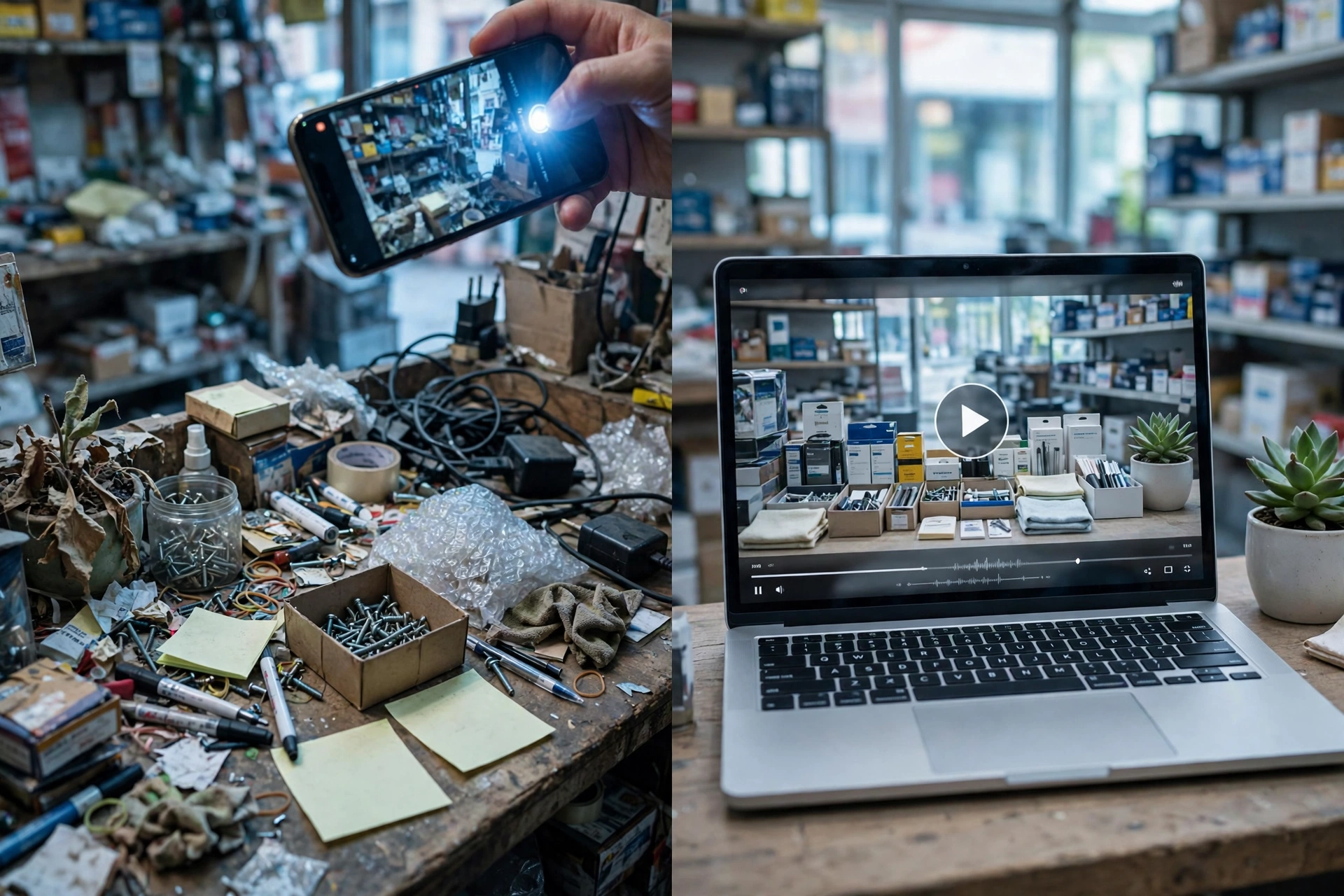
Every competitor’s Instagram has a short video this week — a 40-second clip of the product, a customer saying two sentences, a “this week only” offer — and your page has a photo from March. You meant to film something. You never found the afternoon.
That is what owners search for when they look for AI video tools for small business: a decent marketing video without a camera, a crew or an afternoon. You type what you want to say, and the tool builds the video — footage, voice, captions and music — in minutes.
This guide answers that search with real prices, checked on the official pricing pages on 14 November 2026. It compares five tools a one-to-five-person business can run this week: Pictory, InVideo AI, HeyGen, Synthesia and VEED. The cheapest plan covering eight short videos a month costs $10 a month, and the cheapest paid start is $4 a month.
Quick Answer
For most small businesses, the best AI video tools for small business start with Pictory. Starter costs $25 a month billed annually and turns a blog post, a script or a long recording into short, captioned videos — the job most small businesses actually have, because they already write posts and emails every week — with 30 minutes of video a month, which covers eight one-minute videos with room to spare.
Pick InVideo AI if you want the cheapest paid start: Basic costs $4 a seat a month billed annually ($9 a seat a month on monthly billing), and one sentence from you becomes a finished video — script, footage, voiceover, captions and music. The limit to watch is credits: Basic gives 190 credits a month, and one short AI video costs about 30 credits, so it covers about six videos a month, not eight.
Pick VEED if you want the cheapest plan that covers eight videos: Creator costs $10 a month billed annually ($20 a month on monthly billing) for 500 credits a month — about 125 AI videos — and it is the best editor here: captions, trimming and branding in the browser, no install. Pick HeyGen if you want a person on screen without filming one: Creator costs $24 a month billed annually ($29 a month on monthly billing) for a realistic AI presenter in 175 languages.
Pick Synthesia if your videos are training or explainers, not ads: Starter costs $18 a month billed annually ($29 a month on monthly billing) for about 150 minutes of video a year, with 125-plus AI avatars.
The short version: if you already write content, start with Pictory at $25 a month. If you make about six videos a month, InVideo Basic at $4 a month is the cheapest honest start, and VEED Creator at $10 a month is the cheapest plan that covers eight.
In this article
- Why video is the one marketing job small businesses keep putting off
- The 5 AI video tools for small business, compared at a glance
- 1. Pictory — best for turning what you already wrote into video
- 2. InVideo AI — cheapest paid start
- 3. HeyGen — best AI presenter
- 4. Synthesia — best for training and explainers
- 5. VEED — best for editing and captions
- AI video or a videographer — what actually changes
- What 8 videos a month really costs
- The four traps: how to read an AI video price
- How to choose in 10 minutes
- Frequently asked questions
- Verdict
Why video is the one marketing job small businesses keep putting off
Video is not a nice extra any more. Wyzowl’s 2026 video marketing data puts video use at 91 percent of businesses — but among businesses with fewer than 50 employees, adoption drops to 58 percent. The gap is time: a small business has no video person, and a 60-second clip used to cost half a day.
That is why owners keep asking the same questions in different words — “Which AI video generator is actually worth it?” and “What is the cheapest way to make marketing videos?” — and the answers keep coming back to the same three worries.
The first worry is the bill. Every tool here now charges in credits, not minutes, and a credit buys a different amount of video on each tool. Owners on review sites keep reporting the same surprise: the credits ran out mid-project, because regenerating a scene after an edit costs credits again. That is why this guide prices every tool at the same volume — eight one-minute videos a month.
The second worry is the watermark. Every free plan here either stamps a watermark on your video or limits you to a handful of videos a month. A watermarked video on your business page tells every customer you did not pay for the tool — so if the video goes public, the free plan is a test, not a solution.
The third worry is whether the video looks like your business at all: the same stock avatars appear in many companies’ videos, and the same stock footage appears in your competitor’s ad. The tool that wins is the one whose output still looks like you after ten videos.
The 5 AI video tools for small business, compared at a glance
| Tool | Best for | Free way to try | Entry paid price* | How it counts usage |
|---|---|---|---|---|
| Pictory | Best for turning what you already wrote into video | 14-day free trial, 3 videos | Starter $25/month billed annually ($29/month monthly) | Credits buy minutes — 30 a month on Starter |
| InVideo AI | Cheapest paid start | Free plan (limits not published) | Basic $4/seat/month billed annually ($9/seat/month monthly) | Credits per video — about 30 per short video |
| HeyGen | Best AI presenter | Free plan — 3 videos a month, no card | Creator $24/month billed annually ($29/month monthly) | Credits per video — no flat price published |
| Synthesia | Best for training and explainers | Free Basic plan — 500 credits a month | Starter $18/month billed annually ($29/month monthly) | Credits buy minutes — about 150 a year on Starter |
| VEED | Best for editing and captions | Free plan — 10-minute exports, watermarked | Creator $10/month billed annually ($20/month monthly) | Credits per video — 500 is about 125 AI videos |
*Prices checked 14 November 2026 on the official pricing pages. Pictory Professional at $29.50 is a Black Friday offer (was $59). Synthesia Starter’s first month is $14, then $29. InVideo Ultra is $72 now and renews at $80. VEED’s comparison table prices Creator, Pro and Studio at $9.67, $21.42 and $34.50 a month on annual billing.
Read the last column before the price column: these five AI video tools for small business do not count the same thing. Pictory and Synthesia sell you minutes — a one-minute video costs about the same every time. InVideo, HeyGen and VEED sell you credits per video, and the cost depends on which AI model made it and how long it is.
At eight one-minute videos a month, the cheapest plan that covers the volume costs $25 on Pictory, $15 on InVideo, $24 on HeyGen, $18 on Synthesia and $10 on VEED — the same eight videos, a $15 gap.
1. Pictory — best for turning what you already wrote into video
Pictory is the pick when you already have the words. It is built for one job: take content you already own — a blog post, a script, a webinar recording, a long podcast — and turn it into short, captioned video. Paste a link or a script, and it picks stock footage, adds a voiceover and writes the captions. That is why it leads this guide: most small businesses already write. They do not already film.
Starter costs $25 a month billed annually ($29 a month on monthly billing) and gives you 24,000 credits a year — up to 360 minutes of video a year, 30 minutes a month. One user, one brand kit, 1080p export, no watermark, and unlimited access to more than 5 million royalty-free videos from Getty Images and Storyblocks. The voices are multilingual and hyper-realistic, from ElevenLabs, and every plan includes the same AI toolkit. Plans differ in credits, users, brand kits and storage, not in features.
Professional costs $29.50 a month billed annually right now — a Black Friday offer, marked down from $59 — or $59 a month on monthly billing. It triples the credits to 72,000 a year (up to 1,080 minutes), adds voice clones and cloned avatars, five brand kits and 18 million stock videos. Teams costs $119 a month billed annually ($199 monthly) for three or more users. Enterprise is custom pricing.
The free way to try Pictory is a 14-day free trial: 300 credits, up to 10 minutes of video, three videos, 720p export, with a Pictory watermark. There is no permanent free plan — after 14 days you pay or you stop.
Pictory suits a business that publishes anything in writing — a shop with a blog, a consultant with a newsletter, a restaurant with a weekly email. You already wrote the words; Pictory turns them into the video your customers actually watch. The limit to watch is the credit pool: annual plans grant all credits upfront, so a heavy month early in the year eats next month’s minutes — and a generated clip costs 10 to 40 credits a second.
Pros: the fastest path from words you already wrote to a finished video; every plan gets the same AI toolkit; huge stock library included; no watermark on paid plans. Cons: no permanent free plan, only a 14-day trial; annual credits arrive upfront, so a heavy month eats the year; AI-generated clips can burn credits fast.
Best for: a business that already writes posts, emails or scripts and wants them as video.
2. InVideo AI — cheapest paid start
InVideo AI is the pick when you start with an idea, not a document. You describe the video in one sentence — “a 40-second promo for our weekend bakery sale, warm and friendly” — and it writes the script, picks stock or generated footage, adds a voiceover and music, and assembles the cut. Then you edit by typing changes in plain language: “make the first scene shorter” or “use a calmer voice.”
Basic costs $9 a seat a month on monthly billing, or $4 a seat a month billed annually — $54 for the year for one seat. It gives 190 credits a seat a month, and InVideo’s own calculator prices one short AI video at about 30 credits, so Basic covers about six short videos a month — not eight. That is the cheapest paid start in this guide, and it is honest about what it covers.
Pro costs $30 a seat a month on monthly billing, or $15 a seat a month billed annually — $180 for the year for one seat — for 1,000 credits a month, about 33 short videos, plus the better AI models, 4K generation and 600 GB of storage. Ultra costs $72 a seat a month right now and renews at $80, or $40 a seat a month billed annually — $480 for the year — for 3,000 credits a month. Business plans start at $79 a seat a month.
One warning: InVideo rebuilt its pricing page recently, and the old plan names — Starter, Plus and Max — no longer exist. The current Team plans are Basic, Pro and Ultra, and the credit amounts changed with them. If a roundup still quotes the old names and prices, it is out of date.
The free way to try InVideo is a free plan — the FAQ says your account drops to the Free plan if you cancel — but the pricing page publishes no limits: no credit count, no video length, no export quality. Treat it as a way to open the editor, not a plan to run a business page on. Unused credits do not roll over, on any plan.
InVideo suits a business that needs many short social videos fast and has no written content to start from. The limit to watch is the credit maths: regenerating a scene after an edit costs credits again, and reviewers keep reporting that credits run out faster than expected when you iterate. Budget for two or three tries per video, not one.
Pros: the cheapest paid start here; a full video from one sentence; the deepest model choice of any tool in this guide; a real timeline editor on every plan. Cons: the free plan publishes no limits; credits do not roll over; the cheapest plan covers about six videos, not eight; editing by typing prompts frustrates people who want precise control.
Best for: a business that starts from a new idea each week and needs social videos fast.
3. HeyGen — best AI presenter
HeyGen is the pick when the video needs a person on screen and you do not want to be that person. You paste a script, pick one of more than 700 stock avatars — or build your own digital twin from a 15-second recording — and the avatar reads it with lip-sync that holds up at full screen, in 175 languages. It is the most realistic presenter in this guide.
Creator costs $29 a month on monthly billing, or $24 a month billed annually, and gives 600 credits a month at 1080p, with 700-plus avatars, 175 languages and one custom video avatar. Pro starts at $49 a month for 1,000 credits and scales to 100,000 credits a month at $4,300 — the tiers change only the credit amount. Business costs $149 a month plus $20 a seat a month.
The free way to try HeyGen is a free plan: three videos a month, no credit card required, one minute per video, watermarked at 720p. It is the most usable free plan in this guide — three real videos, not a demo — but three videos a month does not cover eight.
HeyGen’s credits are the friendliest here: unused credits roll over — monthly subscribers keep them for one more month, annual subscribers accumulate them until renewal. A quiet month does not waste your money the way it does on InVideo or VEED. The translation tool can also turn one English video into a lip-synced German, Japanese or Portuguese version without re-recording.
HeyGen suits a business that needs a face on its videos — a demo, a welcome video, a how-to, a sales message in two languages — without hiring a presenter or filming yourself. The limit to watch is the avatar itself: the same stock avatars appear in many companies’ videos, so your “spokesperson” may also be selling someone else’s product. A custom avatar of yourself fixes that, and Creator includes one, with 500 looks.
Pros: the most realistic AI presenter here; credits roll over, which no other tool in this guide offers; 175 languages with lip-synced translation; a genuinely usable free plan. Cons: the free plan only covers three videos a month and watermarks them; Pro tiers climb fast if you need many credits; stock avatars are shared with other businesses.
Best for: a business that wants a presenter on screen — demos, explainers and welcome videos — without filming.

4. Synthesia — best for training and explainers
Synthesia is the pick when the video is not an ad. It is built for training, onboarding, how-to guides and internal explainers — the videos a business makes once and shows a hundred times. The look is corporate and consistent: an avatar at a desk, clean slides, your brand colours.
Basic is free: $0 a month, 500 credits a month, 10 minutes of Studio video or dubbing, one Syren video, nine AI avatars — and every video carries a Synthesia watermark. It is a real free plan, not a trial, but the watermark keeps it off your public pages.
Starter costs $29 a month on monthly billing — the first month is $14, half price — or $18 a month billed annually, $216 for the year — for 15,000 credits a year, up to about 150 minutes of video, plus 125-plus AI avatars, downloads, no watermark and the AI video assistant. Pro costs $89 a month on monthly billing — the first month is $49 — or $64 a month billed annually, $768 for the year, for 72,000 credits a year (about 720 minutes of video), 180-plus avatars and five personal avatars. Enterprise is custom pricing, with unlimited video minutes.
One caution: Synthesia’s Starter monthly price moved recently — a text read earlier today showed $19 a month with a $9 first month, while the live page shows $29 with a $14 first month. The annual price is stable at $18 a month billed yearly, and it is the cheaper one by a wide margin either way.
Synthesia suits a business that trains people — new staff every season, a standard welcome video, the same safety briefing for every hire. It is the wrong tool for a weekly social promo: its strength is a consistent, repeatable explainer, not a fast, trendy clip. The limit to watch is the minute count: a 10-minute onboarding video every month is 120 minutes a year before you add anything else.
Pros: a real free plan with 500 credits a month; the most consistent, corporate look here; the best choice for training that gets watched a hundred times; annual billing is far cheaper than monthly. Cons: the most expensive entry price for ads and social video; the free plan watermarks every video; the monthly price moved recently, so check it on the day; slow for fast social content.
Best for: a business that trains staff or customers and needs the same explainer, done properly, again and again.
5. VEED — best for editing and captions
VEED is the pick when you already have footage and need it finished. It is an editor first and a generator second: trim a clip, add captions, remove background noise, put your logo and colours on it, export it in the right size for each platform — all in the browser, nothing to install. The AI generation is there too, but the editing is why small businesses stay.
Creator costs $20 a month on monthly billing, or $10 a month billed annually — the comparison table prices it at $9.67 a month, about $116 a year — for 500 credits a month, about 125 AI videos, plus 1080p export, no watermark and unlimited export length.
Pro costs $44 a month on monthly billing, or $21 a month billed annually ($21.42 in the table, about $257 a year), for 2,500 credits a month — about 625 AI videos — 4K export and 12 hours of AI voice a month. Studio costs $70 a month on monthly billing, or $35 a month billed annually ($34.50 in the table, about $414 a year), for 15,000 credits a month, 4K and up to 80 hours of AI voice a month. Enterprise is custom pricing (all paid prices are per user, per month).
The free way to try VEED is a free plan: $0, with 10-minute exports, 720p, 2 GB of storage, 10 minutes of auto subtitles a month, limited stock audio and video, watermarked exports and no iOS app. There is no general trial of a paid plan — the FAQ offers one to enterprise customers only, minimum three users. The free plan is the trial.
VEED suits a business that films on a phone and needs the clip cleaned up — a 40-second tour of the new stock, a trainer’s tip, a restaurant’s dish of the day. Its auto-captions are the best reason to use it: most social video is watched on mute, and VEED writes the captions in minutes. The limit to watch is the credits: they do not carry over, so an unused month is a wasted month.
Pros: the best editor here, and the only tool that is an editor first; the cheapest plan that covers eight videos; excellent auto-captions for muted viewing; nothing to install. Cons: no general trial of a paid plan; credits do not carry over; the free plan is heavily limited; AI generation is weaker than Pictory or InVideo.
Best for: a business that films on a phone and needs captions, trimming and branding done fast.
AI video or a videographer — what actually changes
An AI video tool does not replace a videographer. It replaces the blank page. A videographer gives you footage of your real shop, your real product and your real customers, and no AI tool here can do that. What the tools do replace is the first draft and the editing bill: a 60-second promo used to take half a day, and Pictory or InVideo AI does the first version in about ten minutes. Use AI video for volume — the weekly offer, the product tip, the seasonal announcement — and hire a person for the few videos that carry your brand.
What 8 videos a month really costs
Eight one-minute videos a month — two a week, the pace a small business can actually keep up — is the volume this guide prices.
| Tool | Cheapest plan that covers 8 videos | Annual billing | Monthly billing | Year one (annual billing) |
|---|---|---|---|---|
| Pictory | Starter — 30 minutes a month, 8 used | $25/month | $29/month | $300 |
| InVideo AI | Pro — 1,000 credits, about 240 used | $15/seat/month | $30/seat/month | $180 |
| HeyGen | Creator — 600 credits a month | $24/month | $29/month | $288 |
| Synthesia | Starter — about 12.5 minutes a month, 8 used | $18/month | $29/month | $216 |
| VEED | Creator — 500 credits, about 125 videos | $10/month | $20/month | $120 |
The cheapest year is VEED at $120, the most expensive Pictory at $300 — a $180 gap for the same eight videos a month.
Two things in that table deserve a second look. First, InVideo Basic at $4 a month does not make it: 190 credits cover about six short videos, so the eighth video pushes you to Pro at $15 a month — the cheapest headline price is not the cheapest plan that does the job. Second, monthly billing clusters at $29 to $30 a month for four of the five tools. The real price difference is the annual discount, not the headline.
If you make six videos a month instead of eight, the maths changes: InVideo Basic at $4 a month billed annually covers it, and the cheapest year in this guide becomes $54. Count your real volume before you pick a plan — the difference between six and eight videos a month is $126 a year on InVideo alone.

The four traps: how to read an AI video price
Trap 1: a credit is not a minute, and it is not a video. Every tool here bills credits, and a credit buys a different amount on each one. Pictory’s credits buy minutes — 24,000 credits is 360 minutes a year. InVideo’s buy videos — about 30 credits for one short AI video. VEED’s buy videos too, but about four credits each, not 30. HeyGen and Synthesia publish no flat per-video credit price at all. Never compare two headline prices — compare what the credits buy at your volume.
Trap 2: the free plan is a test, not a plan. VEED’s free plan watermarks every export and caps subtitles at 10 minutes a month. Synthesia’s free plan watermarks every video. HeyGen’s gives you three videos a month, watermarked, one minute each. Pictory has no free plan at all — only a 14-day trial. InVideo’s pricing page does not publish its free plan’s limits. If the video goes on your public page, budget for a paid plan from the start.
Trap 3: monthly billing costs roughly double. InVideo Basic is $9 a seat a month monthly and $4 annually. VEED Creator is $20 monthly and $10 annually. Synthesia Starter is $29 monthly and $18 annually. HeyGen Creator is $29 monthly and $24 annually. Paying month to month to test is sensible — but the test costs about twice as much as the commitment.
Trap 4: the first price you see is often not the second month’s price. Synthesia Starter’s first month is $14 on monthly billing, then $29. Pictory Professional at $29.50 is a Black Friday offer, marked down from $59. InVideo Ultra is $72 a seat a month now and renews at $80. Read the renewal price, not the headline.
How to choose in 10 minutes
Start with the job, not the tool — four questions, and the pick makes itself.
What do you already have? Blog posts, scripts or long recordings: pick Pictory. Phone footage that needs finishing: pick VEED, the editor. Nothing but an idea: pick InVideo AI — it builds from one sentence.
Does the video need a person? If yes and you will not film yourself, pick HeyGen for marketing or Synthesia for training. If no, the avatar tools are wasted money — Pictory, InVideo or VEED do the same job cheaper.
How many videos a month, honestly? Six or fewer: InVideo Basic at $4 a month billed annually is the cheapest start here. Eight: VEED Creator at $10 a month is the cheapest plan that covers them. More than ten: check the credit maths first — Pro tiers exist because entry plans run out.
Will the video go on your public page? If yes, the free plan is not enough — every free plan here watermarks or limits you. Pick the cheapest paid plan that covers your volume and remove the watermark on day one.
Then test it before you commit to a year: make three real videos — one offer, one product tip, one customer question — publish all three, and watch which one people finish. The tool that makes the video your customers actually watch is the right one.
Frequently asked questions
Which AI video tool is best for a small business?
It depends on the job. Pictory is the best starting point for most small businesses because it turns blog posts, scripts and recordings you already have into captioned video — Starter at $25 a month billed annually covers eight one-minute videos. If you start from a new idea each week, InVideo AI is faster. If the video needs a presenter, HeyGen is the most realistic; if it is training, Synthesia is the proper tool; if you film on your phone, VEED finishes the clip best.
Can I make marketing videos with AI for free?
Yes, but not videos you would put on your business page. HeyGen’s free plan gives three videos a month, Synthesia Basic gives 500 credits a month, VEED’s free plan gives watermarked exports — all watermarked or limited. Pictory has no free plan, only a 14-day trial. The free plans are for testing which tool you like, not for running your marketing.
How much does it cost to make 8 videos a month?
On annual billing, $10 to $25 a month — VEED Creator $10, InVideo Pro $15, Synthesia Starter $18, HeyGen Creator $24, Pictory Starter $25. If you make six videos a month instead of eight, InVideo Basic at $4 a month billed annually covers it, $54 a year.
Do AI video tools replace a videographer?
No. They replace the first draft and the editing bill, not the footage of your real shop, product and customers. Use AI video for volume and hire a person for the few videos that carry your brand.
Will the same AI avatar appear in other businesses’ videos?
Yes, if you use a stock avatar — the same faces appear across many companies’ videos. HeyGen includes one custom avatar on Creator, Synthesia includes personal avatars from Pro. If your videos carry your brand, a custom avatar is worth the upgrade.
What is a credit, and why does every tool use them now?
A credit is the shared currency each tool uses to charge for AI work — one pool for video, images, voices and avatars. The catch is that a credit buys a different amount on each tool: about 30 credits makes one short video on InVideo, about four makes one AI video on VEED, and on Pictory and Synthesia credits buy minutes of video. Credits do not roll over on InVideo or VEED; on HeyGen they do — one extra month on monthly billing, until renewal on annual billing.
Verdict
The AI video tools for small business that matter are not the ones with the longest feature list. They are the ones whose credits cover the videos you actually make — and whose free plan does not watermark your public page.
Pictory is the best answer for most small businesses: $25 a month billed annually turns the words you already write into video, and 30 minutes a month covers eight one-minute videos. InVideo AI is the best answer for the cheapest paid start: $4 a seat a month billed annually, for about six short videos a month from a single sentence. VEED is the best answer for the cheapest plan that covers eight: $10 a month billed annually, and the best editor here.
HeyGen is the best answer if your video needs a presenter: $24 a month billed annually for the most realistic AI avatar, in 175 languages. Synthesia is the best answer for training: $18 a month billed annually for a consistent, corporate explainer your staff will watch a hundred times.
For most small businesses searching for AI video tools for small business, start with Pictory at $25 a month — and keep VEED Creator open beside it at $10 a month for the weeks you film on your phone.
Check the pricing page before you build your year around a tool — every vendor here changes prices without notice.
Price note — updated 14 November 2026: Prices in this post were checked on 14 November 2026. When you are reading this, the price may be lower or higher — check the official pricing page before you buy.
Pros
- the fastest path from words you already wrote to a finished video
- every plan gets the same AI toolkit
- huge stock library included
- no watermark on paid plans
Cons
- no permanent free plan, only a 14-day trial
- annual credits arrive upfront, so a heavy month eats the year
- AI-generated clips can burn credits fast
The AI video tools for small business that matter are not the ones with the longest feature list. They are the ones whose credits cover the videos you actually make — and whose free plan does not watermark your public page.Pictory is the best answer for most small businesses: $25 a month billed annually turns the words you already write into video, and 30 minutes a month covers eight one-minute videos. InVideo AI is the best answer for the cheapest paid start: $4 a seat a month billed annually, for about six short videos a month from a single sentence. VEED is the best answer for the cheapest plan that covers eight: $10 a month billed annually, and the best editor here.HeyGen is the best answer if your video needs a presenter: $24 a month billed annually for the most realistic AI avatar, in 175 languages. Synthesia is the best answer for training: $18 a month billed annually for a consistent, corporate explainer your staff will watch a hundred times.For most small businesses searching for AI video tools for small business, start with Pictory at $25 a month — and keep VEED Creator open beside it at $10 a month for the weeks you film on your phone.Check the pricing page before you build your year around a tool — every vendor here changes prices without notice.
1 thought on “Best AI Video Tools for Small Business (2026)”